Moving to NetSuite is a big step. For many businesses, it feels like a finish line.
The system is live. Users can log in. Dashboards load. Reports appear. On the surface, everything looks fine.
That moment of relief is dangerous.
Because NetSuite Migration Data Testing is not about whether the software runs. It is about whether the data inside it is reliable enough to run your business.
That is how businesses end up trusting reports that should never be trusted.
When data issues slip through:
- Management reports become misleading
- Cash flow forecasts lose accuracy
- Month end takes longer than before
- Audit and compliance risks increase
- Teams lose confidence in the system
Small errors compound quickly once live transactions begin.
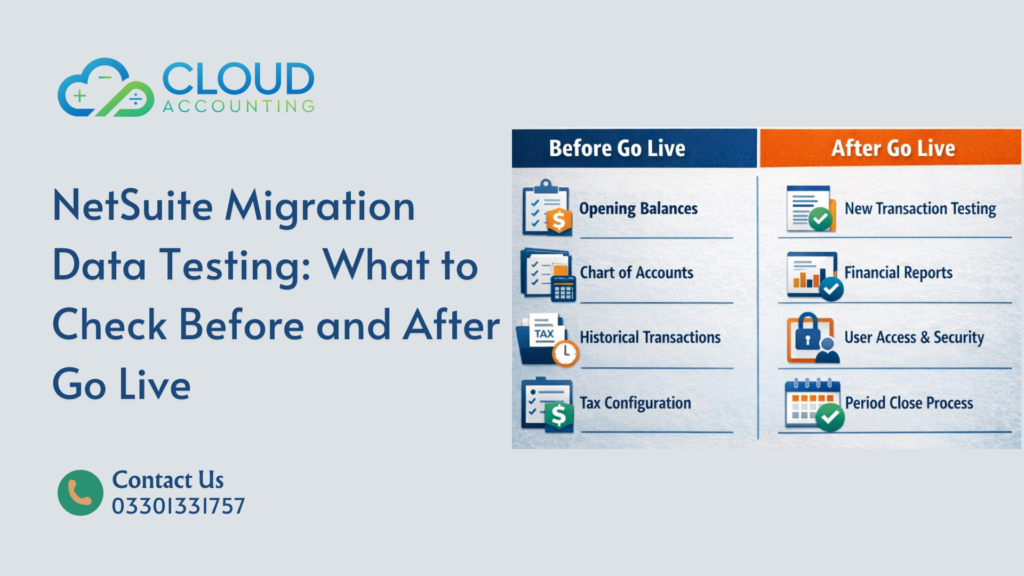
This is why NetSuite Migration Data Testing must happen before go live and continue after go live. Testing once is not enough. Data behaves differently when real users, real transactions, and real integrations come into play.
This guide explains exactly what to test before and after go live, where problems usually hide, and why NetSuite Migration Data Testing should never be rushed or treated as a checkbox exercise.
What Is NetSuite Migration Data Testing?
NetSuite Migration Data Testing is the process of validating that all financial, operational, and historical data moved into NetSuite is complete, accurate, and usable in real business scenarios.
It goes beyond confirming that data exists. It confirms that the data works correctly inside NetSuite.
At its core, NetSuite Migration Data Testing answers a few simple but critical questions:
- Did every required record migrate from the old system?
- Did the data land in the correct fields and accounts?
- Does NetSuite calculate balances, totals, and reports the same way your previous system did?
- Can users rely on NetSuite reports without manual checks, spreadsheets, or workarounds?
These questions sound basic. They are not.
Many migrations fail quietly because totals look right at a high level, while details underneath are wrong. An account may balance, but transactions may be misdated. A report may run, but calculations may follow different rules.
That is why testing is not just checking totals.
NetSuite Migration Data Testing checks:
- Data logic, such as how transactions affect balances
- Data structure, such as account mapping and relationships
- Data behavior, such as how reports respond to real transactions
If migration is the move, testing is the proof.
Without proof, NetSuite becomes a system you hope is right, instead of one you know is right.
Why NetSuite Migration Data Testing Is Non Negotiable
Here is the hard truth.
NetSuite assumes your data is correct.
It will not warn you if:
- Opening balances are wrong
- Transactions are duplicated
- Tax values are misaligned
- Subsidiary mappings are incorrect
Without proper NetSuite Migration Data Testing, errors often appear weeks later. By then, live transactions are mixed with bad data. Fixing it becomes slow, risky, and expensive.
Testing protects:
- Financial accuracy
- Reporting confidence
- Audit readiness
- Team trust in the system
Skipping it is not saving time. It is borrowing trouble.
When NetSuite Migration Data Testing Should Happen
NetSuite Migration Data Testing should never be treated as a single task at the end of a project. That approach almost always leads to missed issues.
Testing should happen in clear phases, with each phase checking different risks. Together, these phases protect your data before, during, and after go live.
1. After Initial Data Import
This is your first checkpoint and one of the most important.
At this stage, the goal is to confirm raw data accuracy before users interact with the system.
You are validating:
- Record counts between systems
- Opening balances for key accounts
- Basic account mapping
- Presence of historical transactions
Catching issues here is fast and low risk. No live transactions exist yet, so corrections are clean and controlled.
2. Before Go Live Approval
This is the most critical testing window.
By this point, NetSuite should be fully configured and ready for use. Testing now focuses on confidence, not just accuracy.
You are checking:
- Financial reports against expected results
- Tax calculations and totals
- Subsidiary and entity alignment
- User roles and permissions
- End to end transaction flow
If issues exist at this stage, they must be fixed before approval. Once go live happens, mistakes become harder to isolate and correct.
3. After Go Live During Live Use
This phase confirms that NetSuite behaves correctly under real conditions.
Live activity often reveals issues that testing environments do not.
You are validating:
- New transactions against migrated balances
- Report behavior with real data volume
- Integration performance
- Period close processes
This phase ensures that NetSuite remains stable and reliable once the system is fully in use.
Skipping any phase increases risk.
Each phase catches different problems, and all three are necessary for a successful NetSuite migration.
What to Check Before Go Live
Pre go live testing focuses on structure and accuracy.
1. Opening Balances
This is the foundation of your NetSuite environment.
Check:
- Bank balances
- Accounts receivable
- Accounts payable
- Inventory valuation
- Equity accounts
Totals must match your legacy system exactly. Even small differences matter.
2. Chart of Accounts Mapping
Every account must land in the correct place.
Verify:
- Account names
- Account types
- Parent and child relationships
- Reporting categories
Wrong mapping leads to wrong reports. Simple as that.
3. Historical Transactions
If you migrated historical data, test it thoroughly.
Check:
- Invoice totals
- Payment applications
- Credit notes
- Journal entries
Spot check multiple periods, not just one month.
4. Tax Configuration and Values
Tax errors are common and costly.
Validate:
- Tax codes
- Tax rates
- Historical tax amounts
- Tax reports
Make sure NetSuite calculates tax the same way your old system did.
5. Customer and Vendor Data
Master data issues cause daily frustration.
Check:
- Names and IDs
- Payment terms
- Currency settings
- Credit limits
- Open balances
Clean master data makes everything else easier.
6. Subsidiaries and Entities
For multi-entity businesses, this step is critical.
Confirm:
- Correct subsidiary assignment
- Intercompany balances
- Consolidation logic
- Currency translations
This is where many NetSuite migrations quietly fail.
What to Check After Go Live
Post go live NetSuite Migration Data Testing focuses on behavior, not just numbers.
1. Live Transaction Flow
Test how new transactions interact with migrated data.
Check:
- New invoices against old balances
- Payments applied to migrated invoices
- Inventory movements
- Revenue recognition behavior
Nothing should break when real activity begins.
2. Financial Reports
Reports reveal hidden problems.
Review:
- Trial balance
- Balance sheet
- Income statement
- Cash flow
Compare early NetSuite reports with expectations from your legacy system.
3. User Roles and Permissions
Incorrect access leads to errors.
Test:
- Who can post transactions
- Who can edit historical data
- Who can approve entries
Security mistakes often go unnoticed until damage is done.
4. Period Close Process
Run a mock period close.
Verify:
- Locking behavior
- Adjustment entries
- Reopen rules
- Audit trails
This ensures the month end does not turn into chaos.
5. Integrations and Imports
If NetSuite connects to other systems, test them early.
Confirm:
- Data sync accuracy
- Timing delays
- Error handling
Bad integrations can undo good migration work.
How Long NetSuite Migration Data Testing Should Take
There is no fixed timeline for NetSuite Migration Data Testing. The time required depends on data complexity, not on how big the company is.
A small business with messy data can take longer to test than a larger business with clean, well structured records.
As a general guide, most NetSuite Migration Data Testing projects fall into these ranges:
- Simple migrations: 3 to 5 days
Limited historical data, single entity, basic reporting needs. - Mid sized businesses: 1 to 2 weeks
Multiple reporting periods, tax checks, and more detailed validation. - Multi entity setups: 2 to 4 weeks
Multiple subsidiaries, intercompany balances, currencies, and consolidation testing.
Anything faster usually means corners were cut.
Proper testing takes time because it involves:
- Detailed comparison between systems
- Report validation across periods
- Issue investigation and correction
- Retesting after fixes are applied
Testing is often slower than the migration itself, and that is normal.
Rushing testing does not speed up the project. It only delays problems until after go live, when they are harder and more expensive to fix.
Common NetSuite Migration Data Testing Mistakes
Avoid these at all costs.
- Testing only totals, not details
- Letting only IT test the data
- Skipping tax validation
- Ignoring historical periods
- Rushing to meet a go live date
- Assuming NetSuite is wrong instead of checking the data
Testing needs finance, operations, and system knowledge working together.
Who Should Own NetSuite Migration Data Testing?
NetSuite Migration Data Testing should never sit with one person or one team. That is how gaps form and issues get missed.
Testing works best when ownership is shared but clearly defined.
Each group sees different risks, and all of them matter.
Finance Team
Finance owns the numbers.
They validate:
- Opening balances
- Historical transaction totals
- Trial balance, balance sheet, and income statement
- Tax values and reporting accuracy
If finance does not trust the numbers, the system will never be trusted.
Operations Team
Operations owns how the system is used day to day.
They validate:
- Order to cash processes
- Purchase and inventory workflows
- How transactions move through NetSuite
- Whether processes match real business activity
If processes break, users will work around the system instead of using it properly.
Technical Team
Technical teams own the structure.
They validate:
- Account and record mapping
- Data relationships
- Integrations and data flows
- System configuration logic
Their role is to ensure NetSuite is built correctly under the hood.
Migration Specialists
Migration specialists own the logic of the move itself.
They validate:
- Data transformation rules
- Migration scripts or tools
- Error handling and reconciliation logic
- Retesting after fixes
They act as the bridge between systems and teams.
Clear ownership prevents blame later.
When everyone knows what they are responsible for, issues are found earlier and resolved faster.
Final Thoughts
NetSuite Migration Data Testing is where migrations succeed or fail.
Go live is not the finish line.
Accurate, trusted data is.
If your numbers are right, NetSuite becomes a powerful decision tool.
If they are wrong, it becomes an expensive spreadsheet.
That is how confident NetSuite migrations are built.
Call to Action
Planning a NetSuite migration or already live but unsure about your data?
Cloud Accounting helps businesses verify, validate, and fix NetSuite migration data before small issues turn into costly problems.
We review your migrated data in detail, explain what is correct and what needs attention, and help you fix issues safely without disrupting live operations.
No pressure.
No technical noise.
Just clear answers and data you can trust.
Talk to Cloud Accounting today and make sure your NetSuite data is working for you, not against you.