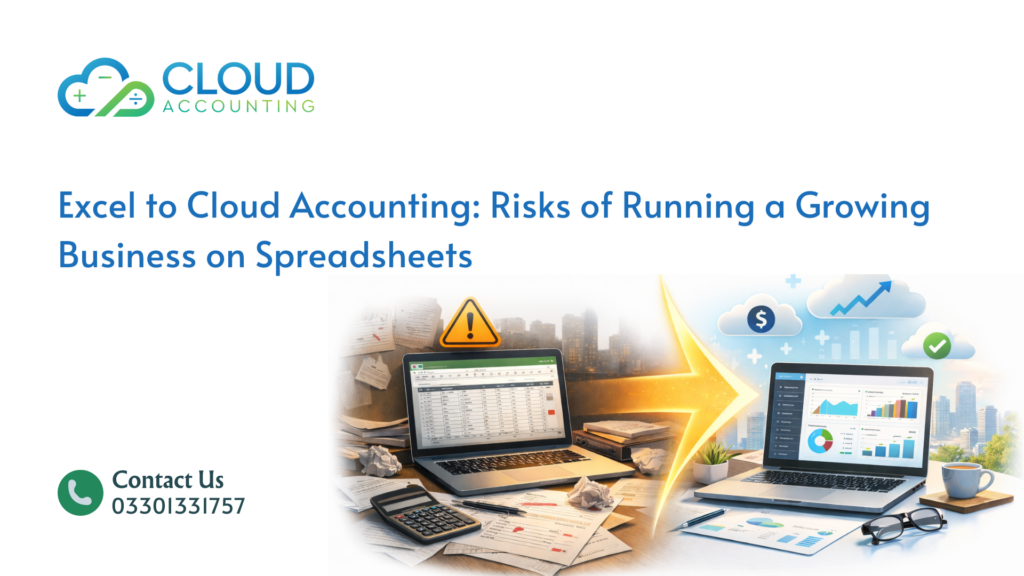
Excel to Cloud Accounting is not about following trends or upgrading tools for the sake of it. It is about recognizing the moment when a system stops matching how a business actually works. In the early stages, spreadsheets feel practical and familiar. Founders can see every number, change things quickly, and adapt without friction. That flexibility creates a sense of control, especially when the business is small and decisions are simple.
As the business grows, that same flexibility quietly turns into a weakness. Transaction volumes increase, reporting needs become more frequent, and more people need access to financial data. Excel was never designed to handle scale, collaboration, or constant change at the same time. What once felt manageable starts to feel fragile. Files grow larger, formulas become harder to understand, and small mistakes carry bigger consequences.
The real risk is that these problems do not appear all at once. They build slowly in the background. Reports take longer to prepare. Numbers change between versions. Decisions are made using incomplete or outdated data. Over time, leaders begin to question whether the figures can be trusted. Financial confidence slips, not because the business is failing, but because the tools can no longer keep up.
This is where Excel to Cloud Accounting becomes a necessary shift rather than a preference. Cloud accounting introduces structure, automation, and controls that reduce dependence on manual effort and individual knowledge. It supports growth by providing consistency and clarity, allowing business owners to focus on decisions instead of data maintenance.
Why Growing Businesses Hold On to Excel
Most growing businesses hold on to Excel because it feels safe and familiar. Teams already know how to use it, and there is no visible cost to keep using it. That familiarity creates comfort, and comfort delays change. When things appear to be working, there is little urgency to replace a tool that everyone understands, even if it is slowly becoming a limitation.
Over time, spreadsheets grow larger and more complex. What started as a simple file turns into a web of formulas, links, and manual adjustments that only one or two people fully understand. When those individuals are on leave or leave the business, progress slows or stops entirely. Knowledge becomes trapped inside the spreadsheet instead of being built into the system.
Excel relies heavily on discipline and memory. It assumes people will follow the same process every time, enter data correctly, and avoid touching sensitive formulas. As transaction volume increases, that expectation becomes unrealistic. Small slips turn into recurring issues, and risk increases without anyone noticing right away.
As growth continues, this dependency makes it harder to scale financial processes with confidence. Reporting becomes fragile, reviews take longer, and trust in the numbers begins to weaken. This is often the point where Excel to Cloud Accounting stops being a future idea and becomes a serious and necessary consideration.
Manual Work Increases as the Business Grows
Excel relies heavily on manual effort to keep financial data up to date. Numbers are typed in, copied between sheets, pasted from other systems, and adjusted by hand. When transaction volumes are low, this approach feels manageable and does not raise concern. The time cost is visible but acceptable, and errors are easier to spot.
As the business grows, manual work increases quickly. More invoices, more expenses, and more adjustments mean more repetitive tasks. Each extra step introduces another opportunity for error. Staff spend a growing portion of their time maintaining spreadsheets instead of reviewing performance or identifying issues. Financial work becomes reactive, focused on keeping the file running rather than understanding what the numbers are saying.
Delays also become common. Reports are only as current as the last update, and updates often get pushed back during busy periods. Mistakes become harder to detect because of volume and complexity. Moving from Excel to Cloud Accounting reduces this manual burden through automation and built-in rules. Data flows into the system automatically, calculations are handled consistently, and teams can spend their time analyzing results instead of fixing problems.
Errors Become Harder to Detect
Errors in Excel are rarely obvious when they happen. A formula can break, a cell can be overwritten, or a row can be skipped without triggering any warning. These issues often remain hidden until someone notices that a report does not look right weeks or even months later. By that time, tracing the source of the problem becomes difficult and time-consuming.
As spreadsheets grow in size and complexity, the risk increases. Multiple sheets rely on the same formulas, and one small mistake can ripple through several reports without anyone realizing it. Because Excel lacks built-in checks, errors depend on people catching them manually. This creates uncertainty and slowly erodes confidence in the financial data.
Cloud accounting systems reduce this risk by design. They validate entries, track every change, and restrict edits to closed periods. Instead of relying on individual vigilance and memory, accuracy is supported by system controls. Excel to Cloud Accounting shifts the responsibility for data integrity away from people and toward structured processes that are easier to trust.
Lack of Real-Time Financial Visibility
Excel only shows what has already been entered into the file. If invoices are delayed, expenses are missing, or bank data has not been updated, the reports are instantly out of date. For a growing business, this delay creates real risk. Decisions about spending, hiring, or investment are made using information that no longer reflects reality. Cash flow, in particular, becomes difficult to manage because the numbers always lag behind what is actually happening in the bank.
As transaction volume increases, keeping Excel updated becomes harder. Updates are often postponed during busy periods, which widens the gap between reality and reporting. Leaders are then forced to guess or rely on instinct rather than data. Cloud accounting platforms remove this delay by updating automatically. Bank feeds, invoices, and expenses sync regularly, providing a live view of financial position. Moving from Excel to Cloud Accounting turns reporting into a real-time management tool instead of a backward-looking summary.
Collaboration Breaks Down in Spreadsheets
Excel was never designed for team-based financial work. As soon as more than one person needs access, problems start to appear. Multiple versions of the same file circulate, changes overwrite each other, and no one is fully sure which version is correct. Important updates can be lost without anyone realizing, creating confusion and rework.
There is also no clear record of who made changes or why. When something looks wrong, teams spend time searching for the issue instead of solving it. This lack of visibility increases risk and slows down collaboration. Cloud accounting systems allow multiple users to work on the same data at the same time, with controlled access and full change tracking. Excel to Cloud Accounting improves teamwork by creating one shared source of truth where everyone sees the same numbers and every change is transparent.
Weak Controls Increase Compliance Risk
Spreadsheets offer limited control over who can change data and when. There is no built-in audit trail or approval process. Historical numbers can be altered without detection. This becomes risky when external parties review the books or when compliance requirements increase. Cloud accounting platforms automatically record changes and support approvals and locked periods. Moving from Excel to Cloud Accounting strengthens financial control without adding unnecessary complexity.
Reporting Loses Reliability Over Time
Excel-based reports often rely on linked sheets, layered formulas, and manual adjustments. As a business grows, these reports become increasingly fragile. A small change in one sheet can affect multiple outputs without warning, producing inconsistent results from the same data set. Over time, leaders begin to notice that numbers change between versions or require frequent explanations, which weakens confidence in the reports.
When financial reports cannot be trusted, decision-making suffers. Leaders hesitate to act, or worse, act on incorrect information. Time is spent questioning the numbers instead of using them. Cloud accounting systems generate reports directly from live, structured data, removing dependence on complex formulas. Excel to Cloud Accounting restores consistency and repeatability, allowing reports to support decisions rather than slow them down.
Limited Integration With Business Systems
Growing businesses rely on multiple systems to operate. Sales platforms, payment processors, inventory tools, and payroll software all produce financial data. Excel does not connect naturally with these systems, forcing teams to export, clean, and re-enter data manually. This process takes time and introduces errors at every step.
As the number of systems increases, data becomes fragmented across files and formats. Reconciliation becomes harder, and delays become common. Cloud accounting platforms integrate directly with many business tools, allowing data to flow automatically into a single system. Moving from Excel to Cloud Accounting reduces data silos, improves accuracy, and gives leaders a clearer picture of the entire business.
What Changes After the Switch
After switching from Excel to Cloud Accounting, businesses often notice immediate and practical improvements. Month-end close becomes faster and more predictable because data is already organized and validated. Financial discussions shift away from fixing errors and toward understanding performance. Teams spend less time maintaining files and more time reviewing trends and identifying risks.
Over time, the finance function changes role. Instead of acting as a bottleneck, it becomes a support system for growth. Leaders gain confidence in the numbers and make decisions based on timely, reliable information. Excel to Cloud Accounting does not just improve reporting. It changes how the business operates and plans for the future.
Knowing When It Is Time to Move
There is rarely a perfect moment to change systems. However, certain signs indicate that Excel is no longer suitable. When reports take too long to prepare, errors keep appearing, or decisions feel uncertain, the cost of waiting increases. Excel to Cloud Accounting becomes less about choice and more about necessity.
Final Thoughts: Growth Needs Structure
Excel is a useful tool, but it is not a scalable financial system. For growing businesses, spreadsheets eventually introduce more risk than value. Moving from Excel to Cloud Accounting provides structure, visibility, and control. It supports growth instead of slowing it down. When a business outgrows spreadsheets, the real risk lies in staying where it is.
Ready to Move from Excel to Cloud Accounting
If your business has outgrown spreadsheets, waiting will only make the problems harder to fix. Cloud accounting gives you clearer numbers, stronger control, and better visibility without adding complexity. At Cloud Accounting, we help growing businesses move from Excel to cloud accounting safely, accurately, and with minimal disruption. If you want reliable reports and confidence in your numbers, now is the right time to make the switch. Get in touch today and take the first step toward a system that supports your growth instead of holding it back.