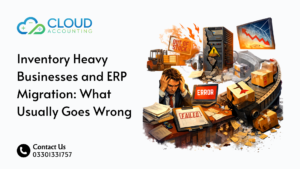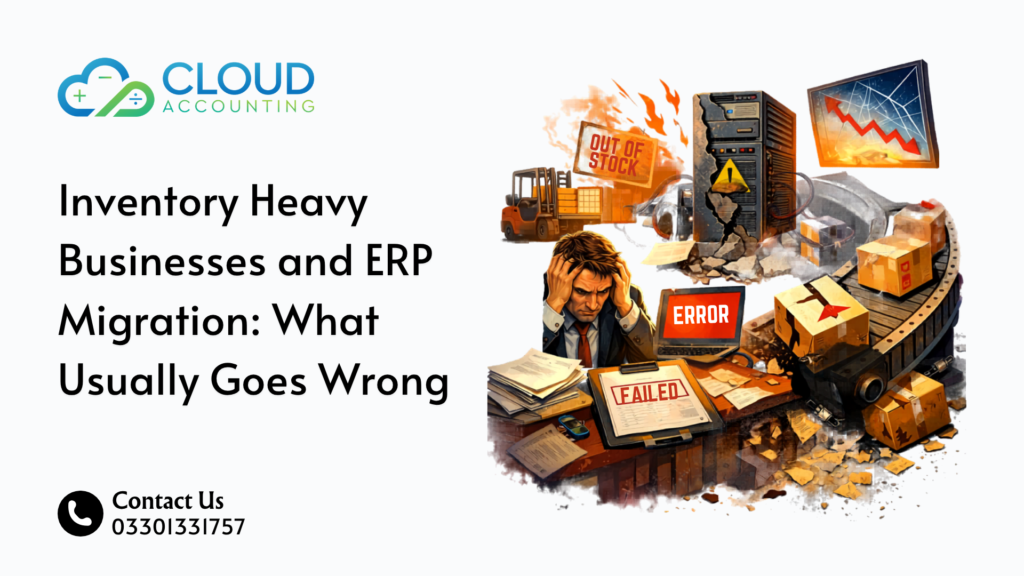
Inventory ERP Migration sounds like a system upgrade. In reality, it’s one of the riskiest moves an inventory-heavy business can make.
One small mistake can throw off your stock levels, your financial reports, and even your customer orders. And when inventory is involved, those mistakes don’t stay small for long. They spread across purchasing, sales, and operations almost instantly.
And here’s the hard truth. Most ERP migrations don’t fail because of the software. They fail because the data, structure, and planning behind the move are flawed.
Many businesses assume switching systems will fix their problems. But if your current setup has gaps, poor data, or unclear processes, Inventory ERP Migration will only carry those issues into the new system. In some cases, it makes them worse.
That’s because inventory is tightly linked to everything:
- Your cash flow depends on accurate stock valuation
- Your sales depend on real-time stock availability
- Your operations depend on correct warehouse data
So when something breaks during migration, it doesn’t just affect one area. It affects the entire business.
Another common mistake is underestimating the scale of the move. Businesses often treat Inventory ERP Migration like a simple data transfer. But in reality, it involves:
- Rebuilding product structures
- Reconfiguring warehouses and locations
- Aligning financial and inventory data
- Reconnecting integrations like eCommerce and POS
Miss any of these steps, and problems start showing up fast.
If your business deals with products, warehouses, or stock tracking, this matters even more. The more complex your inventory, the higher the risk during migration.
Let’s break down what usually goes wrong during Inventory ERP Migration and how to avoid turning a system upgrade into a costly mess.
Why Inventory ERP Migration Is More Complex Than You Think
Inventory is not just numbers on a screen.
It represents real products, real money, and real decisions happening every day inside your business.
It includes:
- Stock quantities across multiple locations
- Purchase and sales history
- Costing methods like FIFO or average cost
- Serial or batch tracking
- Warehouse transfers and movements
Now imagine moving all of that into a new system without breaking anything.
That’s what Inventory ERP Migration involves.
But here’s where it gets tricky. Inventory data is not static. It changes constantly. Stock is being sold, received, returned, and adjusted in real time. So you are not just moving data, you are trying to capture a moving target.
At the same time, every piece of inventory data connects to something else.
For example:
- A stock item links to your chart of accounts
- A sale affects both inventory and revenue
- A purchase updates stock and liabilities
- A warehouse transfer affects availability across locations
Unlike basic data migration, inventory systems are deeply connected to:
- Accounting
- Sales
- Purchasing
- Logistics
So if one part breaks, everything feels it.
Here’s a simple example. If stock quantities are even slightly wrong after Inventory ERP Migration:
- Your sales team may oversell products
- Your purchasing team may reorder items you already have
- Your financial reports may show incorrect profit
And the worst part? These issues often don’t show up immediately. They appear days or weeks later, when the damage is harder to trace.
Another layer of complexity comes from differences between systems. Not all ERPs handle inventory the same way. Some support advanced warehouse logic, while others simplify it. Some handle costing differently.
So during Inventory ERP Migration, you are not just moving data. You are translating it into a new structure.
That translation is where most errors happen.
That’s why even small migration mistakes can turn into major operational problems.
Most businesses think ERP migration is about moving data, with Cloud Accounting, until their inventory starts telling a different story.
The Most Common Inventory ERP Migration Mistakes
1. Dirty Inventory Data Before Migration
This is where most problems start.
If your current system has:
- Duplicate SKUs
- Incorrect stock levels
- Outdated products
- Missing cost data
Then migrating that data simply transfers the mess into your new ERP.
And once it’s inside the new system, fixing it becomes harder.
2. Incorrect Stock Valuation Setup
Inventory is directly tied to your financial reports.
If your costing method is set up incorrectly during Inventory ERP Migration, you may see:
- Wrong cost of goods sold
- Incorrect profit margins
- Misleading financial statements
This is not just a system issue. It becomes a business risk.
3. Losing Historical Inventory Data
Some businesses only migrate current stock balances.
That sounds simple, but it creates a problem.
Without historical data:
- Reporting becomes limited
- Trend analysis breaks
- Audits become difficult
A proper Inventory ERP Migration should decide clearly what history is needed and how it will be transferred.
4. Poor Mapping Between Old and New Systems
Every ERP has a different structure.
If products, categories, warehouses, or accounts are mapped incorrectly, you may end up with:
- Misclassified items
- Wrong stock locations
- Broken reports
Mapping is not just technical work. It requires a deep understanding of both systems.
5. Ignoring Warehouse-Level Complexity
If your business uses multiple warehouses, things get more complicated.
Common issues include:
- Stock appearing in the wrong location
- Transfer data not migrating correctly
- Picking and dispatch errors
Inventory ERP Migration must reflect real-world operations, not just system fields.
6. Broken Integrations (eCommerce, POS, etc.)
Your ERP doesn’t work alone.
It connects with:
- Shopify or WooCommerce
- POS systems
- Inventory tools
During migration, these integrations often break or sync incorrectly.
Result:
- Orders fail
- Stock doesn’t update
- Customers see wrong availability
7. Weak Testing Before Going Live
This is one of the most expensive mistakes.
Some businesses rush the go-live phase without proper testing.
Then suddenly:
- Stock numbers don’t match
- Reports look wrong
- Orders fail
Testing is not optional in Inventory ERP Migration. It’s critical.
The Hidden Risks Most Businesses Don’t See
Even when migration “looks” successful, problems can sit under the surface.
At first glance, everything may seem fine. The system is live, data is visible, and operations continue. But underneath, small errors start building up.
And over time, those small issues turn into serious business problems.
Here’s what often shows up later:
- Financial reports don’t match reality
Inventory directly affects your profit. If stock values are even slightly off, your cost of goods sold and margins become unreliable. - Stock discrepancies increase over time
Small mismatches during Inventory ERP Migration grow with every transaction. What starts as a minor difference can turn into major stock gaps. - Teams lose trust in the system
When numbers don’t match what’s physically in the warehouse, teams stop relying on the system. They start using spreadsheets or manual checks instead. - Manual fixes become daily work
Instead of focusing on growth, your team spends time correcting errors, adjusting stock, and fixing reports. - Integrations start behaving unpredictably
Systems like eCommerce or POS may still run, but data sync issues can lead to overselling or delayed updates.
And worst of all, decision-making becomes unreliable.
If your data is wrong, every decision based on that data becomes risky. You might reorder the wrong products, miss sales opportunities, or misjudge your financial position.
The real danger is that these issues don’t always show up immediately. By the time they become obvious, they are harder and more expensive to fix.
That’s why Inventory ERP Migration is not just about getting the system live. It’s about making sure the data remains accurate long after the migration is complete.
How to Get Inventory ERP Migration Right
You don’t need a perfect system. You need a structured approach.
Step 1: Clean and Audit Inventory Data
Before migration:
- Remove duplicates
- Fix stock discrepancies
- Validate product data
Clean data is the foundation of a successful Inventory ERP Migration.
Step 2: Define Mapping and Structure
Decide clearly:
- How products will map
- How warehouses will be structured
- How accounts will link
This step avoids confusion later.
Step 3: Test Migration in Stages
Run test migrations using sample data.
Check:
- Stock accuracy
- Reports
- Integrations
Fix issues early before full migration.
Step 4: Validate Before Go-Live
Before switching systems:
- Compare old vs new data
- Check reports
- Test real workflows
Only go live when everything matches.
When Should You Consider ERP Migration?
Not every business needs to migrate.
In fact, switching too early can create more problems than it solves. But waiting too long can slow down growth and lead to bigger issues later.
So the key is knowing when the timing is right.
You should consider Inventory ERP Migration if:
- Your current system cannot handle growth
As your business grows, your system should grow with it. If you are dealing with slow performance, limited features, or workarounds, it’s a clear sign your system is holding you back. - Reporting is limited or inaccurate
If you can’t trust your reports, you can’t trust your decisions. Poor reporting often means your system is not capturing or processing data correctly. - Inventory tracking is manual or unreliable
If your team relies on spreadsheets, manual adjustments, or frequent stock checks, your current setup is not doing its job. - You use multiple disconnected tools
When systems don’t talk to each other, errors increase. You end up duplicating work, missing data, and wasting time fixing issues. - Stock discrepancies are becoming common
If your actual stock doesn’t match your system regularly, it’s a warning sign. This often leads to lost sales or overstocking. - You are expanding into multiple locations or channels
Managing inventory across warehouses, online stores, and physical locations requires a more advanced system. - Your team spends more time fixing data than using it
If daily work involves correcting errors instead of making decisions, your system is costing you efficiency.
The goal of Inventory ERP Migration is not just to change systems. It’s to support your business as it grows and becomes more complex.
If your current setup is slowing you down, that’s usually the right time to consider the move.
Final Thoughts: ERP Migration Is Not Just a Tech Project
Inventory ERP Migration is not just about switching software.
It’s about protecting your data, your operations, and your financial accuracy. Every number in your system affects real decisions, from purchasing to pricing to cash flow.
That’s why this is not just an IT task. It’s a business-critical project that needs careful planning, clean data, and the right expertise.
Many businesses focus too much on choosing the new ERP. But the real success comes from how well the migration is handled.
Get it right, and your business runs smoother, your reports become reliable, and your team gains confidence in the system.
Get it wrong, and you spend months fixing avoidable problems, chasing mismatched data, and dealing with operational disruptions.
In simple terms, Inventory ERP Migration is not where you take shortcuts. It’s where you get things right from the start.
Need Help With Inventory ERP Migration?
Inventory ERP Migration is not something you want to figure out halfway through. By the time problems show up, they are already costing you time, money, and customer trust.
At Cloud Accounting, we help businesses plan and manage complex migrations with accuracy and clarity from day one.
We don’t just move data. We:
- Clean and validate your inventory before migration
- Map your data correctly between systems
- Test everything before go-live
- Make sure your reports, stock levels, and workflows actually work after the move
Whether you are switching from a legacy system or upgrading to a more advanced ERP, our focus is simple. Get it right the first time.
Talk to our migration specialists today and take the risk out of your Inventory ERP Migration.