The system is selected. The project plan is approved. The consultants confirm timelines. Go-live is marked on the calendar. Dashboards load. Reports run. Users log in without errors. For a moment, everything looks fine.That sense of relief is understandable. It is also risky.
Because the real success of a NetSuite project is not decided on go-live day. It is decided weeks later, when the system is no longer new and the business starts relying on it for real work.This is when finance teams attempt their first month-end close. and leadership expects accurate reporting. This is when sales, operations, and finance depend on NetSuite data to make decisions that affect cash flow, margins, and growth. And this is where many ERP projects quietly fail.
Not in a dramatic way. There are no system crashes. No major outages. NetSuite continues to run. But confidence in the numbers begins to fade. Reports do not quite match expectations. Reconciliations take longer than promised. Explanations start replacing answers.
The cause is rarely NetSuite itself.
It is rarely a lack of technical skill from the implementation team.
In most cases, the root problem is much simpler and much more uncomfortable to admit.
NetSuite is designed to enforce structure. It expects clean master data, accurate balances, consistent logic, and clear rules. When those expectations are not met, NetSuite does not correct the data. It processes it exactly as provided. Errors become embedded into reports, workflows, and controls.
This is why NetSuite Data Cleaning Migration is not an optional task or a last-minute checklist item. It is a critical control point in the entire ERP project.
Handled properly, it creates trust in reporting, confidence in decision-making, and stability after go-live.
Ignored or rushed, it turns NetSuite into a system that exposes problems faster than the business can explain them.
That difference is what separates successful NetSuite projects from expensive recovery exercises.
What NetSuite Data Cleaning Migration Really Means
Some teams think it means deleting old transactions. Others think it means reformatting spreadsheets. Many assume NetSuite will “handle” data issues automatically.
None of that is true.
NetSuite data cleaning migration means preparing data so it behaves correctly inside a strict ERP environment.
This includes:
- Valid opening balances that reconcile exactly
- Clean and unique customer and vendor records
- A chart of accounts that reflects how the business actually operates
- Correct tax codes mapped to NetSuite logic
- Items, services, and inventory structured properly
- Dates, currencies, and references that follow consistent rules
It also includes something less visible but more important.
Trust.
When data is clean, users trust reports. and users trust reports, they use the system properly. When they do not, NetSuite becomes an expensive database that people work around.
Why Dirty Data Breaks ERP Projects Like NetSuite
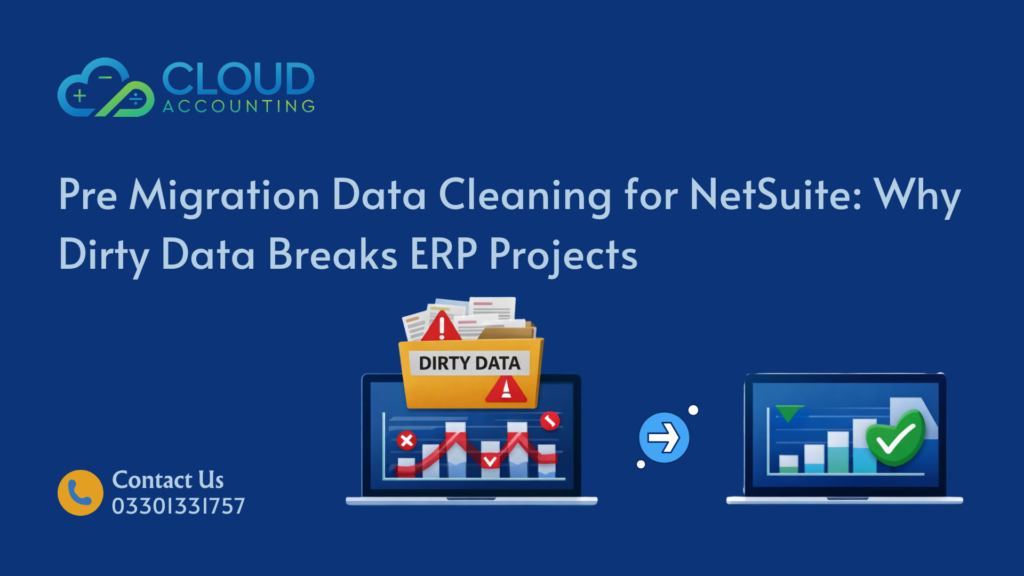
Dirty data rarely causes loud failures. It causes quiet ones.
That is what makes it dangerous.
Reports Look Right But Are Wrong
Numbers appear reasonable, but do not match reality. Variances get explained away. Decisions get made on bad assumptions.
Controls Stop Working
Approval workflows, billing rules, and automation depend on clean logic. Dirty data breaks these without raising errors.
Month End Becomes Slower
Instead of faster closes, teams spend more time reconciling and explaining differences.
Audit Risk Increases
Auditors question balances. Supporting evidence is weak. Confidence drops.
Blame Shifts to the System
NetSuite gets blamed for exposing problems that existed long before migration.
This is why NetSuite data cleaning migration is about risk management, not cosmetics.
Types of Data That Must Be Cleaned Before NetSuite Migration
Not all data carries the same level of risk during a NetSuite migration. Some data issues create small inconveniences. Others can undermine reporting, automation, and trust across the entire system.
Understanding which data matters most helps teams focus effort where it actually reduces risk.
Master Data
Master data sits at the core of NetSuite. It includes customers, vendors, items, services, and employee records. Every transaction depends on it.
When master data is messy, errors spread quickly and quietly.
Common issues include:
- Duplicate customer or vendor records created over time
- Inconsistent naming conventions across systems
- Missing or incorrect tax information
- Invalid or outdated payment terms
These problems often exist for years without causing obvious failures in legacy systems. NetSuite, however, relies heavily on master data to drive workflows, reporting, and automation.
Bad master data does not just create isolated mistakes. It multiplies errors across invoices, bills, revenue recognition, and reporting. Once live, fixing it usually requires correcting hundreds or thousands of linked transactions.
Financial Data
Financial data defines the credibility of the entire NetSuite system. This includes opening balances, historical journals, and how accounts are mapped into the new chart of accounts.
Common issues include:
- Accounts that no longer serve a clear business purpose
- Manual journal entries with no supporting logic or documentation
- Inconsistent use of accounts across periods
Legacy systems often allow unresolved differences to accumulate quietly. NetSuite does not.
NetSuite will not question whether balances make sense. It will accept them and enforce them across reporting, controls, and audits. If the numbers are wrong at migration, they remain wrong until someone fixes them, usually under pressure and scrutiny.
This is why financial data cleaning is one of the highest-risk areas in any NetSuite data cleaning migration.
Transactional Data
Transactional data includes invoices, bills, payments, inventory movements, and revenue schedules. This is the data users interact with every day.
Common issues include:
- Incorrect or inconsistent transaction dates
- Broken links between transactions
- Partial or incomplete records
- Misapplied tax codes
- Transactions posted to the wrong accounts
These issues often appear harmless during migration testing. They become serious problems once reporting cycles begin.
Transactional errors are particularly difficult to fix after go-live because they sit inside closed periods, affect downstream reports, and impact audit trails. Corrections often require manual adjustments that introduce even more risk.
Cleaning transactional data before migration reduces long-term operational friction.
Structural Data
Structural data defines how NetSuite is organized. This includes subsidiaries, currencies, tax setups, reporting hierarchies, and entity relationships.
Common issues include:
- Inconsistent subsidiary structures across systems
- Currency mismatches between transactions and reporting entities
- Tax rules that no longer reflect how the business operates
- Reporting hierarchies built around outdated assumptions
Structural mistakes are some of the most expensive to fix after migration. They often require redesigning parts of the NetSuite setup, reprocessing data, or accepting permanent workarounds.
This is where poor planning creates long-term pain.
NetSuite data cleaning migration must address structural data early, before design decisions become locked into the system.
Common Sources of Dirty Data Before NetSuite
Dirty data is rarely the result of one mistake. It builds slowly.
Legacy ERP Systems
Older systems often allow workarounds. Over time, exceptions become the norm.
NetSuite does not tolerate that history.
Excel Dependency
Spreadsheets hide errors well. Broken formulas and manual overrides migrate quietly into NetSuite.
Staff Turnover
When knowledge leaves, bad practices stay. No one remembers why certain entries exist.
Lack of Governance
Without rules, everyone does things their own way. NetSuite forces consistency, and the data breaks under pressure.
NetSuite data cleaning migration is about correcting years of drift.
The Myth of “We Will Fix It After Go Live”
This is the most expensive sentence in ERP projects.
Fixing data after go-live means:
- Transactions already depend on bad data
- Reports already went to management
- Audits already started
- Trust is already damaged
Every correction ripples forward.
Fixing data before migration is controlled. Fixing it after is reactive and political.
NetSuite data cleaning migration must finish before approval, not after complaints.
When NetSuite Data Cleaning Migration Should Happen
Timing matters as much as effort.
Phase 1: Before Mapping
If you map dirty data, you lock errors into your design.
Cleaning must start before transformation rules are defined.
Phase 2: Before Testing
Testing with dirty data gives false confidence. Clean data is required to validate reports and workflows.
Phase 3: Before Go Live Sign-Off
Final approval should never happen without reconciled and validated data.
Skipping any phase increases risk.
Step by Step: How Professionals Handle NetSuite Data Cleaning Migration
Experienced teams follow structure, not hope.
Step 1: Data Discovery and Audit
All datasets are reviewed. Risks are identified early.
Step 2: Cleaning Rules Definition
Clear rules are documented. What stays, what changes, what gets excluded.
Step 3: Correction and Normalization
Duplicates removed. Formats standardized. Logic enforced.
Step 4: Reconciliation
Cleaned data is reconciled to source systems. Differences explained and resolved.
Step 5: Stakeholder Validation
Finance, operations, and technical teams approve before migration proceeds.
This is not optional. It is how control is maintained.
Who Owns NetSuite Data Cleaning Migration
Ownership must be shared.
Best practice looks like this:
- Finance owns balances and reporting
- Operations owns customers, vendors, and processes
- Technical teams own structure and dependencies
- Migration specialists own transformation logic
When one group owns everything, blind spots grow.
How Long NetSuite Data Cleaning Migration Takes
Time depends on complexity.
Typical ranges:
- Simple setups: 3 to 5 days
- Mid-sized businesses: 1 to 2 weeks
- Multi-entity groups: 2 to 4 weeks
Anything faster should raise concern.
Data cleaning is slower than migration. That is normal and healthy.
Tools Used in NetSuite Data Cleaning Migration
Tools do not replace thinking, but they help.
Common tools include:
- Data profiling tools
- Reconciliation spreadsheets
- Validation scripts
- Controlled CSV imports
- Audit logs and sign-off trackers
Tools support process. They do not replace accountability.
Data Governance: The Missing Piece
Cleaning data once is not enough.
Without governance, data degrades again.
Strong NetSuite projects include:
- Clear data ownership
- Defined entry rules
- Approval workflows
- Period locking discipline
- Regular data reviews
NetSuite data cleaning migration should include governance planning, not just migration prep.
Post Migration Monitoring: The Overlooked Step
Best practice includes:
- First month close review
- Report variance checks
- User behavior monitoring
- Adjustment tracking
This ensures issues are caught early, not buried.
NetSuite Data Cleaning Migration Checklist
Before approving migration, confirm:
- Opening balances fully reconciled
- Duplicate records removed
- Chart of accounts validated
- Tax logic confirmed
- Currency rules verified
- Inventory tested
- Reports match legacy outputs
- Stakeholders signed off
If any item fails, pause.
Why Cloud Accounting Treats Data Cleaning as Non Negotiable
At Cloud Accounting, we see patterns.
Projects that succeed invest time early. Projects that fail rush.
Our NetSuite data cleaning migration approach focuses on:
- Early risk identification
- Clear communication
- Verified numbers
- No assumptions
- No shortcuts
We slow projects down so businesses do not suffer later.
Final Thoughts
If you give it bad data, it produces bad results faster and more confidently than any legacy system.
NetSuite data cleaning migration is not about perfection. It is about control, trust, and long-term value.
Skip it, and NetSuite will expose problems you cannot ignore.
Call to Action
Planning a NetSuite migration or already live but unsure about your data?
Cloud Accounting helps businesses review, clean, and validate migration data before issues damage reporting and confidence.
Talk to Cloud Accounting before dirty data turns your ERP project into a recovery job.