QuickBooks is not a bad system. In fact, for many businesses, it is exactly the right tool at the right stage. It is easy to adopt, affordable to run, and familiar to most finance teams. For early growth, it removes friction and lets founders focus on running the business instead of managing systems.
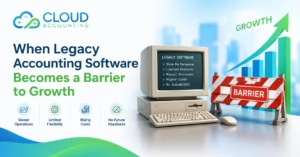
But growth changes the rules. As transaction volumes increase and operations become more complex, the same simplicity that once helped can start to hold the business back. Processes that used to feel straightforward begin to feel constrained. Reports take longer to produce. Numbers no longer line up without explanation. Finance teams spend more time correcting issues than interpreting results.
These problems rarely appear overnight. They build slowly. A spreadsheet here. A manual adjustment there. A workaround that becomes permanent. Over time, QuickBooks shifts from being a source of confidence to a system that needs constant supervision.
That is usually when one uncomfortable thought surfaces during a finance meeting or late at night before reporting is due. We may have outgrown QuickBooks.
This moment is not about software failure. It is about business evolution. Outgrowing QuickBooks does not mean something went wrong. It means the business now operates at a level of complexity the system was never designed to support.
This article explains what that reality looks like in practice. Not in vendor promises or technical jargon, but in the real signs finance teams experience every day. These are the signals that indicate QuickBooks is no longer the right foundation for reliable reporting, strong control, and confident decision making.
If these signs feel familiar, it may be time to look beyond QuickBooks and consider whether an ERP system is better suited to support the next stage of your growth.
What “Outgrown QuickBooks” Actually Means
Outgrowing QuickBooks has very little to do with revenue size or employee count. Some relatively small businesses reach that point early, while some much larger ones continue using it without issue. The real difference is not scale. It is complex.
A business has outgrown QuickBooks when the system can no longer reflect how the business actually operates without constant workarounds. When processes, reporting, and controls live outside the system, QuickBooks stops being a reliable foundation and becomes something that needs manual support to function.
This usually shows up first in business structure. QuickBooks is designed for simplicity. One entity, clean reporting lines, and limited internal complexity. As soon as a business introduces multiple entities, shared costs, departments, or layered reporting requirements, the system starts to struggle. Finance teams compensate by building structure outside the system instead of relying on it.
Volume is another pressure point. As transactions increase, more users access the system and more adjustments are required to keep numbers aligned. QuickBooks can record high volumes of data, but it does not enforce financial logic well at scale. The system allows problems to enter quietly, which means issues are often discovered late rather than prevented early.
Control becomes critical as teams grow. Access levels matter more. Approval processes matter more. Clear audit trails matter more. QuickBooks was not built to support strict role based controls across departments and responsibilities. As a result, growing businesses often rely on trust and manual review instead of system enforced safeguards.
When businesses say they have outgrown QuickBooks, what they are really saying is this. The system no longer protects the accuracy of their financial data. That loss of protection is not a minor inconvenience. It is a real and growing risk to decision making, reporting confidence, and long term stability.
Sign 1: Reporting Takes Too Long or Needs Manual Fixes
Reporting pain is usually the first warning sign.
At the beginning, reports are simple. Profit and loss. Balance sheet. Cash flow. Clean and trusted.
As the business grows, reporting becomes work.
Common symptoms include:
- Reports running slowly or timing out
- Multiple versions of the same report
- Adjustments made outside the system
- Finance teams warning people how to read reports
This is a strong signal that you have Outgrown QuickBooks.
QuickBooks can generate reports, but it struggles with complex reporting logic. Consolidations, segments, departments, or multi-entity views often require exports and manual work.
Manual reporting creates problems:
- Errors increase
- Decisions slow down
- Trust erodes
When reports need explaining every time, the system is no longer serving the business.
Sign 2: You Are Managing Multiple Entities or Locations
QuickBooks was built for single-entity businesses.
As soon as your structure expands, friction appears.
This often starts with:
- A second legal entity
- A new state or country
- A separate brand sharing costs
To cope, teams create workarounds:
- Separate QuickBooks files
- Manual intercompany journals
- Shared expenses split in spreadsheets
- Consolidated reports built outside the system
This is fragile.
Finance becomes the glue holding everything together. The system does not understand group structure, so people compensate.
That is a classic sign the business has Outgrown QuickBooks.
ERP systems handle this natively. They understand parent and child entities, shared services, and consolidated reporting.
QuickBooks does not.
Sign 3: Inventory, Projects, or Revenue Tracking Feels Fragile
QuickBooks works best for simple transactions.
Sales in. Expenses out.
When your business relies on inventory logic, project tracking, or revenue timing, the system starts to feel unreliable.
Inventory is a common breaking point.
Businesses often experience:
- Inventory counts that do not match reality
- Cost of goods sold shifting without explanation
- Frequent valuation adjustments
- Limited visibility across locations
QuickBooks inventory is basic by design. It was never meant to support complex costing or multi-location stock.
The same applies to projects and revenue.
If revenue timing depends on careful rules, or projects need structured tracking, QuickBooks becomes reactive instead of reliable.
When core areas feel fragile, that is another sign you have Outgrown QuickBooks.
Sign 4: Workarounds and Spreadsheets Are Running the Business
Spreadsheets are useful.
But when they become essential to core processes, they are a warning.
Businesses that have Outgrown QuickBooks often rely on spreadsheets for:
- Revenue schedules
- Accrual tracking
- Department budgets
- Reporting adjustments
At this stage, QuickBooks is no longer the source of truth. It is just one data input.
This creates risk:
- Knowledge lives with individuals
- Errors go unnoticed
- Processes break when people leave
ERPs reduce reliance on workarounds by enforcing logic inside the system.
If spreadsheets are holding finance together, the system has already been outgrown.
Sign 5: Controls Are Weak and Errors Slip Through
Early stage businesses rely on trust.
Growing businesses need controls.
QuickBooks offers limited role management and approval workflows. As more people access the system, risk increases.
Common issues include:
- Journals posted without review
- Broad user access
- Limited audit clarity
- Difficulty tracing changes
Most errors are accidental. Weak controls allow small mistakes to grow quietly.
When leadership starts worrying about control, audit readiness, or compliance, QuickBooks often cannot meet expectations.
That is another clear signal the business has Outgrown QuickBooks.
Sign 6: Finance Spends Time Fixing Data, Not Using It
This is the most damaging sign.
Finance teams should analyze results, explain trends, and support decisions.
Instead, many spend their time:
- Reconciling inconsistencies
- Reworking numbers
- Explaining why reports changed
- Fixing issues before meetings
This is exhausting.
It also limits growth. Leadership cannot move faster than its financial data.
When finance becomes reactive, the system is usually the bottleneck.
Businesses that have Outgrown QuickBooks often say the same thing:
“The numbers are there, but we cannot trust them without checking everything.”
That is not sustainable.
Sign 7: Your Team Has Outgrown the System
Systems do not just support data. They support people.
As teams grow, expectations change.
Controllers want stronger controls. CFOs want timely insight. Operations want visibility.
QuickBooks often cannot support these needs without bending.
This creates frustration:
- Finance feels blocked
- Operations feels blind
- Leadership feels uncertain
When capable people push against the system because it limits them, not because they dislike it, the business has likely Outgrown QuickBooks.
Good teams outgrow poor systems quickly.
Why an ERP Solves These Problems
ERP systems are built for complexity.
They assume:
- Multiple entities
- Structured workflows
- Strong controls
- High transaction volume
Key differences include:
- Built-in consolidation
- Role-based access
- Approval workflows
- Integrated inventory and revenue logic
- Scalable reporting
An ERP does not just store data. It enforces rules.
For businesses that have Outgrown QuickBooks, moving to an ERP is not about more features. It is about stability and trust.
When ERP Is the Wrong Move
ERP is not always the answer.
It can be the wrong move if:
- Processes are unclear
- Data quality is poor
- There is no finance ownership
- The business expects software to fix logic
ERP systems enforce discipline. They expose weaknesses quickly.
That honesty is valuable, but only if the business is ready.
How to Prepare Before Moving Off QuickBooks
Preparation matters more than the software you choose. Many migration problems are blamed on the new system, but they usually start long before implementation begins. Moving off QuickBooks successfully depends on how well the business understands and organizes its own data and processes.
The first step is cleaning master data. Customer records, vendor lists, items, and accounts often contain duplicates, outdated entries, or inconsistent naming. If this data is moved as-is, those problems do not disappear. They become harder to fix inside a more structured system.
Clear reporting requirements are just as important. Businesses need to agree on what they expect from financial reporting before migration starts. Without this clarity, teams end up rebuilding reports after go-live or questioning results they do not fully understand. Defining reporting needs early ensures the new system supports decision making from day one.
Entity structure also needs careful thought. Legal entities, operational units, departments, and shared services must be clearly defined. QuickBooks often hides structural weaknesses because it allows flexibility. An ERP will not. If structure is unclear, the system will expose those gaps quickly.
Ownership and controls must be assigned upfront. Growing businesses need clear responsibility for approvals, reviews, and system access. Relying on informal processes may have worked in QuickBooks, but structured systems demand discipline. Agreeing on ownership before migration prevents confusion and conflict later.
This is why migration is not technical first. It is structural. Businesses that prepare properly reduce risk, shorten timelines, and avoid painful post go live fixes. Preparation turns migration from a disruptive event into a controlled step forward.
Need Help Deciding What Comes Next
Outgrowing QuickBooks can feel unclear. Many businesses know something is not working, but are unsure whether an ERP is the right next step or how to prepare without creating disruption.
Cloud Accounting helps growing businesses assess their current setup, identify real risk areas, and plan the move off QuickBooks with clarity. We focus on structure, data accuracy, and control, not rushed implementations or unrealistic timelines.
If you are questioning whether QuickBooks still fits your business, or already planning a move to an ERP, we can help you make that decision with confidence.