If you’re currently using Sage, whether it’s Sage 50, Sage One, or Sage Business Cloud, you might be wondering whether it’s time for a change. Maybe your business has outgrown Sage. Maybe you’re tired of clunky interfaces or limited access on the go. Or maybe you’ve heard great things about Xero, and you’re curious about what it has to offer.
You’re not alone.
More and more small and medium-sized businesses are migrating from Sage to Xero to take advantage of its modern, cloud-based interface, real-time collaboration, and intuitive features.
But switching accounting software isn’t something you do lightly. It involves planning, data cleanup, and training. The good news? With the right help, it doesn’t have to be overwhelming.
In this article, I’ll walk you through
- Why Businesses Are Switching from Sage to Xero
- Step-by-Step Guide: How to Migrate from Sage to Xero
- Common pitfalls to avoid
- Why Work with Cloud Accounting ?
Let’s make your move a smart one.
Why Businesses Are Switching from Sage to Xero
Before we jump into the how, let’s take a quick look at why so many businesses are migrating in the first place:
Xero is easier to use
Sage’s interface can feel complex, especially for non-accountants. Xero keeps things clean and user-friendly. Less clicking around, more clarity.
Better collaboration
Xero is entirely cloud-based. Your accountant, bookkeeper, or team can log in from anywhere no file transfers, no backups, no software installs.
Real-time data and automation
From live bank feeds to automated invoicing and reporting, Xero helps you reduce manual work and get your evenings back.
Scalable with integrations
Selling online? Managing payroll? Using Dext or Shopify? Xero connects easily with 1000+ apps that support your business, not slow it down.
Step-by-Step Guide: How to Migrate from Sage to Xero
1. Assess Your Current System
Before making the jump, take stock of what’s happening in Sage:
- What does your chart of accounts look like?
- Are your bank reconciliations up to date?
- Do you have a lot of historical data, or is a clean break an option?
2. Choose the Right Migration Date
Timing matters more than you think.
Ideally, choose a month-end or year-end date as your official transition point. That way, your Sage reports will line up with your new Xero setup and you can avoid messy overlaps.
3. Decide What Data to Bring Over
There are a few options here, depending on how detailed you want your history in Xero:
- Option 2: Current year’s transactions
Gives context for this year’s reporting. - Option 3: Full historical data (1–2 years)
Useful if you want full comparatives, but it’s more complex.
4. Map and Migrate Your Data Carefully
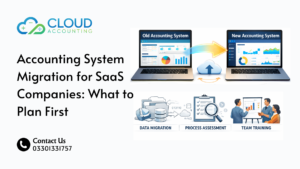
Your chart of accounts, customers, suppliers, bank balances, unpaid invoices, and bills all need to be mapped properly into Xero. You can use migration tools like Movemybooks (commonly used for Sage 50 to Xero migrations), but don’t just hit “import” and hope for the best.
You’ll want to:
- Review how Sage tax codes translate to Xero
- Double-check opening balances
- Reconcile outstanding receivables/payables
- Test everything before going live
5. Connect Your Bank Feeds and Apps
Once you’re in Xero, set up bank feeds so your transactions come in automatically. Then, reconnect any tools or apps you use regularly:
- Payroll software
- Payment platforms (Stripe, PayPal, GoCardless)
- E-commerce (Shopify, Amazon)
- Expense tools like Dext or Hubdoc
6. Train Your Team
Xero may be intuitive, but your team still needs guidance to use it efficiently.
Train your staff on:
- Sending invoices and quotes
- Managing bills and receipts
- Reconciling transactions
- Running basic reports
Common Pitfalls to Avoid
While migrating from Sage to Xero isn’t rocket science, there are a few traps to watch out for:
❌ Migrating messy or unreconciled data
❌ Using the wrong tax codes or missing VAT records
❌ Not testing before going live
❌ Skipping team training and support
Avoiding these Xero migration mistakes can save you hours or even weeks of frustration.
Why Work with Cloud Accounting ?
We’re not just here to move your data. We’re here to make sure your enire financial system works better after the switch.
With over a decade of experience in cloud accounting migrations, our team has helped hundreds of businesses across industries make a smooth, stress-free move from Sage to Xero.
Here’s what you get with us:
- A tailored migration plan (no one-size-fits-all)
- Pre-migration review and data cleanup
- Setup of your Xero dashboard, bank feeds, and reports
- Post-migration support and custom training for your team
- Peace of mind knowing your books are clean, accurate, and ready to scale
Ready to Make the Switch?
Switching from Sage to Xero is one of the smartest decisions you can make for your business’s future. But how you migrate matters.
Let Cloud Accounting take the guesswork out of it so you can start fresh in Xero with confidence, clarity, and the support you deserve.
Book your free consultation today, and let’s discuss your Xero migration journey, from planning to post-launch and beyond. Because accounting shouldn’t be a hassle. It can truly feel… simple if you have Xero and the right team on your side.