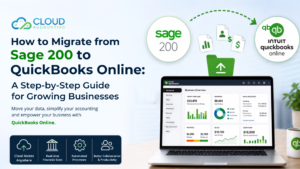
If you’re considering migrating from Sage to QuickBooks Online, you’re making a smart decision. QuickBooks Online offers a host of advantages that can streamline your accounting processes, improve efficiency, and make informed business decisions. Here are the top 10 reasons why you should switch:
1. Cloud-Based Accessibility:
- Anywhere, Anytime: Access your financial data from any device with an internet connection.
- Real-time Updates: Ensure information is always up-to-date and accessible to authorized team members.
2. Seamless Integrations:
- Ecosystem of Apps: Connect QuickBooks Online to a vast array of third-party applications for inventory management, time tracking, payroll, and more.
- Streamlined Workflow: Reduce manual data entry and errors by automating processes between different systems.
3. User-Friendly Interface:
- Intuitive Design: Navigate the software with ease, even if you’re new to accounting.
- Customization: Tailor QuickBooks Online to your specific business needs and preferences.
4. Robust Reporting Capabilities:
- Pre-built Templates: Generate a variety of financial reports, including profit and loss statements, balance sheets, and cash flow statements.
- Customization: Create custom reports to analyze specific data points and trends.
5. Scalability:
- Grow with Your Business: QuickBooks Online can accommodate businesses of all sizes, from small startups to large enterprises.
- Flexible Pricing: Choose a plan that aligns with your current and future needs.
6. Mobile App:
- On-the-Go Access: Manage your finances and stay informed about your business performance from your smartphone or tablet.
- Quick Actions: Approve invoices, pay bills, and track expenses from anywhere.
7. Enhanced Collaboration:
- Real-time Updates: Collaborate with your team members in real-time, ensuring everyone is working with the latest information.
- Permission-Based Access: Grant appropriate access levels to different team members based on their roles and responsibilities.
8. Excellent Customer Support:
- 24/7 Assistance: Get help when you need it, with live chat, phone support, and online resources.
- Community Forums: Connect with other QuickBooks Online users and share best practices.
9. Regular Updates and Improvements:
- Innovation: Benefit from ongoing product enhancements and feature additions.
- Stay Ahead: Ensure your accounting software is always up-to-date with the latest industry trends.
10. Competitive Pricing:
- Value for Money: Get a powerful accounting solution at a competitive price point.
- Flexible Plans: Choose a plan that fits your budget and business needs.
By switching from Sage to QuickBooks Online, you can streamline your accounting processes, improve efficiency, and make informed business decisions.