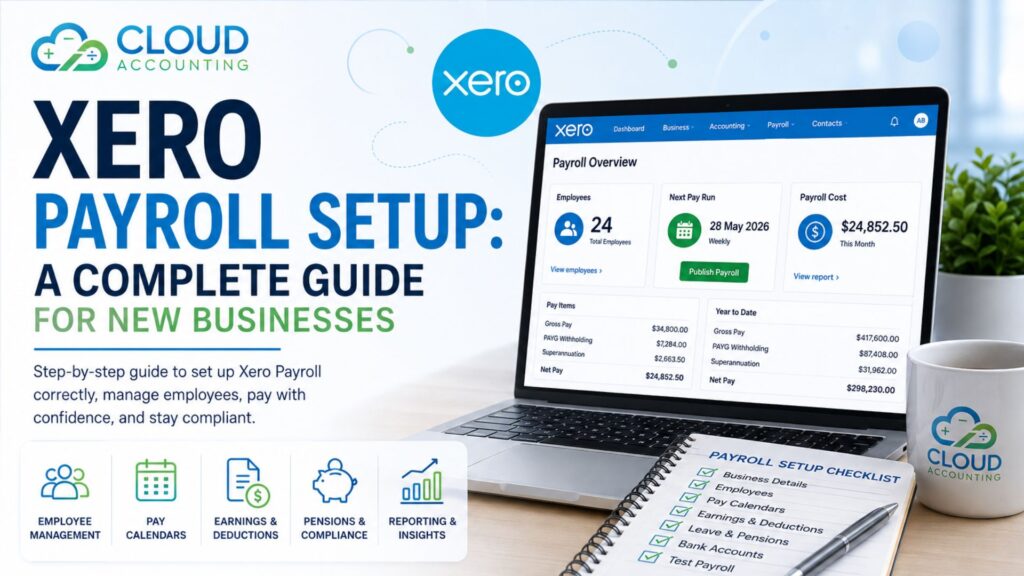
Starting a new business comes with many responsibilities. One of the most important is paying your employees accurately and on time. A reliable payroll system helps you stay compliant, reduces manual work, and gives your team confidence that they will always be paid correctly.
This is where Xero Payroll Setup becomes valuable. Xero combines accounting and payroll in one cloud platform, making it easier to manage wages, taxes, pensions, leave, and reporting from a single dashboard.
In this guide, you’ll learn how to complete a Xero Payroll Setup, what information you need before you begin, common mistakes to avoid, and when it makes sense to work with a payroll specialist.
What Is Xero Payroll Setup?
Xero Payroll Setup is the process of configuring your Xero account so it can calculate employee wages, deductions, taxes, pensions, leave, and payroll reports correctly.
A proper setup includes:
- Business payroll settings
- Employee records
- Pay calendars
- Earnings and deduction rates
- Pension settings
- Leave policies
- Tax configuration
- Bank payment details
- Payroll reporting
Once everything is configured correctly, payroll can be processed much faster with fewer manual tasks.
Why Proper Xero Payroll Setup Matters
Many businesses underestimate payroll setup. Small mistakes made during configuration can create ongoing problems every pay period.
A professional Xero Payroll Setup helps you:
- Pay employees accurately
- Stay compliant with payroll regulations
- Reduce payroll errors
- Save administration time
- Keep payroll records organised
- Produce accurate reports
- Prepare for year-end reporting
Getting it right from the beginning prevents expensive corrections later.
Information You’ll Need Before Starting
Before beginning your Xero Payroll Setup, gather all the necessary information.
Business Information
Prepare:
- Business name
- Registered address
- Tax registration details
- Payroll registration information
- Business bank account
- Contact details
Having everything ready speeds up the setup process.
Employee Information
For every employee, collect:
- Full name
- Address
- Email address
- Phone number
- Date of birth
- Start date
- Job title
- Employment type
- Salary or hourly rate
- Bank account details
- Tax information
- Pension details
Accurate employee records reduce payroll problems later.
Payroll Policies
You’ll also need to decide:
- Weekly payroll
- Fortnightly payroll
- Monthly payroll
You should also define:
- Working hours
- Overtime rules
- Holiday entitlement
- Sick leave
- Public holidays
- Bonuses
- Commission payments
Step 1: Configure Organisation Payroll Settings
The first stage of Xero Payroll Setup is configuring your organisation.
You’ll choose:
- Payroll region
- Default payroll settings
- Currency
- Business details
- Financial year settings
These settings affect every payroll run.
Always double-check them before continuing.
Step 2: Create Pay Calendars
A pay calendar tells Xero when employees get paid.
Common options include:
- Weekly
- Every two weeks
- Twice monthly
- Monthly
Each employee must be assigned to the correct calendar.
Changing pay calendars later can complicate payroll reporting, so choose carefully.
Step 3: Add Employees
Now add each employee individually.
Include:
- Personal information
- Tax details
- Salary
- Working hours
- Bank account
- Leave balances
- Pension settings
Take time to verify every field.
Incorrect employee records often cause payroll issues.
Step 4: Configure Earnings
Every business pays staff differently.
Your Xero Payroll Setup should include all earnings categories.
Examples include:
- Standard salary
- Hourly pay
- Overtime
- Bonuses
- Commission
- Holiday pay
- Sick pay
Clear earning categories improve payroll reporting.
Step 5: Configure Deductions
Employees may have deductions including:
- Pension contributions
- Student loan repayments
- Salary sacrifice
- Union fees
- Other authorised deductions
These should be configured correctly before the first payroll run.
Step 6: Set Up Leave Types
Leave tracking is one of Xero Payroll’s strongest features.
Typical leave includes:
- Annual leave
- Sick leave
- Compassionate leave
- Unpaid leave
- Parental leave
Each leave type should reflect your company policy.
Step 7: Configure Pension Settings
If pension contributions apply, configure them before processing payroll.
This includes:
- Employer contribution
- Employee contribution
- Contribution percentages
- Pension provider information
Incorrect pension setup can result in reporting issues and compliance problems.
Step 8: Connect Your Business Bank Account
Connecting your bank account makes payroll payments easier.
After payroll is approved, Xero can prepare payment files that reduce manual data entry.
This also helps keep payroll records accurate.
Step 9: Test Payroll
Never process live payroll without testing.
Run a sample payroll and check:
- Employee pay
- Tax calculations
- Leave balances
- Pension deductions
- Net pay
- Reports
Testing identifies problems before employees are paid.
Step 10: Process Your First Payroll
Once testing is complete, you’re ready for your first payroll.
Review:
- Gross pay
- Deductions
- Net wages
- Leave updates
- Payroll reports
Approve payroll only after confirming everything is correct.
Common Xero Payroll Setup Mistakes
Many payroll problems happen because of simple setup errors.
Watch out for:
Incorrect Employee Details
Small mistakes can affect payroll calculations and reporting.
Always verify employee information.
Wrong Pay Schedule
Using the wrong pay calendar creates reporting problems.
Ensure every employee is assigned correctly.
Missing Pension Configuration
Incorrect pension settings can lead to contribution errors.
Review contribution rates carefully.
Incorrect Leave Policies
Leave balances depend entirely on accurate setup.
Review your company leave rules before processing payroll.
Poor Data Migration
If you’re moving from another payroll system, employee history and leave balances must be transferred correctly.
Always reconcile imported data.
Benefits of Xero Payroll Setup
A well-configured payroll system provides several long-term advantages.
Faster Payroll Processing
Many calculations become automatic.
Payroll takes minutes instead of hours.
Fewer Payroll Errors
Automation reduces manual calculations.
Employees receive accurate payments.
Better Reporting
Xero generates useful payroll reports including:
- Payroll summary
- Employee earnings
- Leave balances
- Pension reports
- Tax reports
These reports support better business decisions.
Improved Compliance
Keeping payroll records organised helps meet reporting obligations and makes audits easier.
Better Employee Experience
Employees appreciate:
- Accurate payslips
- On-time payments
- Correct leave balances
- Consistent payroll processing
Reliable payroll builds trust.
Should You Set Up Xero Payroll Yourself?
Small businesses sometimes complete payroll setup independently.
However, if your business has:
- Multiple employees
- Different pay rates
- Contractors
- Pension obligations
- Overtime
- Bonuses
- Multiple departments
- Complex leave policies
Professional assistance can save significant time and prevent costly mistakes.
Who Should Use Xero Payroll?
Not every business has the same payroll requirements. Xero Payroll is suitable for businesses of different sizes and industries.
It works well for:
- Startups hiring their first employees
- Small businesses replacing spreadsheets
- Growing companies with expanding teams
- Retail businesses
- Construction companies
- Marketing agencies
- IT companies
- Professional service firms
- Hospitality businesses
- Manufacturing companies
- Ecommerce businesses
As your business grows, Xero Payroll grows with you. New employees, additional pay schedules, and changing payroll requirements can all be managed from the same system.
Features Included in Xero Payroll Setup
A professional Xero Payroll Setup gives you access to features that reduce manual work and improve accuracy.
Employee Records
Store all employee information in one secure place.
Including:
- Contact details
- Salary history
- Employment information
- Tax information
- Leave balances
- Pension records
Everything stays organised and easy to access.
Automated Payroll Calculations
One of the biggest advantages of Xero Payroll Setup is automation.
The software automatically calculates:
- Gross pay
- Tax deductions
- Pension contributions
- Leave accrual
- Net pay
This reduces manual calculations and helps minimise payroll errors.
Digital Payslips
Employees can receive digital payslips every pay period.
Benefits include:
- Faster delivery
- Reduced paper usage
- Better record keeping
- Easy employee access
Payroll Reporting
Xero generates useful reports that help monitor payroll costs.
Reports include:
- Payroll Summary
- Employee Earnings Report
- Leave Report
- Pension Reports
- Payroll Activity
- Payroll History
These reports make month-end and year-end reporting much easier.
How Long Does Xero Payroll Setup Take?
The setup time depends on the complexity of your business.
| Business Type | Estimated Setup Time |
| Sole employee | 1–2 hours |
| Small business (1–10 employees) | 2–5 hours |
| Growing business (10–50 employees) | 1–2 days |
| Large business | Several days |
Additional time may be required if you’re migrating payroll history from another system.
Migrating Payroll from Another Software
Many businesses move to Xero after using another payroll system.
Common migration sources include:
- Sage Payroll
- QuickBooks Payroll
- MYOB
- Reckon
- BrightPay
- Moneysoft
- Excel spreadsheets
- Manual payroll systems
A professional migration ensures important payroll data is transferred accurately.
This may include:
- Employee records
- Year-to-date figures
- Leave balances
- Pension information
- Payroll history
- Opening balances
Checking this information before processing your first payroll is essential.
Integrating Xero Payroll with Other Business Tools
One of the biggest strengths of Xero is its integration ecosystem.
After completing your Xero Payroll Setup, you can connect payroll with many business applications.
Popular integrations include:
- Time tracking software
- Expense management apps
- HR platforms
- Scheduling software
- Accounting tools
- Employee management systems
- Payment platforms
Connecting your systems reduces duplicate data entry and improves workflow.
Security and Data Protection
Payroll contains highly sensitive employee information.
Xero protects your payroll data with features such as:
- Secure cloud hosting
- User permissions
- Multi-factor authentication
- Automatic backups
- Encrypted data transfer
- Activity logs
Limiting payroll access to authorised staff helps protect confidential information.
Signs Your Payroll Setup Needs Reviewing
Even if you’ve been using Xero for years, your payroll settings may no longer reflect your business.
Consider a payroll review if:
- Payroll calculations seem inconsistent
- Employees report incorrect leave balances
- Pension deductions appear inaccurate
- Payroll processing takes too long
- Staff numbers have increased significantly
- Your business has expanded into new locations
- You recently changed payroll staff
- You’ve migrated accounting systems
A payroll review can identify issues before they affect employees.
Common Payroll Challenges for Growing Businesses
As businesses expand, payroll becomes more complex.
Challenges often include:
Managing Multiple Pay Rates
Employees may receive:
- Standard pay
- Overtime
- Weekend rates
- Holiday rates
- Shift allowances
These must all be configured correctly.
Handling Employee Promotions
Salary increases should be updated carefully to ensure future payroll calculations remain accurate.
Managing Employee Leave
Growing businesses often struggle with leave tracking.
A proper Xero Payroll Setup automatically updates leave balances after each payroll run.
Payroll for Remote Employees
Many businesses now employ staff working remotely.
Payroll still needs to be processed accurately while maintaining proper employee records and compliance with applicable payroll regulations.
Why Businesses Choose Cloud Accounting for Xero Payroll Setup
Setting up payroll is more than entering employee names and salaries. Every setting affects how payroll is calculated, reported, and managed in the future.
Businesses choose Cloud Accounting because we provide:
- Certified Xero specialists
- Accurate payroll configuration
- Payroll migration from leading software
- Employee data import
- Payroll testing before go-live
- Payroll training for your team
- Ongoing payroll support
- Troubleshooting and optimisation
We don’t just set up payroll—we make sure it’s ready for real-world use.
What Happens After Your Xero Payroll Setup?
Once your payroll system is live, you’ll be able to:
- Process payroll in minutes
- Generate employee payslips
- Track leave automatically
- Produce payroll reports
- Maintain organised employee records
- Support business growth with confidence
You’ll also spend less time on administration and more time focusing on your business.
Professional Xero Payroll Setup Services
Working with experienced Xero specialists offers several advantages.
A payroll expert can:
- Configure payroll correctly
- Import employee information
- Set up pension contributions
- Configure leave policies
- Test payroll
- Review calculations
- Train your team
- Provide ongoing payroll support
This allows you to focus on running your business instead of troubleshooting payroll issues.
Why Choose Cloud Accounting?
At Cloud Accounting, we help businesses complete their Xero Payroll Setup quickly and accurately.
Our experienced team can:
- Configure your payroll from start to finish
- Import employee data
- Set up earnings and deductions
- Configure leave and pension settings
- Test payroll before go-live
- Provide Xero payroll training
- Offer ongoing payroll support
Whether you’re hiring your first employee or moving from another payroll system, we’ll make sure your payroll is ready to run smoothly from day one.
Frequently Asked Questions
How long does Xero Payroll Setup take?
A simple business with a few employees can often be set up within a few hours. Larger businesses with more complex payroll requirements may take one to several days.
Can I migrate payroll data into Xero?
Yes. Employee details, opening balances, leave balances, and other payroll information can be migrated from many payroll systems.
Does Xero calculate payroll automatically?
Yes. Once your Xero Payroll Setup is complete, Xero can automatically calculate wages, deductions, taxes, pension contributions, and leave based on your payroll settings.
Can Xero manage employee leave?
Yes. Xero tracks annual leave, sick leave, and other leave types according to your configured policies.
Can I run payroll for hourly and salaried employees?
Yes. Xero supports both hourly-paid and salaried employees within the same payroll system.
Is professional payroll setup worth it?
For many businesses, yes. Professional setup reduces the risk of payroll errors, saves time, and helps ensure your payroll system is configured correctly from the beginning.
Final Thoughts
Completing your Xero Payroll Setup correctly is one of the most important steps when establishing payroll for a new business. A well-configured system helps you pay employees accurately, stay organised, and reduce the risk of payroll mistakes.
While Xero makes payroll management straightforward, the quality of your setup determines how smoothly payroll will run in the future. Taking the time to configure payroll properly—or working with experienced professionals—can save hours of administration and help you avoid costly errors.
If you’re ready to implement Xero payroll with confidence, Cloud Accounting can help you set up, test, and manage your payroll so you can focus on growing your business.