In the early days, accounting may be relatively simple. There are fewer transactions, a smaller team, and only a handful of financial processes to manage. An accounting system that handles invoicing, expenses, bank reconciliation, and basic reporting may be more than enough.
But businesses rarely stay the same.
As revenue increases, new employees join, additional sales channels are introduced, and operations become more complex. The accounting system that once supported the business comfortably may begin to feel restrictive.
Reports take longer to prepare. Employees spend more time entering data manually. Spreadsheets become essential to everyday operations. Connecting accounting with other business systems becomes difficult. Even accessing financial information can turn into a time-consuming task.
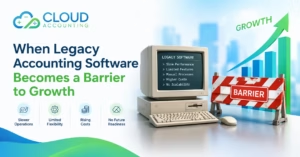
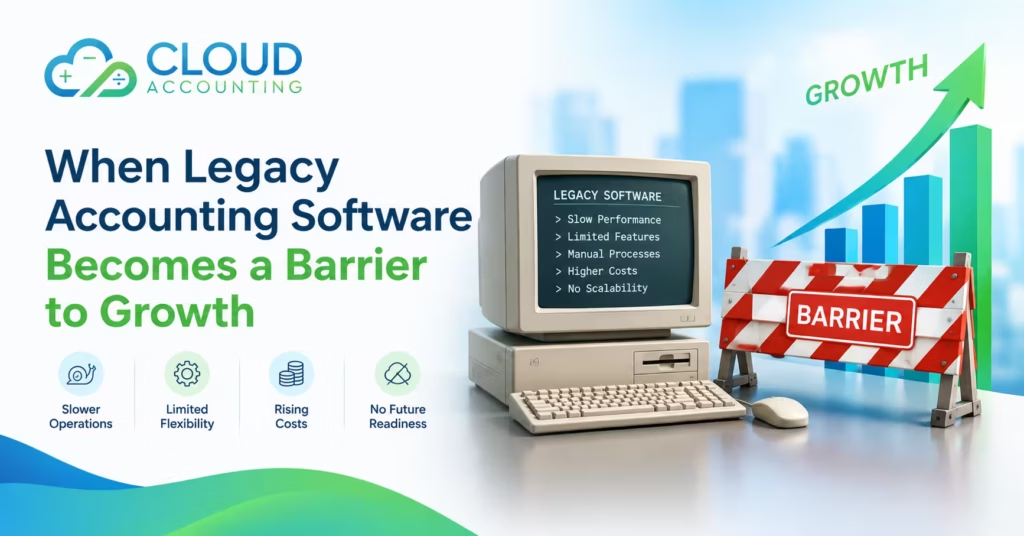
This is often how Legacy Accounting Software becomes a barrier to growth—not because it suddenly stops working, but because the business has outgrown what it was designed to do.
The important question is not whether the software is old. It is whether the software still supports the business effectively.
What Is Legacy Accounting Software?
Legacy Accounting Software refers to an older accounting system that may no longer meet a business’s current operational, reporting, integration, security, or scalability requirements.
Some legacy systems are installed locally and depend on a particular computer or office server. Others may still receive updates but lack the flexibility, automation, or integration capabilities expected from modern accounting platforms.
However, “legacy” does not automatically mean “useless.”
An older system can continue to serve a business well if its functionality, security, and support remain suitable. The problem arises when the system no longer matches the organisation’s needs.
For example, software that worked perfectly for a small business with one location may struggle to support a growing company with multiple departments, larger transaction volumes, remote employees, and more demanding reporting requirements.
The real issue is fit.
A business needs accounting software that can support not only its current operations but also its realistic plans for the future.
Considering whether your current accounting system is still the right fit? Explore how Cloud Accounting can support your business growth →
1. Business Growth Increases Accounting Complexity
Growth brings opportunities, but it also creates additional financial responsibilities.
More customers mean more invoices. and More suppliers mean more bills. and More employees mean more payroll activity. More products or services mean more detailed tracking. Expansion into new locations may introduce additional reporting and compliance requirements.
As these demands increase, the accounting system must be able to handle more information without creating unnecessary administrative work.
This is where Legacy Accounting Software may begin to show its limitations.
A process that once took a few minutes may now require several manual steps. A report that was easy to produce may need information gathered from multiple spreadsheets. A reconciliation that was previously completed quickly may become a lengthy exercise.
The software may still be functioning, but the business is spending more time managing the system rather than using it.
That distinction matters.
A system can be operationally functional while still being strategically unsuitable.
When accounting processes become increasingly difficult to manage, the business should consider whether its current software is supporting growth or simply helping it cope with growth.
2. Manual Processes Consume Valuable Time
One of the clearest signs that an accounting system is becoming a burden is the amount of repetitive manual work required to keep it running.
Manual accounting tasks are not always avoidable. Financial review, approval, and professional judgement will always require people. But repetitive administrative work should be reduced wherever practical.
Businesses relying on older systems may find themselves regularly:
- Entering transactions from different sources
- Importing and exporting data between platforms
- Updating records manually
- Preparing reports in spreadsheets
- Reconciling information across disconnected systems
- Correcting duplicate entries
- Re-entering data that already exists elsewhere
Each task may seem minor. Over weeks and months, however, the time adds up.
Manual processes also increase the possibility of errors. A number entered incorrectly, a transaction recorded twice, or a file updated without the latest information can create problems that take even more time to resolve.
The impact extends beyond the finance team. When employees spend too much time on repetitive administration, they have less time for analysis, forecasting, and supporting business decisions.
Modern accounting platforms can automate many routine processes, but automation is most effective when the underlying workflows are properly designed.
The goal is not to remove human oversight. It is to ensure that people spend their time where their expertise adds the most value.
3. Reporting Becomes More Difficult as the Business Grows
A growing business needs more than a basic profit and loss statement.
Management may want to understand profitability by department, location, project, product, or sales channel. Business owners may need more detailed cash-flow information. Finance teams may need to prepare reports for investors, lenders, auditors, or internal stakeholders.
As reporting requirements become more sophisticated, the limitations of Legacy Accounting Software can become increasingly apparent.
Some older systems offer limited reporting functionality. Others may technically support detailed reports but require extensive manual adjustments or external spreadsheets to produce them.
This creates two significant problems.
First, reporting takes longer.
Second, the information may not be available when it is most useful.
A report prepared several weeks after month-end may still be accurate, but it may arrive too late to support an important decision. Delayed reporting can make it harder to identify rising costs, investigate cash-flow pressures, or respond quickly to changes in performance.
Financial information has the greatest value when it is accurate, accessible, and timely.
If a business must spend excessive time preparing basic reports, it may be a sign that the accounting system is no longer meeting its needs.
4. Disconnected Systems Create More Work
Modern businesses rarely rely on accounting software alone.
They may use separate systems for sales, payroll, inventory, customer management, payment processing, expense management, and e-commerce.
These tools can improve efficiency—but only when they work together effectively.
When Legacy Accounting Software cannot integrate with essential business systems, employees may be forced to transfer information manually. This can result in duplicate data entry, delayed updates, inconsistent records, and additional reconciliation work.
Consider a business that processes sales through an online platform and receives payments through a separate provider. If the information does not flow efficiently into the accounting system, the finance team may need to compare multiple records and manually confirm that the figures match.
This creates unnecessary friction.
It also makes it more difficult to maintain a reliable view of the business’s financial position.
A growing organisation needs a connected financial workflow. Accounting should not operate as an isolated function that requires constant manual intervention from the rest of the business.
5. Remote Access and Collaboration Become More Important
The modern workplace is more flexible than it once was.
Employees may work from different locations. Business owners may need to review financial information while travelling. External accountants may require secure access to records. Managers may need to approve expenses or review reports without being physically present in the office.
Legacy Accounting Software may not have been designed for this level of flexibility.
Some systems depend on a specific computer, office network, or remote-access arrangement. Others may technically support remote access but provide a less convenient experience than modern cloud-based platforms.
This can create delays.
A manager may need to wait for someone in the office to access a report. An accountant may have to request files before completing a review. A finance employee may be unable to update records because another user is accessing the system.
Cloud-based accounting platforms are generally designed to support secure access from multiple locations, subject to appropriate permissions and security controls.
The benefit is not simply convenience. Better access can improve collaboration, reduce delays, and make financial information more useful across the organisation.
6. Security and Support Risks Can Increase
Financial systems hold important business information.
Customer details, supplier records, payroll data, payment information, and financial reports all require appropriate protection.
Older software is not automatically insecure. However, businesses should understand whether their accounting system is still receiving security updates, technical support, and compatibility improvements.
If a system is no longer actively maintained, the business may face increasing risks, including:
- Compatibility problems with newer operating systems
- Limited security updates
- Difficulty resolving technical issues
- Outdated backup procedures
- Dependence on unsupported hardware
- Reduced access to specialist support
- Increased reliance on employees with unique system knowledge
A system may continue functioning even after its developer has reduced or ended support. But continued functionality does not necessarily mean continued suitability.
Businesses should consider whether their accounting software has a clear support and maintenance strategy—and whether that strategy is appropriate for the importance of the financial information it manages.
7. The Cost of Staying May Be Higher Than It Appears
Replacing accounting software involves costs.
There may be implementation fees, training requirements, data migration work, process changes, and a temporary adjustment period. These are valid considerations, and a migration should be carefully planned.
However, businesses sometimes focus so heavily on the cost of changing that they overlook the cost of staying.
Legacy Accounting Software can create ongoing costs through:
- Manual administrative work
- Spreadsheet maintenance
- Reconciliation delays
- Error correction
- External technical support
- Custom workarounds
- Duplicate data entry
- Delayed reporting
- Limited integration options
These costs may not appear as one obvious expense. Instead, they are spread across employee time, support fees, lost productivity, and management effort.
There may also be opportunity costs.
If the finance team spends too much time correcting data or preparing basic reports, it has less time available for forecasting, financial analysis, and supporting strategic decisions.
The right question is not simply:
“How much will new accounting software cost?”
It is:
“How much is our current system costing us in time, risk, inefficiency, and missed opportunities?”
That comparison provides a more complete basis for making a decision.
8. Employees Become Dependent on Workarounds
When software does not support the way a business operates, employees naturally find solutions.
They may create spreadsheets, maintain separate tracking documents, build manual approval processes, or develop personal methods for completing tasks the system cannot handle efficiently.
At first, these workarounds may be useful. They allow the business to continue operating without making a major change.
Over time, however, they can become a serious operational weakness.
Different employees may maintain different versions of the same information. Processes may depend on individual knowledge rather than documented procedures. A key employee’s absence may make it difficult for others to understand how a particular task is completed.
This creates unnecessary dependency.
A scalable accounting system should make processes easier to standardise, document, and monitor. It should reduce the need for employees to create separate systems simply to complete their work.
Technology should support the team—not require the team to constantly compensate for its limitations.
9. Data Quality Problems Become Harder to Control
Accurate financial data is essential for reliable reporting and sound decision-making.
But maintaining data quality becomes more difficult when accounting information is spread across disconnected systems, spreadsheets, and manual processes.
Common issues may include:
- Duplicate customer or supplier records
- Inconsistent account coding
- Missing transaction details
- Incorrect opening balances
- Unreconciled accounts
- Incomplete historical information
- Different versions of financial reports
These problems can become more serious as transaction volumes increase and more employees become involved in financial processes.
Legacy Accounting Software may not provide the controls, automation, or integration capabilities needed to maintain consistent data across the business.
Of course, modern software does not automatically guarantee accurate records. Data quality still depends on good processes, appropriate controls, and trained users.
However, the right system can make those standards easier to maintain.
Better software cannot replace good accounting practices, but the wrong software can make good practices much harder to maintain.
10. Decision-Making Slows Down When Financial Information Is Difficult to Access
Business owners and managers make decisions every day.
Should the business hire another employee? Can it afford to invest in new equipment? Is a particular service profitable? Are operating costs increasing too quickly? Does the business have enough cash to support its next stage of growth?
These decisions depend on reliable financial information.
When reports are delayed, incomplete, or difficult to interpret, decision-making becomes slower and more uncertain.
A business may technically have the information it needs, but if that information is buried in spreadsheets or requires several days of manual preparation, it becomes less useful.
Legacy Accounting Software may not directly cause poor decisions. However, it can make it harder for decision-makers to access the information required to make good ones.
A modern accounting environment should help management understand the financial position of the business without requiring excessive administrative effort.
11. Compliance and Audit Preparation Can Become More Complicated
As businesses grow, their compliance responsibilities may also become more demanding.
Depending on the business and its location, this may involve VAT or sales tax reporting, payroll obligations, statutory reporting, audit requirements, or industry-specific financial controls.
Legacy Accounting Software may still support basic compliance tasks, but the process can become more complicated when records are incomplete, reports require manual adjustments, or supporting documentation is stored across different systems.
This can increase the time required to prepare for:
- Tax filings
- Financial reviews
- Audits
- Internal control checks
- Regulatory reporting
- Management reviews
A well-configured accounting system can help organise financial records, maintain an audit trail, and support more consistent reporting.
However, software should be viewed as part of a broader compliance process. Businesses still need appropriate procedures, accurate records, and professional oversight where required.
The important point is that an accounting system should make compliance easier to manage—not create additional uncertainty.
12. Future Growth Plans May Expose Limitations
One of the biggest mistakes businesses make is waiting until their accounting system fails before reviewing it.
By that point, the business may already be dealing with significant operational pressure.
A company planning to expand into new markets, open additional locations, introduce new products, or increase its workforce should consider whether its current accounting software can support those plans.
Questions worth asking include:
- Can the system handle higher transaction volumes?
- Can it support multiple entities or locations?
- Can it provide the reporting management will need?
- Can it integrate with new operational tools?
- Can additional users access it efficiently?
- Can it support stronger financial controls?
- Can it accommodate future changes in the business model?
Planning ahead does not necessarily mean replacing the system immediately.
It means understanding the limitations before they become urgent.
A well-timed software review gives the business more options, more time to evaluate alternatives, and a better opportunity to plan a controlled transition.
When Should a Business Consider Moving Away From Legacy Accounting Software?
There is no universal deadline for replacing an accounting system.
Some businesses may be able to continue using their current software for several more years. Others may need to make a change sooner because their operational requirements have already outgrown it.
A review may be appropriate if:
- Reporting takes longer than it should
- Manual data entry is increasing
- Employees rely heavily on spreadsheets
- Reconciliations are becoming more difficult
- The system cannot integrate with essential tools
- Financial information is difficult to access remotely
- The software is no longer supported
- Data quality problems are recurring
- The business is expanding into new locations or markets
- The cost of maintaining the current system is increasing
- Management cannot access timely financial information
These signs do not automatically mean the business must migrate immediately.
They indicate that the current system deserves a closer assessment.
The goal is to determine whether the software is still supporting the business efficiently, securely, and sustainably.
How to Approach a Migration Away From Legacy Accounting Software
Moving to a new accounting system should be treated as a business improvement project not simply a software installation.
A successful migration requires planning, communication, and attention to detail.
1. Assess the Current System
Start by documenting how the accounting system is used today.
Identify its strengths, limitations, manual processes, integrations, reporting requirements, and recurring problems.
It is important to understand what the business actually needs before evaluating alternatives.
2. Define Future Requirements
Consider where the business is heading.
Consider how your business may evolve over the coming years. Will you process more transactions, expand into new locations or entities, require more detailed reporting, or need to provide access to a larger finance team?
The best system is not necessarily the one with the most features. It is the one that fits the business’s current needs and expected growth.
3. Evaluate Suitable Alternatives
Compare potential accounting platforms based on:
- Functionality
- Scalability
- Ease of use
- Reporting capabilities
- Integration options
- Security
- User permissions
- Support
- Total cost of ownership
A system should be evaluated in the context of the business’s actual workflows—not just through a list of advertised features.
4. Plan the Data Migration Carefully
Data migration is one of the most important parts of the process.
The business should determine which historical records need to be transferred, how opening balances will be checked, and how data accuracy will be verified.
Not every historical record must necessarily be migrated in the same way. The right approach depends on reporting, compliance, operational, and business requirements.
5. Prepare Employees for the Change
Even the best accounting system will not deliver its full value if employees do not understand how to use it.
Training should cover both the software and the processes surrounding it.
Employees need to know how their responsibilities will change, how information should be entered, and where to find the reports and tools they need.
6. Test Before Going Live
Before switching systems, test the key workflows.
This may include:
- Sales invoicing
- Purchase processing
- Bank reconciliation
- Payroll integration
- Expense management
- Reporting
- User permissions
- Data imports
- Tax and compliance processes
Testing helps identify issues before they affect day-to-day operations.
7. Monitor the Transition
Migration does not end on the day the new system goes live.
The business should monitor performance, review reports, resolve issues, and gather feedback from employees.
This helps ensure that the new system is delivering the expected improvements and that any remaining process gaps are addressed.
Final Thoughts
Legacy Accounting Software can remain useful long after it was first introduced. The fact that a system is old does not automatically make it unsuitable.
But businesses do not remain the same.
As transaction volumes increase, reporting becomes more complex, teams become larger, and operations become more connected, the accounting system must evolve with them.
When manual work increases, financial information becomes harder to access, systems stop working together, and employees depend on spreadsheets and workarounds, the accounting software may be becoming a barrier to growth.
The answer is not always an immediate replacement. It is a careful assessment of whether the current system still supports the business’s needs, risks, and future plans.
The right accounting system should help a business grow with confidence not make growth harder to manage.
If your current accounting software is becoming difficult to maintain, now may be the right time to review its limitations and explore a more suitable long-term approach.
Is Your Accounting System Ready for Your Next Stage of Growth?
The right accounting system should support your business—not hold it back.
If your current software is creating unnecessary manual work, limiting reporting, or making it harder to manage financial information, it may be time to review your options.
At Cloud Accounting, we help businesses assess their accounting needs, identify system limitations, and plan a more efficient path forward. Whether you are considering a move from legacy accounting software or simply want to understand what your business needs next, a clear assessment is the right place to start.
Let’s explore whether your accounting system is still the right fit for your business.