Moving from Reckon to QuickBooks Online involves several important decisions.
One of the biggest concerns your historical financial data.
Should you move every transaction into QuickBooks Online? Or should you transfer opening balances only?
Both methods can support a successful Reckon to QuickBooks migration. However, they meet different accounting and reporting needs.
This guide explains both options. It also covers costs, risks, planning and reconciliation.
Why Move from Reckon to QuickBooks Online?
QuickBooks Online gives businesses cloud-based access to their accounts. Approved users can work from different locations and devices.
The software can support common accounting tasks, including:
- Creating and sending sales invoices
- Recording bills and business expenses
- Matching bank transactions
- Monitoring customer payments
- Managing supplier balances
- Producing financial reports
- Working with accountants remotely
- Connecting approved business applications
However, changing software does not automatically improve your records.
The migration must begin with clean and reconciled data. Your chosen migration method also needs to support future reporting.
Planning a Reckon to QuickBooks migration? Request a tailored quote before choosing your migration period.
What Is a Full-History Migration?
A full-history migration transfers historical accounting transactions into QuickBooks Online.
The migration begins from an agreed historical date. It then continues to the final Reckon cut-off date.
For example, a business may transfer three complete financial years. Another business may move its entire available history.
A full-history migration may include:
- Chart of accounts
- Customer records
- Supplier records
- Sales invoices
- Supplier bills
- Customer payments
- Supplier payments
- Credit notes
- Bank transactions
- Manual journals
- Account balances
- Selected tracking information
- Historical financial periods
The exact scope depends on the Reckon product and data quality. QuickBooks Online also stores information differently from Reckon.
Therefore, some records may need to be reorganised before transfer.
What Is an Opening-Balance Migration?
An opening-balance migration creates a starting financial position in QuickBooks Online.
It does not usually recreate every previous transaction.
Instead, the business selects a conversion date. Verified balances from Reckon are then entered into QuickBooks Online.
These balances may include:
- Bank account balances
- Customer balances
- Supplier balances
- Fixed assets
- Tax liabilities
- Loans and finance balances
- Equity accounts
- Other balance sheet accounts
Outstanding sales invoices and supplier bills may also be transferred. This allows payments to be matched after the move.
Earlier transactions normally remain in Reckon or an archived backup.
What Is a Conversion Date?
The conversion date separates the old system from the new system.
Transactions before this date remain in Reckon. New activity gets processed in QuickBooks Online.
A suitable date could be:
- The start of a financial year
- The start of a quarter
- The first day of a month
- The day after a completed reporting period
Moving at month-end can simplify the reconciliation process. However, it may also create pressure for the finance team.
The best date should allow enough time for:
- Completing bank reconciliation
- Finalising invoices and bills
- Reviewing tax balances
- Saving Reckon reports
- Checking customer and supplier balances
- Preparing the QuickBooks Online account
The conversion date should be agreed before data preparation begins.
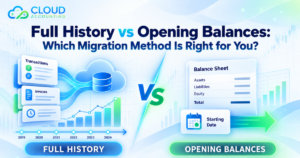
Full History vs Opening Balances
The table below shows the main differences.
| Area | Full-history migration | Opening-balances migration |
| Historical transactions | Moved for the chosen period | Usually remain in Reckon |
| Reporting | Supports detailed comparisons | Focuses on future reporting |
| Migration time | Usually longer | Usually shorter |
| Cost | Often higher | Often lower |
| Data preparation | More detailed | More focused |
| Reconciliation | Covers multiple periods | Focuses on opening figures |
| QuickBooks data | Includes more past activity | Provides a cleaner starting point |
| Access to Reckon | Less frequent after migration | Often needed for older details |
| Best suited for | Businesses needing history | Businesses wanting a fresh start |
Neither method is always better.
The right choice depends on how your business uses its previous records.
Benefits of Moving Full History
A full-history Reckon to QuickBooks migration keeps more information inside one system.
Easier Access to Older Transactions
Your team can search for earlier invoices, bills and payments.
This may help when handling:
- Customer questions
- Supplier disputes
- Payment checks
- Warranty claims
- Internal reviews
- Accounting queries
Users spend less time moving between two accounting systems.
Better Comparative Reporting
Historical information supports year-to-year comparisons.
Management can compare:
- Revenue
- Gross profit
- Operating costs
- Customer debt
- Supplier balances
- Cash flow
- Department performance
These comparisons may support planning and budgeting.
Improved Continuity
Customers, suppliers and accounts can retain more transaction history.
This creates a more complete financial record inside QuickBooks Online.
Less Dependence on Reckon
Your team may need Reckon less often after migration.
However, you should still retain a secure copy. Original records may remain important for checks and compliance.
Possible Limits of a Full-History Migration
Full history provides more detail, but it requires additional work.
Longer Migration Time
Every extra financial period adds more transactions.
Those records must be prepared, transferred and checked. Large volumes may increase the project timeline.
Higher Cost
Full-history migration usually costs more than opening balances.
The final price may depend on:
- Number of financial years
- Monthly sales volume
- Monthly purchase volume
- Bank transaction volume
- Number of bank accounts
- Number of currencies
- Number of business entities
- Data condition
- Inventory requirements
- Payroll requirements
- Custom reports or account structures
Historical Errors May Follow the Data
Old records can contain:
- Duplicate transactions
- Incorrect tax codes
- Unreconciled bank entries
- Suspense balances
- Misallocated payments
- Unpaid items marked as paid
- Incorrect opening figures
Moving these records without review can carry problems into QuickBooks Online.
Some Details May Not Transfer Exactly
Reckon and QuickBooks Online use different data structures.
Some transaction details may need adjustment or another treatment. Certain custom fields may not have a direct equivalent.
The migration scope should clearly explain these limits.
Benefits of Moving Opening Balances
Opening balances provide a practical option for simpler projects.
Faster Setup
Fewer records usually mean less preparation and checking.
This can support businesses working towards a fixed launch date.
Lower Migration Cost
The project normally involves fewer transactions.
This makes opening balances suitable for businesses with smaller budgets.
Cleaner Accounting File
Your QuickBooks Online account begins with an agreed financial position.
Old contacts and unused accounts can be excluded. Historical mistakes also do not need to enter the new system.
Simpler Reconciliation
The main focus is the chosen conversion date.
QuickBooks balances are compared against final Reckon reports. Differences can then be investigated before approval.
Possible Limits of Opening Balances
Opening balances also involve compromises.
Limited Historical Reporting
Detailed earlier transactions will not appear in QuickBooks Online.
Your team cannot produce complete historical reports from the new system.
Continued Reckon Access
You may still need Reckon for past transaction details.
If future access is uncertain, save important reports before migration.
Reduced Customer and Supplier History
Opening figures show outstanding amounts.
However, they do not always provide full payment and transaction history.
Open invoices and bills must be handled carefully. Otherwise, future payment matching may become difficult.
Is Partial-History Migration Another Option?
Yes. A partial-history migration provides a middle route.
Instead of moving all available records, you could transfer:
- The current financial year
- The current year plus one previous year
- Two or three complete financial years
- Transactions from a chosen reporting date
Older information remains in Reckon or an archive.
This approach can provide useful comparisons without transferring unnecessary records. It may also reduce project time and cost.
For many businesses, partial history offers a practical balance.
Which Records May Need Special Treatment?
Not every accounting record moves in the same way.
Bank Transactions
Bank accounts should be reconciled before the transfer.
The final Reckon balance must match the agreed bank position. Bank feeds should only begin after opening balances are confirmed.
Starting feeds too early can create duplicate transactions.
Unpaid Sales Invoices
Outstanding invoices should usually be transferred individually.
This allows future customer payments to match the correct invoice.
The total should agree with the Reckon aged receivables report.
Unpaid Supplier Bills
Outstanding bills may also need individual transfer.
The total should match the Reckon aged payables report.
Credit Notes and Overpayments
Unused credits and overpayments require careful review.
They must remain connected to the correct customer or supplier.
Fixed Assets
Fixed asset information may require a separate review.
Important details can include:
- Purchase date
- Original cost
- Accumulated depreciation
- Current book value
- Depreciation method
- Remaining useful life
Balances alone may not provide enough information for future depreciation.
Inventory
Inventory can make a migration more complex.
The business may need to confirm:
- Product codes
- Product descriptions
- Quantities on hand
- Average or standard costs
- Inventory values
- Sales and purchase prices
- Tax settings
The final inventory value should match the accounting records.
Payroll
Payroll information often needs separate planning.
Employee records, year-to-date figures and payroll reports may not move through a standard accounting migration.
The business should confirm how payroll history will be retained. Current payroll obligations must also remain accurate.
Multi-Currency Transactions
Foreign currency records can require additional checks.
Exchange rates and converted balances may differ between systems. The migration plan should cover each currency and foreign bank account.
How Data Quality Affects the Migration
Migration quality depends heavily on the source data.
A clean Reckon file is usually easier to transfer and reconcile.
Problems may arise when the file contains:
- Unreconciled bank accounts
- Duplicate contacts
- Unused accounts
- Old suspense balances
- Missing transaction dates
- Incorrect tax treatment
- Negative customer balances
- Incorrect supplier balances
- Unallocated payments
- Damaged or incomplete records
These issues should be identified early.
Some problems may need correction before migration. Others can be recorded and handled through agreed adjustments.
Reports to Save Before Leaving Reckon
Important reports should be exported before the final transfer.
Save copies of:
- Trial balance
- Balance sheet
- Profit and loss
- General ledger
- Bank reconciliation reports
- Aged receivables
- Aged payables
- Tax reports
- Chart of accounts
- Customer list
- Supplier list
- Fixed asset register
- Inventory valuation
- Outstanding invoices
- Outstanding bills
- Transaction detail by account
Reports should cover the migration date and relevant historical periods.
Keep them in a secure and readable format.
How Is the Migrated Data Checked?
Reconciliation confirms whether key figures match.
The QuickBooks Online results should be compared with agreed Reckon reports.
Key checks may include:
- Trial balance totals
- Bank balances
- Customer balances
- Supplier balances
- Tax liabilities
- Fixed asset balances
- Loan accounts
- Retained earnings
- Profit and loss totals
- Opening balance equity
Any difference should be explained.
A migration should not be approved simply because data appears inside QuickBooks Online. The numbers must also agree with the source reports.
What Happens During a Reckon to QuickBooks Migration?
A structured migration normally follows several stages.
1. Discovery and Scope
The existing Reckon setup is reviewed.
The business confirms:
- Migration period
- Required transaction types
- Conversion date
- Reporting needs
- Number of currencies
- Number of entities
- Payroll requirements
- Inventory requirements
- Training needs
2. Data Extraction
The required records are exported from Reckon.
The available export method depends on the product and access level.
3. Data Review and Preparation
The exported data is checked and organised.
Account names, tax codes and contacts may require adjustments.
4. Data Mapping
Reckon records are matched to QuickBooks Online fields.
The chart of accounts also gets reviewed. Duplicate or unused accounts may be removed with approval.
5. Migration
The prepared records are transferred into QuickBooks Online.
The process may occur in stages for larger projects.
6. Reconciliation
QuickBooks Online balances are checked against Reckon.
Unexplained differences are reviewed before final approval.
7. Go-Live and Handover
The business begins using QuickBooks Online.
Users receive guidance on new processes where training is included.
Should You Clean Reckon Before Migration?
Basic cleanup is usually helpful.
However, deleting or changing records without a plan can cause problems.
Before migration, consider reviewing:
- Duplicate contacts
- Unused accounts
- Old draft transactions
- Unallocated payments
- Unreconciled entries
- Suspense accounts
- Incorrect customer balances
- Incorrect supplier balances
Always save reports and backups before making major changes.
The goal is not to make the file look perfect. The goal is to create reliable data for transfer.
How Long Does the Migration Take?
The timeline depends on the project.
A simple opening-balance migration may take several working days. A full-history project may take one or more weeks.
Complex projects can take longer.
The following factors affect the timeline:
- Number of years
- Transaction volume
- Number of entities
- Number of bank accounts
- Data quality
- Multi-currency activity
- Inventory volume
- Payroll records
- Available Reckon access
- Required corrections
- Client review time
A data assessment is needed before confirming a reliable schedule.
What Affects the Migration Cost?
There is no single price for every migration.
The cost depends on the amount and condition of the data.
A quote may consider:
- Opening balances or full history
- Number of historical years
- Monthly transaction volume
- Customer and supplier numbers
- Open invoices and bills
- Multi-currency records
- Inventory items
- Payroll information
- Number of companies
- Required cleanup work
- Training and support
Opening balances are generally cheaper. Full history usually costs more because it requires additional work.
Common Migration Mistakes
A rushed move can create long-term accounting problems.
Common mistakes include:
- Choosing an unsuitable conversion date
- Migrating unreconciled balances
- Importing duplicate transactions
- Leaving invoices unpaid in both systems
- Using incorrect QuickBooks account types
- Starting bank feeds before verification
- Forgetting customer credits
- Ignoring supplier overpayments
- Moving unnecessary history
- Failing to save Reckon reports
- Skipping the final reconciliation
- Entering new transactions during migration
A documented cut-off process can prevent many of these issues.
How to Prevent Duplicate Transactions
Duplicates often appear around the conversion date.
For example, a bank feed may bring in transactions already included within opening balances.
To reduce this risk:
- Agree on one final Reckon cut-off date
- Stop entering transactions at the agreed time
- Record any emergency entries separately
- Verify opening bank balances
- Activate bank feeds after reconciliation
- Review the first imported bank-feed period
- Check outstanding invoices and bills
Clear responsibility is important. Everyone should know which system to use during the changeover.
Which Option Is Better for Reporting?
Full history is normally better for detailed reporting inside QuickBooks Online.
It allows management to compare previous periods without opening Reckon.
Opening balances are enough when the business focuses on future reporting. Earlier reports can remain stored outside QuickBooks Online.
Partial history may suit businesses that only need recent comparisons.
The best choice depends on the questions your reports must answer.
Which Option Is Better for Compliance?
Both approaches can support proper record retention.
However, transferring opening balances does not remove your duty to retain older records.
Businesses should preserve:
- Original Reckon data
- Exported financial reports
- Supporting documents
- Tax records
- Migration reconciliation reports
- Details of any adjustments
Retention periods depend on your country and business type. Ask your accountant about the rules that apply to you.
Questions to Ask Before Choosing
Ask these questions before confirming your migration scope:
- How often do we check historical transactions?
- How many years must appear in QuickBooks Online?
- Do we need year-to-year comparisons?
- Can we retain reliable access to Reckon?
- Is our current data reconciled?
- Are there unresolved balances?
- Which invoices and bills remain open?
- Do we use foreign currencies?
- Do we manage inventory?
- Is payroll included?
- What is our available budget?
- When must QuickBooks Online go live?
Your answers should guide the final decision.
Avoid choosing full history simply because it sounds more complete. More data has little value when nobody needs it.
Frequently Asked Questions
Can all Reckon data move to QuickBooks Online?
Not always in its original form.
The systems store information differently. Some fields and transaction types may require adjustment.
A data review can confirm what is practical.
Do I need to keep Reckon after migration?
You should keep suitable access or archived records.
This is especially important when only opening balances get transferred.
Can outstanding invoices and bills be moved separately?
Yes. Open invoices and bills can form part of an opening-balance migration.
They should match the final customer and supplier reports.
Can I transfer only the current financial year?
Yes. This is a common partial-history option.
The correct period depends on your reporting needs.
Will my QuickBooks reports match Reckon exactly?
Key balances should match after proper reconciliation.
However, report layouts and classifications may differ between systems.
Should I move old errors into QuickBooks Online?
Not without review.
Important errors should be corrected or clearly documented before transfer.
Can we continue working during the migration?
Daily work may continue before the final cut-off.
However, activity around the transfer must be carefully controlled. Otherwise, transactions could be missed or duplicated.
When should bank feeds be connected?
Connect them after the opening bank position has been verified.
This reduces the risk of duplicate transactions.
Final Thoughts
The best migration method depends on your reporting needs and budget.
Full history gives better access to earlier transactions. It also supports detailed comparisons within QuickBooks Online.
Opening balances provide a faster and cleaner start. However, older details remain in Reckon or archived reports.
Partial history offers another useful option. It provides recent data without moving every available transaction.
A well-planned Reckon to QuickBooks migration should protect accuracy and reduce disruption. It should also leave your team with clear, usable records.
Need help choosing the right migration approach? Contact Cloud Accounting and request a tailored migration quote.