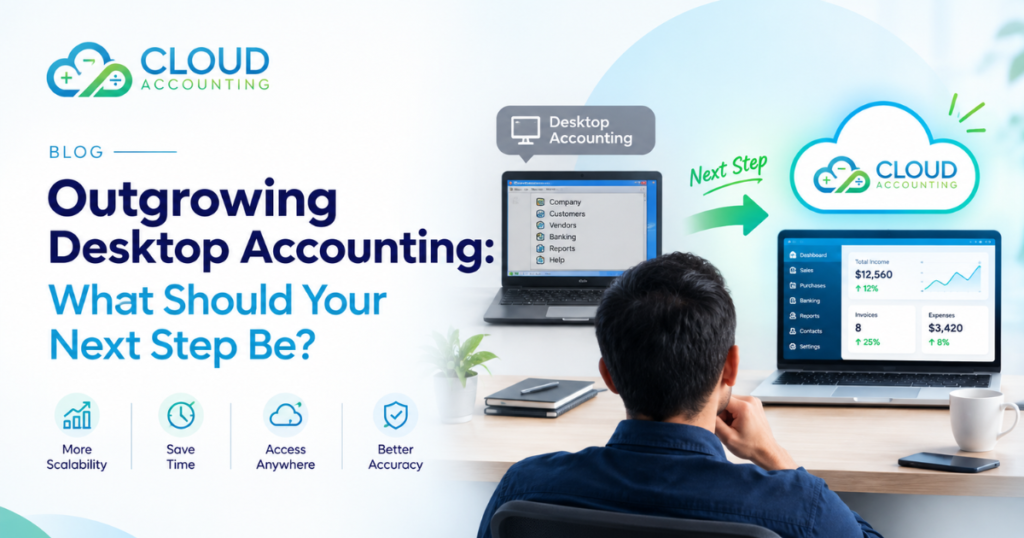
For many years, desktop accounting software has been a reliable foundation for managing business finances. It records transactions, produces financial reports, supports payroll, and helps businesses maintain control over their books. But as a company grows, the accounting system that once worked well can begin to create new challenges.
More employees may need access to financial information. Business owners may want real-time reporting from anywhere. Multiple locations, increasing transaction volumes, and more complex workflows can make desktop-based accounting feel restrictive. At that point, searching for a QuickBooks Desktop alternative becomes a practical business decision rather than simply a software upgrade.
The right next step is not always to move immediately to a particular platform. Businesses need to understand what is limiting their current system, what they expect from a replacement, and how to migrate without disrupting financial operations.
This guide explains the signs that a business may have outgrown desktop accounting, the options available, and the key factors to consider before making a change.
What Does It Mean to Outgrow Desktop Accounting?
Outgrowing desktop accounting does not necessarily mean the software is no longer functional. In many cases, it still performs its core accounting tasks effectively.
The issue is that the business has changed.
A company may have started with a small team, a single location, and straightforward bookkeeping requirements. Over time, it may have added employees, customers, suppliers, sales channels, or legal entities. Financial processes that were once simple can become increasingly difficult to manage.
Common signs include:
- Limited access to financial data outside the office
- Difficulty supporting multiple users or locations
- Manual processes for sharing and consolidating information
- Delays in financial reporting
- Increasing reliance on spreadsheets
- Complicated integrations with other business systems
- Challenges maintaining consistent workflows
- Growing concerns about backups, security, and system availability
These issues often indicate that the accounting system is no longer aligned with the way the business operates.
The question is not simply, “What software should replace desktop accounting?” It is:
“What accounting environment will support the business as it grows?”
Why Businesses Start Looking for a QuickBooks Desktop Alternative
Businesses searching for a QuickBooks Desktop alternative are often responding to several operational pressures at once. The need may be driven by remote work, business expansion, reporting requirements, or the desire to reduce manual administration.
1. Limited Remote Access
Desktop accounting systems are generally designed around software installed on a local computer or network. Although remote-access solutions may be available, they can require additional setup, maintenance, and security controls.
Cloud accounting platforms are designed to make financial information accessible through an internet connection. This can support business owners, accountants, and authorised employees working from different locations.
Remote access can be particularly useful when:
- The finance team works across multiple locations
- Business owners travel frequently
- External accountants need access to the books
- Employees work remotely
- Managers need to review financial information outside office hours
However, accessibility should always be considered alongside user permissions, authentication, and data security.
2. Growing User and Collaboration Requirements
As a business expands, more people may need access to accounting information. A desktop system may become difficult to manage when several users need to work on the books, review transactions, or coordinate financial tasks.
A modern accounting environment should support collaboration without compromising control.
Important capabilities may include:
- Role-based user permissions
- Simultaneous access for authorised users
- Accountant access
- Approval workflows
- Activity tracking
- Clear separation of responsibilities
The goal is not to give everyone unrestricted access. It is to make collaboration easier while preserving financial controls.
3. Increasing Dependence on Spreadsheets
Spreadsheets can be useful for analysis and planning, but they can become a warning sign when they are being used to compensate for limitations in the accounting system.
For example, a business may rely on spreadsheets to:
- Combine data from different locations
- Track invoices outside the accounting system
- Prepare management reports
- Reconcile information manually
- Monitor cash flow
- Consolidate financial results
- Correct inconsistencies between systems
This creates additional work and increases the risk of errors.
A suitable replacement should reduce unnecessary manual handling by improving data flow, reporting, and integration.
4. Delayed Financial Reporting
Desktop accounting software may continue to produce accurate reports, but the reporting process can become slow when data is spread across multiple files, systems, or spreadsheets.
Business leaders increasingly need timely answers to questions such as:
- How much cash is available?
- Which customers owe money?
- Which expenses are increasing?
- What is the current profit margin?
- How are different locations performing?
- Can the business afford its next investment?
If obtaining these answers requires extensive manual preparation, the accounting system may be limiting decision-making.
A cloud-based solution may provide more accessible reporting and better integration with operational data, depending on the platform and configuration.
5. Business Expansion and Multiple Locations
A business operating from one location may have relatively simple accounting requirements. Expansion can introduce additional complexity.
Multiple locations may require:
- Separate tracking of income and expenses
- Location-based reporting
- Consistent chart-of-accounts structures
- Intercompany transactions
- Consolidated reporting
- More complex approval processes
Not every desktop accounting system is unsuitable for multi-location businesses. However, companies should assess whether their current system can support the required structure without excessive manual work.
Is Moving to Cloud Accounting Always the Right Answer?
Cloud accounting is a common next step for businesses that have outgrown desktop software, but it is not automatically the correct solution for every organisation.
The decision should be based on business requirements rather than software trends.
Cloud accounting may be appropriate when a business needs:
- Easier remote access
- Better collaboration
- More frequent software updates
- Integration with other cloud applications
- Scalable user access
- More flexible reporting
- Reduced dependence on local infrastructure
However, businesses should also consider:
- Internet reliability
- Subscription costs
- Data migration requirements
- Industry-specific functionality
- Local tax and compliance needs
- Integration availability
- User training
- Data ownership and export options
A successful transition depends on selecting a system that fits the business—not simply choosing the most popular platform.
What Should You Look for in a QuickBooks Desktop Alternative?
When evaluating a QuickBooks Desktop alternative, businesses should compare platforms against their actual operational needs.
Cloud Accessibility
Can authorised users access the system securely from different locations and devices?
Consider whether the platform supports:
- Browser-based access
- Mobile access
- Remote collaboration
- Secure login controls
- User permissions
Accessibility should improve productivity without weakening security.
Accounting Functionality
A replacement should support the core accounting processes the business depends on.
These may include:
- General ledger
- Accounts payable
- Accounts receivable
- Bank reconciliation
- Invoicing
- Expense tracking
- Financial reporting
- Tax reporting
- Budgeting
- Payroll, where required
The objective is to preserve essential functionality while improving the overall workflow.
Integration Capabilities
Accounting rarely operates in isolation. Businesses may use separate systems for sales, payroll, inventory, payments, customer management, or expense management.
A suitable alternative should integrate with the tools the business already uses—or provide a clear path to replacing them.
Evaluate:
- Available integrations
- Integration reliability
- Data synchronisation frequency
- Duplicate-data risks
- Error handling
- Ownership of connected data
An integration that creates more reconciliation work than it removes may not deliver the expected value.
Reporting and Business Visibility
Financial reporting should help decision-makers understand the business without requiring excessive manual preparation.
Look for:
- Customisable reports
- Real-time or near-real-time access to data
- Department or location tracking
- Cash-flow visibility
- Profitability analysis
- Management reporting
- Export options
Reporting requirements should be defined before selecting a platform.
Scalability
A replacement should support the business’s expected growth.
Ask:
- Can the system support additional users?
- Can it handle higher transaction volumes?
- Can it accommodate new locations?
- Can it support additional entities?
- Can reporting structures evolve?
- Will integrations remain manageable?
A system that solves today’s problem but creates another migration requirement next year may not be the best long-term fit.
Security and Data Protection
Financial data requires appropriate security controls.
Businesses should review:
- User access permissions
- Multi-factor authentication
- Backup and recovery processes
- Encryption
- Audit trails
- Data retention
- Vendor security practices
- Compliance responsibilities
Cloud software does not eliminate the need for internal controls. Businesses remain responsible for managing access and protecting their financial information.
QuickBooks Desktop Alternative vs. Continuing with Desktop Accounting
Before migrating, businesses should compare the practical implications of both options.
| Consideration | Continuing with Desktop Accounting | Moving to an Alternative |
| Access | May depend on local installation or remote-access setup | Often designed for browser-based access |
| Collaboration | Can require additional configuration | Usually supports centralised online access |
| Updates | May involve manual upgrades or maintenance | Often delivered through the provider |
| Integrations | Depends on available compatibility | May offer modern cloud integrations |
| Reporting | Can require manual consolidation | May provide more accessible reporting |
| Infrastructure | May depend on local devices or servers | Typically reduces local infrastructure requirements |
| Migration effort | No immediate migration required | Requires planning, testing, and training |
| Cost structure | May involve licence, maintenance, or support costs | Often involves subscription-based pricing |
This comparison is not a universal verdict. The right choice depends on the business’s size, complexity, budget, technical environment, and future plans.
Should You Move Directly to Another Accounting Platform?
Not necessarily.
A business may have several possible next steps:
- Optimise the existing desktop system
Review workflows, remove unnecessary manual processes, improve controls, and ensure the current software is being used effectively. - Upgrade within the existing software ecosystem
Depending on the provider and available products, a business may be able to move to a more suitable edition or environment. - Move to cloud accounting
This may be appropriate when remote access, collaboration, integrations, and scalability are important priorities. - Adopt a more comprehensive financial management system
Larger or more complex businesses may require stronger multi-entity, inventory, project accounting, or operational capabilities. - Use a phased migration approach
Businesses may move selected processes first, test the new environment, and then transition the remaining functions.
The best next step depends on the gap between the current system and the business’s requirements.
The Importance of Accounting Software Migration Planning
Choosing a new platform is only one part of the process. Migration planning is equally important.
A poorly planned migration can create:
- Missing transaction history
- Incorrect opening balances
- Duplicate customer or supplier records
- Broken integrations
- Inconsistent account mappings
- Reporting discrepancies
- Payroll complications
- Delays in month-end close
A structured migration reduces these risks.
Step 1: Assess the Current Accounting Environment
Begin by documenting how accounting works today.
Review:
- Current software and version
- Number of users
- Company files and entities
- Chart of accounts
- Customer and supplier records
- Historical transaction data
- Bank and payment integrations
- Payroll processes
- Reporting requirements
- Manual spreadsheets
- Existing workarounds
This assessment helps identify what must be retained, improved, or removed.
Step 2: Define Business Requirements
Avoid choosing a replacement based only on a feature list.
Instead, identify the business outcomes that matter.
For example:
- Faster month-end reporting
- Better access for remote teams
- Reduced manual data entry
- Improved cash-flow visibility
- Easier collaboration with accountants
- More reliable integrations
- Better multi-location reporting
These requirements should guide the software evaluation.
Step 3: Review Data Quality Before Migration
Migration is an opportunity to improve the quality of financial data.
Before moving information, review:
- Duplicate records
- Inactive customers and suppliers
- Unused accounts
- Incorrect tax codes
- Unreconciled transactions
- Outstanding balances
- Historical inconsistencies
- Incomplete contact details
Moving poor-quality data into a new system can reproduce the same problems in a different environment.
A new platform cannot automatically correct bad accounting data.
Step 4: Map the Data Carefully
Data mapping determines how information moves from the old system to the new one.
This may include:
- Chart of accounts
- Customer records
- Supplier records
- Products and services
- Tax codes
- Opening balances
- Outstanding invoices
- Bills
- Bank accounts
- Fixed assets
- Historical transactions
Mapping should be documented and reviewed before the migration begins.
Step 5: Decide How Much Historical Data to Transfer
Not every migration requires every historical transaction to be moved into the new system.
Businesses may choose to transfer:
- Opening balances only
- Outstanding transactions
- Several years of history
- Complete transaction history
- Selected reporting periods
The appropriate approach depends on reporting, audit, tax, compliance, and operational requirements.
Historical data should not be excluded simply to make migration easier without understanding the consequences.
Step 6: Test Before Going Live
Testing should cover the processes the business relies on most.
Examples include:
- Creating and sending invoices
- Recording supplier bills
- Processing payments
- Reconciling bank accounts
- Running financial reports
- Calculating taxes
- Processing payroll
- Reviewing opening balances
- Checking integrations
A test migration can reveal problems before they affect live accounting operations.
Step 7: Train Users and Document Workflows
Software changes often fail because users are expected to adapt without sufficient guidance.
Training should cover:
- Daily accounting tasks
- New approval processes
- Reporting procedures
- User permissions
- Reconciliation workflows
- Month-end responsibilities
- Error correction
- Support procedures
Documented workflows help ensure that the business does not simply recreate old habits in a new system.
Common Mistakes Businesses Make When Replacing Desktop Accounting
Choosing Software Before Defining Requirements
A platform may look impressive during a demonstration but still fail to meet the business’s actual needs.
Requirements should come first.
Treating Migration as a Data-Transfer Exercise
Migration is not just about moving records. It also involves processes, controls, reporting, integrations, and user behaviour.
Moving Poor-Quality Data
Duplicate records, incorrect balances, and inconsistent account structures can create problems after migration.
Ignoring Historical Reporting
Businesses may need historical information for tax, audits, management reporting, or financial analysis. Historical data requirements should be decided early.
Underestimating Training
Even a capable platform can create disruption if users do not understand how to perform essential tasks.
Running Two Systems Without a Clear Plan
Maintaining both systems for too long can create duplicate work and inconsistent records.
A parallel-running period may be useful for testing, but it should have a defined purpose and timeline.
Focusing Only on Software Cost
The total cost of a replacement may include:
- Subscription fees
- Migration services
- Data cleanup
- Integration setup
- Training
- Internal staff time
- Ongoing support
- Process redesign
A lower subscription price does not necessarily mean a lower total cost.
How Cloud Accounting Can Support Business Growth
When implemented correctly, cloud accounting can support more than basic bookkeeping.
It can help businesses create a more connected financial environment by linking accounting with other operational systems.
Potential benefits include:
Better Financial Visibility
Decision-makers can access financial information more easily and review performance without waiting for manually prepared reports.
Improved Collaboration
Accountants, finance teams, and business owners can work from a shared system with appropriate permissions.
More Connected Workflows
Integrations can reduce repetitive data entry and improve the flow of information between systems.
Easier Access to Updates
Cloud platforms commonly deliver software updates through the provider, reducing the need for businesses to manage traditional local upgrades.
More Flexible Operations
Businesses can support remote work, multiple locations, and changing operational requirements more easily when the accounting environment is designed for online access.
These benefits depend on the platform, implementation quality, data structure, and internal processes.
When Is the Right Time to Replace Desktop Accounting?
There is no universal deadline for every business. However, certain situations may indicate that the current system is becoming a constraint.
Consider reviewing alternatives when:
- The business is expanding into new locations
- More users need access to financial information
- Reporting takes too long
- Manual spreadsheets are increasing
- Integrations are becoming difficult to maintain
- The accounting team is spending too much time on repetitive tasks
- The current system no longer supports business requirements
- Software support or compatibility is becoming a concern
- Management needs more timely financial information
Waiting until the system becomes a critical operational problem can make migration more disruptive.
A planned transition is usually easier to manage than an emergency replacement.
Questions to Ask Before Choosing a QuickBooks Desktop Alternative
Before selecting a new platform, ask:
- What specific problems are we trying to solve?
- Which accounting processes must remain unchanged?
- Which workflows need improvement?
- How much historical data must be retained?
- What integrations are essential?
- How many users and entities must the system support?
- What reporting does management require?
- What are the tax and compliance requirements?
- How will data quality be validated?
- What training will users need?
- How will the migration be tested?
- What support will be available after launch?
These questions help turn a software search into a structured business decision.
Final Thoughts
Outgrowing desktop accounting is often a sign that the business has reached a new stage of development. The challenge is not simply finding a QuickBooks Desktop alternative. It is identifying an accounting environment that supports the company’s current operations and future growth.
Cloud accounting may provide greater accessibility, collaboration, integration, and scalability. But the software itself is only part of the solution.
A successful transition requires:
- Clear requirements
- Careful platform evaluation
- Clean and well-mapped data
- Thorough testing
- User training
- Strong financial controls
- A realistic migration plan
The right next step is the one that improves financial operations without creating unnecessary disruption.
If your business is outgrowing desktop accounting, Cloud Accounting can help you assess your current system, evaluate suitable alternatives, and plan a structured migration that supports your next stage of growth.
Ready to Move Beyond Desktop Accounting?
Outgrowing your current accounting system is an opportunity to improve how your business manages financial data, reporting, and day-to-day operations.
At Cloud Accounting, we help businesses assess their existing accounting setup, explore suitable cloud accounting solutions, and plan software migrations with minimal disruption. From data preparation and system configuration to testing and user training, our team can help you move forward with greater clarity and confidence.
Whether you need better remote access, streamlined workflows, improved reporting, or a more scalable accounting environment, the right solution starts with understanding your business needs.
Ready to explore your next step?
Contact Cloud Accounting today to discuss your accounting requirements and discover how a structured migration can support your business growth.