Managing business finances can become difficult when invoices, receipts, bank transactions, and financial reports are stored in different places. Small business owners often spend hours updating spreadsheets, checking payments, and preparing records for their accountants.
Cloud accounting offers a more practical way to manage these tasks.
Instead of keeping financial information on one computer, businesses can use online accounting software to record transactions, manage invoices, track expenses, and review financial reports from different locations.
But what is cloud accounting, and how does it actually work?
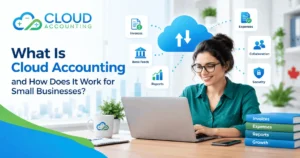
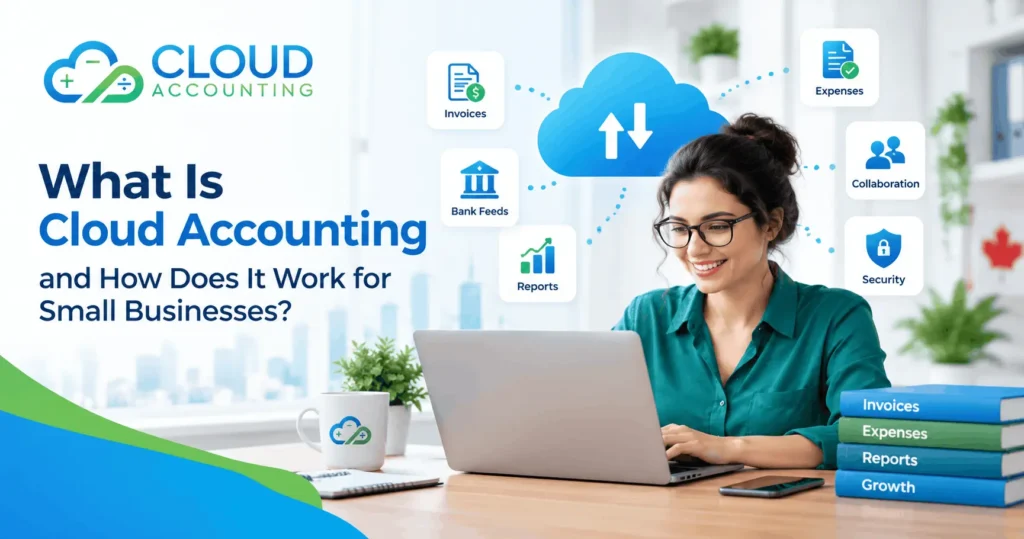
Cloud accounting is a method of managing financial records through software hosted on remote servers and accessed over the internet. It allows business owners, bookkeepers, and accountants to work with the same financial information without exchanging files manually.
For Canadian small businesses, cloud accounting can also support GST/HST tracking, payroll management, bank reconciliation, and financial reporting.
This guide explains how cloud accounting works, its main features, advantages, limitations, and how to choose the right solution for your business.
What Is Cloud Accounting?
Cloud accounting is the process of recording, storing, and managing financial information using internet-based accounting software.
Traditional accounting software is often installed on a specific computer or local server. Cloud accounting software, on the other hand, is hosted by a software provider and accessed through a web browser or mobile application.
Businesses can use cloud accounting to manage everyday financial activities, including:
- Creating and sending customer invoices
- Recording business expenses
- Tracking customer and supplier payments
- Connecting business bank accounts
- Reconciling bank transactions
- Managing applicable sales taxes
- Generating financial reports
- Sharing financial information with accountants
Popular cloud accounting platforms include QuickBooks Online, Xero, and Zoho Books.
These platforms provide different features, pricing plans, integrations, and reporting options.
For example, a small retail business in Canada can use cloud accounting software to record daily sales, monitor expenses, track GST/HST, and review its financial performance without maintaining separate accounting spreadsheets.
The main purpose of cloud accounting is to make financial information easier to access, update, and manage.
How Does Cloud Accounting Work?
Cloud accounting works by storing accounting data on servers managed by a software provider. Authorized users access that information through an internet connection.
When a transaction is recorded, the software updates the relevant accounting records. Depending on the platform and its settings, the transaction may also affect reports, account balances, and tax summaries.
Here is how the process generally works.
1. Set Up Your Cloud Accounting Account
The first step is to create an account with a cloud accounting software provider.
During setup, businesses usually enter basic information such as their business name, financial year, reporting currency, and applicable tax settings.
Canadian businesses may also need to configure GST/HST rates, their chart of accounts, and other settings relevant to their operations.
2. Connect Your Business Bank Accounts
Many cloud accounting platforms allow businesses to connect supported bank and credit card accounts.
Once connected, the software can import available transactions automatically.
For example, when a business pays a supplier, the transaction may appear in its accounting software through the bank connection.
However, imported transactions still need to be reviewed and categorized correctly. Bank feeds can also experience delays or connection problems.
3. Record Income and Expenses
Businesses can create invoices, record bills, and enter expenses directly into the software.
Some platforms also allow users to upload receipts and attach supporting documents to transactions.
For example, when a business purchases office supplies, the expense can be recorded under the appropriate category.
Accurate transaction records help businesses understand where their money comes from and how it is spent.
4. Reconcile Financial Transactions
Bank reconciliation involves comparing transactions recorded in the accounting system with actual bank statements.
Cloud accounting software provides tools to help identify matched, missing, or duplicate transactions.
Regular reconciliation helps businesses find errors before they affect financial reports.
5. Generate Financial Reports
Once transactions have been recorded and reviewed, cloud accounting software can produce financial reports.
Common reports include:
- Profit and loss statement
- Balance sheet
- Cash flow statement
- Accounts receivable report
- Accounts payable report
- Sales tax reports
These reports help business owners monitor financial performance and make informed decisions.
6. Collaborate With Your Accountant
Cloud accounting platforms generally allow businesses to provide accountants and bookkeepers with controlled access.
This means an accountant can review transactions, investigate discrepancies, and prepare adjustments without requiring a separate copy of the accounting file.
Access permissions should be assigned according to each person’s responsibilities.
Key Features of Cloud Accounting Software
Cloud accounting software includes several tools designed to support everyday business financial management.
Understanding these features can help you choose software that meets your needs.
Online Invoicing
Cloud accounting allows businesses to create and send professional invoices electronically.
Depending on the software, businesses may be able to set payment terms, send reminders, and monitor overdue invoices.
Some platforms also support online payment integrations, allowing customers to pay directly through an invoice.
Expense Tracking
Expense tracking tools help businesses organize purchases and operating costs.
Users can categorize expenses, upload receipts, and review spending patterns.
This makes it easier to identify major expenses and prepare records for financial reporting.
Bank Reconciliation
Bank reconciliation tools help compare accounting entries against imported bank transactions.
Some software suggests matches based on transaction dates, amounts, and descriptions.
However, suggested matches should always be checked before approval.
Financial Reporting
Cloud accounting software can generate financial statements using the transactions recorded in the system.
Business owners can review income, expenses, assets, liabilities, and cash flow.
These reports are only as reliable as the underlying accounting records.
Tax Management
Many cloud accounting platforms include features for calculating and tracking sales taxes.
Canadian businesses can use suitable software to help manage GST/HST and, where supported, applicable provincial sales taxes.
Correct tax settings are essential because tax treatment can vary by province, product, service, and transaction.
Software Integrations
Cloud accounting platforms may connect with other business applications, including:
- Ecommerce platforms
- Payment processors
- Inventory management systems
- Payroll applications
- Customer management software
- Expense management tools
Integrations can reduce repeated data entry, but they require proper setup and regular monitoring to prevent missing or duplicated transactions.
Benefits of Cloud Accounting for Small Businesses
Cloud accounting offers several advantages over accounting systems that depend on local files or manual spreadsheets.
1. Access Financial Information From Different Locations
One of the biggest benefits of cloud accounting is accessibility.
Authorized users can access their financial information from supported devices with an internet connection.
For example, a business owner travelling between Toronto and Vancouver can review outstanding invoices or business expenses without returning to the office.
This is particularly useful for remote teams and businesses operating from multiple locations.
2. Reduce Manual Data Entry
Cloud accounting software can automate certain repetitive tasks.
Bank feeds, recurring invoices, payment reminders, and software integrations can reduce the amount of information employees need to enter manually.
However, automation does not eliminate the need for bookkeeping reviews.
3. Improve Financial Visibility
Business owners need reliable financial information to make decisions.
Cloud accounting can provide updated reports showing revenue, expenses, outstanding invoices, and business liabilities.
For example, reviewing a profit and loss report may help a business identify rising operating costs.
Regular reporting can also help owners prepare budgets and plan future spending.
4. Support Better Collaboration
Cloud accounting makes it easier for business owners and accounting professionals to work with shared records.
Instead of sending spreadsheets or accounting backups by email, users can access the same accounting system.
This can reduce confusion caused by multiple versions of financial files.
5. Support Business Growth
As businesses expand, their accounting requirements often become more complex.
They may need additional users, more detailed reports, multiple currencies, or connections to other business applications.
Many cloud accounting platforms offer different plans and optional features to support these requirements.
However, businesses should check the limits of each plan before upgrading.
6. Reduce Dependence on Local Hardware
Traditional accounting software may require local installation, maintenance, and backups.
With cloud accounting, the provider manages much of the software hosting and infrastructure.
This reduces the need to maintain a dedicated accounting server.
Businesses still need suitable devices, reliable internet access, and proper data protection procedures.
Cloud Accounting vs Traditional Accounting
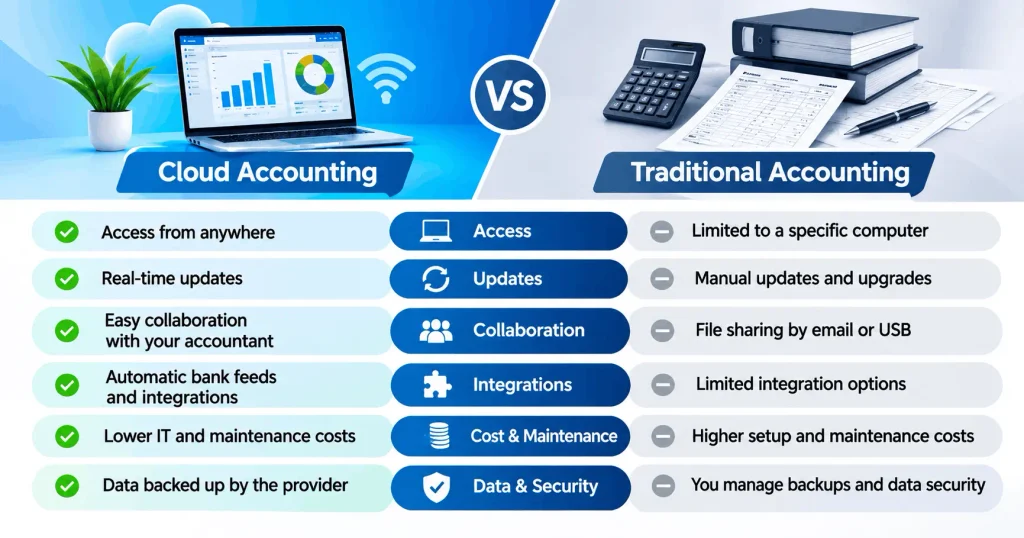
Cloud accounting and traditional desktop accounting software can both manage business finances. The main differences involve accessibility, hosting, maintenance, and collaboration.
| Feature | Cloud Accounting | Traditional Desktop Accounting |
|---|---|---|
| Data storage | Provider-managed servers | Usually local computers or servers |
| Accessibility | Internet-based access | Often device or network dependent |
| Software updates | Usually managed by provider | May require manual installation |
| Collaboration | Shared online access | May require additional setup |
| Bank connections | Commonly available | Depends on software |
| Subscription costs | Usually recurring | Licence or subscription, depending on product |
| Backups | Provider-managed options, with user responsibilities | Often user-managed |
| Internet requirements | Generally required | Some systems work offline |
Traditional accounting software may still be appropriate for businesses with specific offline requirements, older integrations, or specialized accounting processes.
However, cloud accounting is often a practical option for small businesses that need remote access and collaboration.
The right choice depends on business requirements rather than whether a product is described as modern or traditional.
Is Cloud Accounting Secure?
Security is one of the most important concerns when businesses consider moving their financial information online.
Reputable cloud accounting providers use security measures designed to protect customer information.
These may include encryption, access controls, account monitoring, and backup systems.
However, no online accounting platform can guarantee complete protection against every security threat.
Businesses should follow several basic security practices:
- Enable multifactor authentication.
- Use strong, unique passwords.
- Limit access to employees who need it.
- Remove access when staff members leave.
- Review connected applications regularly.
- Monitor unusual account activity.
- Maintain appropriate records and independent exports or backups.
Canadian businesses should also understand where their accounting records are stored.
The Canada Revenue Agency has specific rules about maintaining and accessing business records. Records stored outside Canada and accessed electronically from Canada are not automatically considered records kept in Canada. Businesses may need CRA authorization to keep required records elsewhere. Canada+1
For more information, review the CRA guidance on keeping business records.
How Cloud Accounting Helps Canadian Small Businesses
Canadian businesses have accounting and tax responsibilities that should be considered when choosing financial software.
Cloud accounting can help organize the information needed to meet these responsibilities.
GST/HST Tracking
Businesses registered for GST/HST generally need to record applicable taxes collected from customers and taxes paid on eligible business purchases.
Cloud accounting software can help track these amounts and generate reports used to prepare GST/HST returns.
However, software calculations depend on accurate tax codes and transaction details.
Business owners must also keep supporting documents, including relevant sales and purchase invoices.
The CRA generally requires GST/HST records to be retained for six years from the end of the year to which they relate, although exceptions apply. Canada+1
Learn more through the CRA GST/HST recordkeeping guidance.
Payroll Record Management
Businesses with employees must maintain accurate payroll records.
Depending on the software and connected payroll services, cloud accounting can support payroll expense recording, payroll liability tracking, and financial reporting.
Canadian employers also need to account for applicable payroll deductions, including income tax, Canada Pension Plan contributions, and Employment Insurance premiums.
Some provincial requirements differ, including those in Quebec.
Businesses should confirm that their chosen payroll solution supports their specific Canadian obligations.
Income and Expense Records
Cloud accounting can help businesses organize income and expense records throughout the year.
This makes it easier to prepare information for accountants and identify potentially deductible business expenses.
The CRA requires businesses to maintain records that support their reported income and expense claims. Canada
Financial Planning
Reliable accounting information can help small businesses prepare budgets, monitor cash flow, and plan purchases.
For example, a service business may use monthly financial reports to compare revenue against wages, rent, and other operating costs.
This information can support decisions about pricing, hiring, and future investment.
How Much Does Cloud Accounting Cost?
The cost of cloud accounting depends on the software provider, subscription plan, number of users, and additional features.
Most major cloud accounting providers offer subscription-based pricing.
A small business may need to consider several types of costs.
Software Subscription
Monthly or annual subscription fees usually depend on the features included.
Entry-level plans may provide basic invoicing and expense tracking, while higher-tier plans may offer advanced reporting, inventory features, or additional users.
Setup and Migration
Businesses moving from spreadsheets or another accounting platform may need help setting up their new system.
Migration costs depend on the amount of historical data, transaction complexity, and required checks.
Bookkeeping Support
Some businesses manage their bookkeeping internally, while others hire professional bookkeepers.
Outsourcing can add to the overall cost but may reduce the time owners spend maintaining financial records.
Additional Applications
Payroll, payment processing, inventory management, and other integrations may involve separate charges.
Before selecting software, compare the total cost of the system rather than focusing only on the advertised subscription price.
Popular Cloud Accounting Software for Small Businesses
Several accounting platforms are commonly considered by Canadian small businesses.
QuickBooks Online
QuickBooks Online is a cloud accounting platform designed to support tasks such as invoicing, expense tracking, bank connections, and financial reporting.
Its Canadian offering includes features intended for local business accounting requirements.
Businesses can review available plans and features on the official QuickBooks Canada website. QuickBooks CA
Xero
Xero provides cloud accounting tools for invoicing, bank reconciliation, expense management, and financial reporting.
It also supports integrations with various business applications.
Businesses should check the availability of Canadian tax features, payroll integrations, and plan-specific functions before choosing Xero.
Zoho Books
Zoho Books offers online accounting features such as invoicing, expense tracking, bank reconciliation, and financial reporting.
It may be suitable for businesses already using other Zoho applications.
As with other platforms, businesses should verify Canadian tax requirements and available integrations before subscribing.
Which Software Should You Choose?
There is no single cloud accounting platform that is best for every business.
A small consulting company may prioritize invoicing and expense tracking.
An ecommerce business may need payment processor integrations, inventory records, and detailed sales reconciliation.
A growing company may require additional reporting or approval controls.
Choose software based on your business operations, accounting requirements, available integrations, and budget.
How to Get Started With Cloud Accounting
Moving to cloud accounting does not need to be complicated, but proper planning is important.
Businesses should follow a structured process to avoid missing transactions, incorrect balances, or reporting problems.
Step 1: Review Your Current Accounting System
Start by identifying how your business currently manages financial information.
You may be using spreadsheets, desktop accounting software, or another online platform.
Review your existing records, including customer invoices, supplier balances, bank accounts, and financial statements.
This will help identify what needs to be transferred.
Step 2: Choose Suitable Software
Compare accounting platforms based on your business requirements.
Consider invoicing, bank connections, tax settings, reporting, integrations, and future growth.
Avoid paying for advanced features your business does not currently need.
Step 3: Prepare Your Financial Records
Before moving to a new platform, review your existing accounting data.
Check for duplicate transactions, unreconciled bank accounts, incorrect balances, and missing records.
Migrating inaccurate data can carry existing accounting problems into the new system.
Step 4: Set Up and Transfer Your Data
Create your chart of accounts, configure taxes, connect bank accounts, and add the necessary users.
If you are moving from another accounting system, transfer the agreed financial information.
This may include opening balances, customer and supplier records, outstanding invoices, and historical transactions.
After migration, compare the new accounting records with the original system to confirm that the balances agree.
Step 5: Establish a Bookkeeping Routine
Cloud accounting software works best when financial records are maintained regularly.
Set aside time each week or month to review transactions, reconcile bank accounts, check unpaid invoices, and monitor financial reports.
Regular reviews can help prevent small errors from becoming larger accounting problems.
Common Cloud Accounting Mistakes to Avoid
Cloud accounting can improve financial management, but incorrect setup or poor bookkeeping practices can reduce its benefits.
One common mistake is assuming that automatic bank feeds mean the bookkeeping is complete.
Imported transactions still need to be categorized, matched, and reconciled.
Another mistake is selecting incorrect tax settings. This can affect GST/HST reports and create additional work when preparing returns.
Businesses should also avoid giving unnecessary access to employees or connected applications.
Finally, financial reports should not be treated as accurate simply because the software generates them automatically.
A profit and loss statement may contain errors if transactions are missing, duplicated, or recorded in the wrong accounts.
Professional bookkeeping support and regular reviews can help businesses maintain more reliable financial information.
Is Cloud Accounting Right for Your Small Business?
Cloud accounting may be a good choice if your business needs easier access to financial records, online invoicing, regular reporting, or collaboration with an accountant.
It can be particularly useful for businesses with remote employees, multiple locations, or growing transaction volumes.
However, cloud accounting is not a replacement for accurate bookkeeping or professional accounting advice.
The software provides tools for recording and organizing information. Business owners and accounting professionals remain responsible for ensuring that records are correct.
Before switching, consider your current accounting challenges, business size, reporting requirements, and available budget.
A carefully selected and properly configured accounting system can provide a stronger foundation for financial management.
Final Thoughts
Understanding what is cloud accounting is an important first step toward improving how your small business manages its finances.
Cloud accounting allows businesses to record transactions, send invoices, track expenses, reconcile accounts, and access financial reports through online software.
For Canadian small businesses, it can also support GST/HST recordkeeping, payroll accounting, and collaboration with bookkeeping professionals.
The greatest benefit comes from combining suitable software with accurate financial records and consistent bookkeeping practices.
Whether you are starting a business or replacing an older accounting system, choosing the right cloud accounting solution can help you maintain better financial visibility as your business grows.
Get Professional Cloud Accounting Support
Choosing accounting software is only the beginning. Proper setup, accurate bookkeeping, and regular financial reviews are essential for getting reliable results.
At Cloud Accounting, we help businesses manage their accounting needs with practical cloud-based solutions.
Whether you need support with bookkeeping, accounting software setup, or moving your financial records to a cloud platform, our team can discuss your requirements and help you identify the next steps.
Ready to improve your business accounting?
Contact Cloud Accounting to discuss your requirements and request a consultation