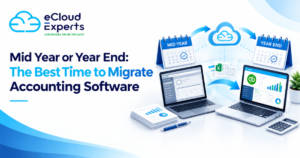
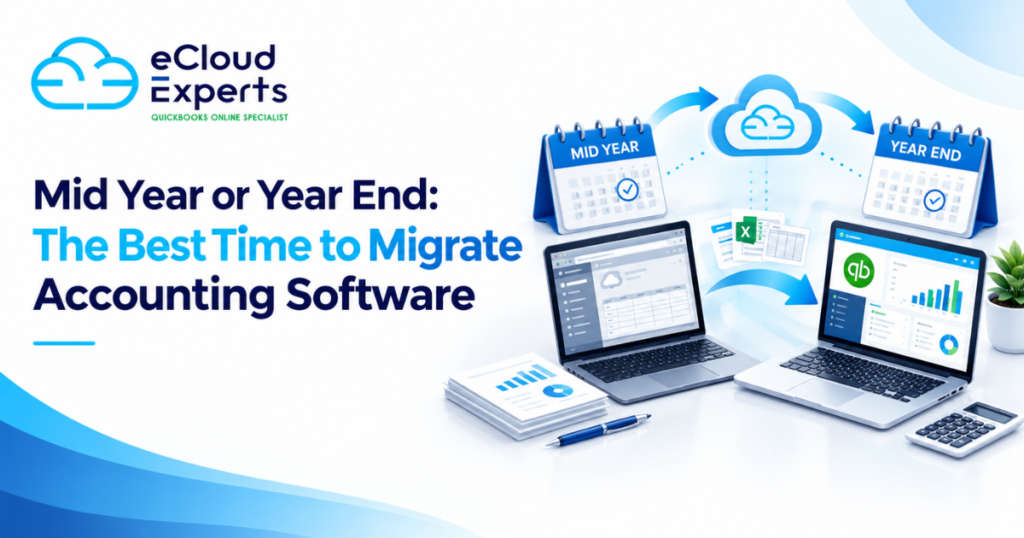
Choosing new accounting software is a major decision. However, choosing when to move can be just as important.
Many businesses assume that the end of the financial year is always the best time to change accounting systems. It creates a clear break between the old platform and the new one. Opening balances can be entered at the start of the next financial year, and reporting may be easier to manage.
However, waiting until the end of the year is not always the right choice. If your current system is causing reporting delays, manual work, integration problems, or unreliable financial information, postponing the move could create more problems. A carefully planned mid year migration may be the better option.
So, when should you make the change?
The answer depends on your financial year, reporting needs, transaction volume, tax obligations, data quality, staff availability, and the problems you want the new software to solve.
This guide explains when to switch accounting software, compares mid year and year end migrations, and helps you choose a practical conversion date for your business.
Why the Timing of an Accounting Software Migration Matters
Moving to a new accounting platform involves more than transferring a list of balances.
Depending on the agreed scope, the migration may include:
- Chart of accounts
- Customer and supplier records
- Sales invoices
- Purchase bills
- Credit notes
- Payments
- Bank transactions
- Journals
- VAT information
- Payroll balances
- Fixed asset records
- Tracking categories
- Projects
- Foreign currency transactions
- Opening balances
- Historical financial data
The migration date affects how much information needs to be moved, how reports are prepared, and how much work your finance team must complete during the change.
A poorly selected date can result in duplicated transactions, missing balances, incomplete VAT records, and confusion about which platform contains the correct information.
A suitable date provides a clear point where activity ends in the old system and begins in the new one. This is often called the conversion date or cut off date.
The aim is not simply to choose a convenient day. It is to choose a date that supports accurate reporting, reduces disruption, and gives your team enough time to prepare and check the data.
When to Switch Accounting Software
There is no single date that works for every organisation. However, certain business events often indicate that it is time to consider a change.
You may need to switch accounting software if:
- Your current platform no longer supports the size of your business
- Your team relies on spreadsheets for important financial processes
- Reporting takes too long or produces limited information
- Bank reconciliation has become difficult
- Your software does not connect with other business systems
- Staff cannot access the system remotely
- The current platform is no longer supported
- Software costs have increased without adding enough value
- Different departments use disconnected systems
- Your business has opened new entities or locations
- You need better project, department, or cost centre reporting
- Your accountant recommends a more suitable platform
- Manual data entry is causing errors
- Your management team cannot access timely financial information
If these problems are affecting daily operations, waiting for year end may cost more than moving during the year.
The best time to switch accounting software is usually when the business has a clear need, the right people are available, and there is enough time to complete the work properly.
Is Year End the Best Time to Migrate Accounting Software?
Year end is a popular time for accounting software migration because it creates a natural break in the financial records.
The old system can be completed up to the final day of the financial year. The new platform can then begin from the first day of the next period.
For example, a company with a 31 December year end may stop using its existing platform on 31 December. Its new accounting system could begin on 1 January.
This approach can make the division between the two systems easier to understand.
However, a year end migration is not automatically simple. The finance team may already be busy with annual accounts, audit preparation, stock counts, payroll tasks, tax work, and reporting deadlines.
The technical conversion may be clear, but the operational timing can be challenging.
Benefits of Migrating at Year End
A clear financial cut off
Year end provides a logical cut off point. Transactions for the completed year remain in the old system, while new activity begins in the new software.
This may reduce uncertainty about where transactions should be entered.
Simpler opening balance migration
Some businesses choose to transfer only closing balances at year end. These figures become the opening balances in the new system.
This can reduce the amount of data that needs to be converted. However, it also means that detailed historical transactions may remain available only in the old platform or an archive.
Easier period comparison
Starting at the beginning of a financial year allows the business to build a complete reporting period in the new system.
By the end of the first year, management reports will contain a full year of activity from one accounting platform.
Cleaner reporting structure
A year end move can be useful when the business also wants to revise its chart of accounts, tracking structure, reporting categories, or financial processes.
The new financial year provides a natural point to introduce those changes.
Reduced need to split annual data
When a business migrates during the year, financial information for that year may be divided between two systems. A year end migration can avoid this issue if all activity before the year end remains in the old software.
Challenges of Migrating at Year End
A busy period for the finance team
Year end is often one of the busiest times of the year. Your team may already be preparing schedules, reviewing balances, responding to accountants, and completing annual reporting.
Adding a software migration can place extra pressure on the same people.
The books may not be ready immediately
A financial year does not become complete the moment the final day passes. Your team may still need to enter late invoices, post accruals, calculate depreciation, correct errors, and complete bank reconciliations.
The final closing balances may not be available for several weeks.
Limited availability from advisers
Accountants, bookkeepers, software consultants, and migration specialists may have reduced availability around common reporting deadlines.
Planning the project early is important if you want to migrate near year end.
Operational delays
If the business waits for every year end adjustment before using the new platform, the change may take longer than expected.
A temporary process may be required to record new transactions while the old period is being completed.
Is Mid Year a Good Time to Switch Accounting Software?
A mid year migration takes place after the financial year has started but before it ends.
For example, a company with a 31 December year end may move to its new system on 1 July. The first six months of the year are completed in the old platform, while the remaining six months are processed in the new one.
This approach may appear more complicated because one financial year crosses two systems. However, it can work well when the project is properly planned.
It may also allow the business to solve urgent system problems without waiting several more months.
Benefits of Migrating Mid Year
You can address problems sooner
If your current accounting software is limiting the business, delaying the move can extend the damage.
Your team may continue spending hours on manual work. Reports may remain unreliable. Important integrations may continue to fail. Management may lack the information needed to make decisions.
A mid year migration allows the business to act when the need arises.
More flexibility in project timing
You are not restricted to a short period around year end.
The migration can be scheduled during a quieter month, when key staff are available and transaction levels are lower.
This may be more valuable than choosing a date that looks tidy from an accounting point of view.
Better preparation before the next year end
Moving during the year gives staff time to learn the new system before the next annual reporting period.
By year end, the team may already understand the new processes, reports, bank reconciliation tools, and controls.
Faster access to improved features
The business can begin using better reporting, online access, integrations, approval tools, and automation sooner.
These improvements may create benefits throughout the remaining financial year.
Time to correct process weaknesses
A migration can reveal issues with the chart of accounts, customer records, supplier records, tax codes, bank reconciliations, and reporting processes.
Completing the work mid year may provide time to correct these issues before annual accounts are prepared.
Challenges of Migrating Mid Year
The financial year may be split between two systems
If only opening balances are transferred, the first part of the year may remain in the old platform while later transactions appear in the new one.
This can make full year reporting harder unless the information is combined or comparative balances are entered carefully.
More detailed data may need to be transferred
To produce complete reports for the financial year, the business may decide to move all transactions from the start of the year to the conversion date.
This provides better continuity but may increase the migration scope.
VAT reporting requires careful planning
A change made during a VAT period can create additional work. Transactions included in the same VAT return may be divided between the old and new systems.
For this reason, businesses often choose a date immediately after the end of a VAT period, where practical.
Bank reconciliation may become more complex
Unpresented payments, outstanding receipts, bank transfers, and uncleared transactions must be handled carefully.
The closing bank position in the old system must agree with the opening position in the new one.
Staff need clear instructions
The team must know exactly when to stop entering information into the old system and when to begin using the new one.
Without a clear cut off process, transactions may be duplicated or missed.
Mid Year vs Year End Migration
The right choice depends on the needs of the business.
| Consideration | Mid year migration | Year end migration |
| Speed of improvement | Benefits can begin sooner | Benefits are delayed until year end |
| Reporting | May require data from two systems | Can provide a cleaner annual split |
| Migration scope | May require current year transactions | May use closing and opening balances |
| Team workload | Can be planned for a quieter month | May clash with annual reporting work |
| VAT planning | Best aligned with a VAT period end | Still requires VAT records to be checked |
| Training | Staff can learn before year end | Training may happen during a busy period |
| Historical records | Detailed history can be migrated if required | Older data may remain in the source system |
| Risk of delay | Can proceed when the business is ready | May be postponed if year end work overruns |
Neither method is automatically better. A well planned mid year migration can be safer than a rushed year end project. Equally, a year end migration may be ideal when the business wants a clean start and does not need detailed historical transactions in the new system.
Choosing the Best Accounting Software Conversion Date
The conversion date is the point from which the new system becomes the main accounting record.
Choosing this date requires more than looking at the calendar. You should review how the business operates and when important reporting periods end.
Consider the financial year end
The first day of a new financial year is often a logical conversion date. It provides a clear break and may reduce the amount of comparative data that needs to be transferred.
However, you should also consider how long it normally takes to finalise the year end accounts.
Consider the VAT period
Where possible, avoid changing systems halfway through a VAT return period.
A date immediately after the end of a completed VAT quarter or month may make the records easier to manage. The previous VAT return can be prepared and checked in the old system before future transactions are processed in the new one.
Any unpaid VAT balance and relevant control account figures must still be transferred accurately.
Review monthly reporting dates
If your business prepares monthly management accounts, consider moving after a completed month end.
This gives you a clear closing position and a set of reports that can be compared with the opening information in the new platform.
Identify seasonal peaks
Avoid migrating during your busiest trading period unless the current software creates a serious operational risk.
A retailer may avoid its main sales season. A construction company may avoid a period with heavy project billing. A professional services firm may select a month with fewer deadlines.
Check staff availability
Key people must be available to answer questions, review reports, test the new system, and approve the final balances.
Do not schedule the conversion while the finance manager, bookkeeper, payroll administrator, or project lead is away.
Review payroll dates
If payroll is part of the change, the migration should be planned around completed pay periods.
Employee details, year to date figures, tax information, pension details, leave balances, and payroll settings may require separate preparation and testing.
Consider audit and tax deadlines
Avoid creating a major system change immediately before an audit, tax submission, funding review, or investor reporting deadline.
Your team needs time to check the new platform before relying on it for an important submission.
Three Main Migration Approaches
The date of the move is closely connected to the amount of information being transferred.
Businesses generally choose one of three approaches.
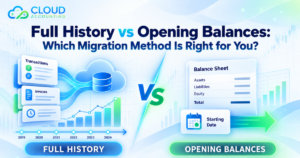
1. Opening Balance Migration
An opening balance migration transfers the balances needed to begin using the new system from an agreed date.
These may include:
- Bank balances
- Customer balances
- Supplier balances
- VAT balances
- Payroll liabilities
- Loan balances
- Fixed asset balances
- Equity balances
- Other balance sheet accounts
This approach is often selected at the beginning of a financial year.
It can be quicker and less expensive than transferring full transaction history. However, detailed earlier transactions will not appear in the new platform.
The business must retain access to the old system or keep a suitable archive for historical reporting and record keeping.
Opening balances must also agree with the closing trial balance from the old system. If the source records contain errors, those errors should be reviewed before the balances are brought forward.
2. Current Year or Comparative Period Migration
This method transfers transactions for the current financial year and, where required, one or more earlier comparative periods.
For a mid year change, the business may transfer all activity from the start of the financial year to the conversion date. New transactions can then continue in the new platform.
This helps produce full year reports from one system.
A comparative period migration may also support year on year reporting without transferring every year of historical data.
It often provides a practical balance between reporting needs, migration cost, and project time.
3. Full Historical Migration
A full historical migration transfers an agreed number of previous years, subject to the quality of the source data and the capabilities of both systems.
It may include detailed invoices, bills, payments, credits, journals, bank activity, contacts, and other records.
This approach can be helpful when the business needs:
- Historical management reports
- Customer and supplier transaction history
- Audit support
- Trend analysis
- Access to earlier documents
- Investigation of prior period activity
- Long term project reporting
However, not every field or feature will map directly into the new platform.
Custom reports, attachments, user permissions, inventory details, payroll records, project data, and software specific features may need separate treatment.
Full history also requires more time for extraction, transformation, import, and checking.
Questions to Ask Before Deciding When to Migrate
Before choosing a date, ask the following questions.
What problem are we trying to solve?
Be specific.
If the main problem is poor reporting, determine which reports are needed. If the issue is manual data entry, identify the integrations or tools that could reduce it.
A clear goal helps you decide whether the migration is urgent or can wait until year end.
How accurate is the existing data?
Moving to a new platform does not automatically correct old bookkeeping errors.
Before migration, review:
- Unreconciled bank transactions
- Duplicate contacts
- Old unpaid invoices
- Old supplier balances
- Suspense accounts
- Incorrect VAT codes
- Unallocated payments
- Unusual control account balances
- Duplicate transactions
- Incomplete journals
Some issues can be corrected before migration. Others may be documented and handled as part of the conversion.
How much history is needed?
Do you need every historical transaction in the new system, or would opening balances and comparative figures be enough?
The answer affects the project cost, timescale, and choice of conversion date.
Which features are currently used?
Create a list of important features in the existing platform, including:
- Departments
- Cost centres
- Projects
- Purchase orders
- Sales orders
- Inventory
- Fixed assets
- Payroll
- Multicurrency
- Expense claims
- Approval processes
- Custom reports
- Connected applications
Do not assume that every feature will work in the same way after migration.
Who will check the converted data?
A knowledgeable person should compare the old and new systems.
This may include checking:
- Trial balance
- Balance sheet
- Profit and loss report
- Aged receivables
- Aged payables
- Bank balances
- VAT control
- Customer balances
- Supplier balances
- Loan accounts
- Retained earnings
- Fixed assets
A migration is not complete simply because the data has been imported. The results must be checked and approved.
How to Prepare for the Migration
Good preparation reduces the risk of disruption, regardless of whether you move mid year or at year end.
Define the scope
Confirm exactly what will be transferred and what will remain in the old system.
The scope should explain:
- The migration period
- The conversion date
- The entities included
- The transaction types included
- How outstanding invoices will be handled
- Whether attachments are included
- Whether payroll is included
- Whether fixed assets are included
- How foreign currencies will be treated
- Which reports will be used for checking
Clean the source records
Review customer and supplier lists, remove unnecessary duplicates, reconcile bank accounts, and investigate unusual balances.
Do not delete records simply to make the system look tidy. Changes should be controlled and supported by proper evidence.
Complete key reconciliations
Complete bank, VAT, customer, supplier, payroll, loan, and control account reconciliations as close as possible to the conversion date.
This creates a reliable closing position.
Set a transaction cut off
Tell staff when they must stop entering transactions into the old platform.
If late changes are required after extraction, keep a clear record so they can also be included in the new system.
Back up and retain the source data
Keep a secure copy of the original information and relevant reports.
Even when detailed history is moved, the source system may contain information that cannot be recreated exactly in the new platform.
Configure the new system
Before live use, set up:
- Organisation details
- Financial year
- Tax settings
- Chart of accounts
- Users and permissions
- Invoice templates
- Bank accounts
- Tracking categories
- Payment terms
- Reporting settings
- Connected applications
Test before going live
Use sample transactions to confirm that invoices, bills, payments, bank reconciliation, VAT treatment, and reports work as expected.
Testing is especially important when several applications connect to the accounting platform.
Train the users
Training should match each person’s role.
A finance administrator may need detailed transaction training. A manager may only need dashboards, approvals, and reports. Business owners may need support with invoices, expenses, and cash flow information.
Common Migration Mistakes to Avoid
Choosing a date only because it looks tidy
A year end date may look ideal, but it may be the worst time for your team.
Choose a date based on operational readiness as well as accounting periods.
Moving inaccurate data without review
If the original records contain errors, transferring everything can reproduce those problems in the new platform.
Review and correct key issues before migration where possible.
Assuming every feature will transfer
Different platforms store information in different ways.
Some fields, reports, attachments, payroll records, and custom features may not transfer directly.
Failing to control access to the old system
If staff continue entering transactions after the final extraction, the two platforms may no longer agree.
Use clear access rules and communicate the cut off date to everyone involved.
Ignoring outstanding transactions
Unpaid invoices, unpaid bills, bank payments in transit, credits, deposits, and unreconciled items need careful treatment.
These records affect both opening balances and future reconciliation.
Going live without checking the reports
Always compare the main reports from both systems at the agreed cut off date.
Small differences can become larger problems if they are not investigated early.
Cancelling the old subscription too soon
Do not close the old platform until the migration has been checked and the necessary records have been retained.
You may need access for historical questions, tax reviews, audits, or missing documents.
Should You Run Both Systems at the Same Time?
Some businesses use parallel running, where the same activity is recorded in both systems for a short period.
This may help with testing in complex organisations. However, it also creates extra work and increases the risk of differences.
For many small and medium businesses, a controlled cut off is more practical. The old system is completed to an agreed date, checked, and then locked. The new system takes over from the following day.
If parallel running is required, define:
- How long it will continue
- Which transactions will be duplicated
- Who will compare the systems
- How differences will be resolved
- Which system is the official record
Without clear rules, parallel running can create more confusion than confidence.
Mid Year or Year End: Which Option Is Right for You?
A year end migration may be suitable if:
- Your current software can support the business until year end
- You want a clear break between reporting periods
- You plan to transfer opening balances only
- Your finance team has enough availability
- You want to introduce a new chart of accounts
- The year end records can be completed promptly
A mid year migration may be suitable if:
- Your current software is creating serious problems
- You need better reports or integrations now
- There is a quieter period before year end
- Your team can prepare and test the new platform
- You are willing to transfer current year transactions
- Waiting would increase cost, risk, or manual work
The best time to switch accounting software is when the business is properly prepared. The calendar matters, but readiness matters more.
How Cloud Accounting Can Help
Cloud Accounting can help you assess your current platform, select a suitable conversion date, and plan the migration around your reporting needs.
The process can include:
- Review of your current accounting system
- Migration scope assessment
- Conversion date planning
- Chart of accounts review
- Opening balance or historical data migration
- Customer and supplier transfer
- Invoice and bill migration
- Bank and control account checks
- VAT balance review
- Data comparison and validation
- New system setup
- User training
- Post migration support
The exact approach depends on your current software, the quality of your records, the amount of history required, and the features used by your business.
A planned migration helps protect the accuracy of your financial records while giving your team a clear route into the new system.
Final Thoughts
There is no universal answer to when to switch accounting software.
Year end can provide a clear accounting cut off and may be suitable for an opening balance migration. However, it can also be a busy period, and final balances may take time to complete.
A mid year migration may require more planning, particularly for VAT, reporting, and current year transactions. Yet it allows the business to resolve problems sooner and start benefiting from the new platform without waiting for the next financial year.
Start by reviewing the condition of your existing records, the amount of history you need, your reporting deadlines, and the availability of your team. Then choose a conversion date that supports accurate data, controlled processes, and proper testing.
Do not wait for the perfect date if your current system is holding the business back. A carefully managed migration at the right operational time is usually better than a rushed migration at a convenient accounting date.
Ready to switch accounting software? Contact Cloud Accounting today for expert guidance and a migration plan built around your business.