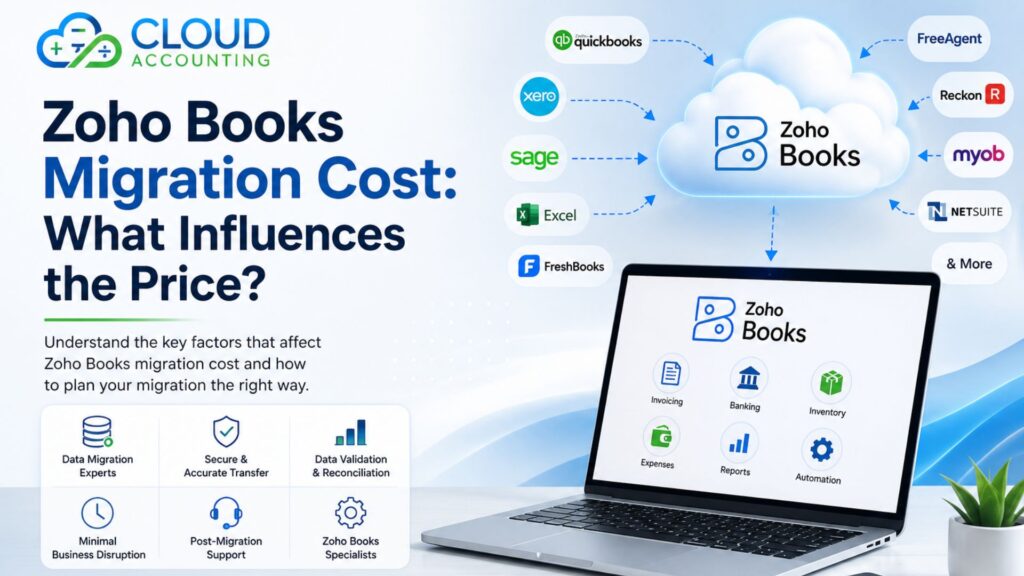
Moving to new accounting software is a significant decision for any business. Whether you’re replacing spreadsheets or switching from another accounting platform, one of the first questions you’ll probably ask is, “How much will it cost?”
The answer isn’t always straightforward. The Zoho Books Migration Cost depends on several factors, including the software you’re migrating from, the amount of historical data you need to transfer, transaction volumes, and any additional requirements such as inventory, payroll, or integrations.
While every migration project is different, understanding what affects the price can help you budget more accurately and choose a migration approach that meets your business needs.
In this guide, we’ll explain the main factors that influence migration costs, what’s typically included in a professional migration service, and how you can reduce costs without compromising the quality of your financial data.
Why Businesses Move to Zoho Books
Zoho Books has become a popular choice for businesses looking for modern cloud accounting software. It combines accounting, automation, reporting, and business integrations within a single platform, making it suitable for both small businesses and growing organisations.
Businesses choose Zoho Books for many reasons, including:
- Access your financial data securely from anywhere.
- Automate routine accounting tasks.
- Generate real-time financial reports.
- Manage customers, suppliers, and inventory in one place.
- Connect with other Zoho applications.
- Integrate with third-party business tools.
- Support business growth without relying on desktop software.
For many organisations, migrating to Zoho Books isn’t just about changing software. It’s an opportunity to improve financial processes, simplify day-to-day accounting, and build a better foundation for future growth.
Is There a Standard Zoho Books Migration Cost?
The short answer is no.
There isn’t a fixed price for every migration because every business has different accounting records, transaction volumes, reporting requirements, and operational complexity.
For example, migrating one year of data from QuickBooks Online with a few hundred monthly transactions is very different from moving several years of financial history from a large ERP system with multiple currencies and thousands of transactions every month.
Professional migration providers usually prepare a tailored quotation after reviewing your requirements.
The overall Zoho Books Migration Cost is typically influenced by factors such as:
- Your current accounting software
- Amount of historical data
- Monthly transaction volumes
- Number of customers and suppliers
- Inventory records
- Payroll data
- Multi-currency requirements
- Fixed assets
- Tax configuration
- Integrations
- Document attachments
- Data quality
Understanding these factors makes it easier to estimate the scope of your migration project.
Factors That Influence Zoho Books Migration Cost
1. Your Current Accounting Software
The software you’re migrating from is one of the biggest factors affecting migration costs.
Some accounting systems have well-structured data that can be transferred efficiently. Others require significant preparation, data mapping, validation, or custom conversion work.
Common migration sources include:
- Excel
- QuickBooks Desktop
- QuickBooks Online
- Sage 50
- Sage 200
- Xero
- FreshBooks
- FreeAgent
- Reckon
- MYOB
- Microsoft Dynamics
- NetSuite
- Custom ERP systems
For example, moving from spreadsheets may require extensive data preparation because information is often stored in different formats. On the other hand, migrating from another cloud accounting platform may allow more structured data transfers.
Larger ERP systems often involve more detailed financial records, custom reports, multiple entities, and complex configurations, which naturally require more migration work.
2. How Much Historical Data You Want to Migrate
Historical data has a direct impact on migration costs.
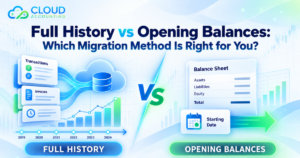
Some businesses only need the current financial year, while others want several years of accounting history available in Zoho Books.
Typical migration options include:
- Opening balances only
- Current financial year
- Previous financial year
- Two to five years of history
- Full historical migration
Migrating additional years means more transactions need to be reviewed, imported, validated, and reconciled.
Although keeping complete historical records can be valuable, it isn’t always necessary. Many businesses retain access to their previous accounting system for reference while importing only the financial history they regularly use.
Choosing the right amount of historical data can help balance reporting requirements with overall migration costs.
3. Number of Transactions
Transaction volume is another major factor that influences the Zoho Books Migration Cost.
Every accounting transaction needs to be transferred accurately and checked during the validation process.
This may include:
- Sales invoices
- Purchase bills
- Customer payments
- Supplier payments
- Credit notes
- Bank transactions
- Journal entries
- Expense claims
- Inventory movements
A business processing a few hundred transactions each month requires considerably less migration work than one processing tens of thousands of transactions.
Higher transaction volumes generally mean:
- Longer migration times
- Larger import files
- More reconciliation work
- Additional validation
- Greater testing before go-live
For this reason, transaction volume is one of the most important considerations when calculating migration costs.
4. Number of Customers and Suppliers
Your customer and supplier records are essential parts of your accounting system.
These records often include:
- Contact information
- Outstanding balances
- Payment terms
- Tax settings
- Credit limits
- Historical transactions
Before migration, these records are often reviewed to identify duplicate entries, inactive contacts, and incomplete information.
Businesses with thousands of customer or supplier records may require additional data cleaning and validation before importing everything into Zoho Books.
This preparation helps improve data quality and reduces the likelihood of reporting issues after the migration.
5. Bank Accounts and Reconciliation History
The number and complexity of your bank accounts also affect migration costs.
Your migration may involve:
- Multiple bank accounts
- Savings accounts
- Credit cards
- Foreign currency accounts
- Historical reconciliations
- Imported bank feeds
Professional migration specialists verify that opening balances, transactions, and reconciliations match your previous accounting system before the project is completed.
Businesses operating across multiple countries or managing several bank accounts typically require more detailed reconciliation work, increasing the overall project scope.
Next section will cover: Multi-currency, Inventory, Fixed Assets, Payroll, VAT, Chart of Accounts, Attachments, Integrations, and the remaining sections of the blog.
continu and finshed the blog
6. Multi-Currency Requirements
If your business buys or sells internationally, multi-currency support is an important consideration during a migration.
Migrating multi-currency data involves more than simply importing transactions. The migration also needs to preserve exchange rates, foreign currency balances, and accurate financial reporting.
This may include:
- Foreign currency customers
- Foreign currency suppliers
- Multiple currencies
- Foreign bank accounts
- Historical exchange rates
- Unrealised and realised currency gains or losses
The more currencies your business uses, the more validation is required to ensure reports in Zoho Books match your previous accounting system.
7. Inventory Migration
Businesses that manage stock often have more complex migration requirements.
Inventory migration may include:
- Product records
- SKUs
- Product categories
- Opening stock quantities
- Stock valuation
- Cost prices
- Selling prices
- Warehouse information (where applicable)
If inventory figures are inaccurate after migration, it can affect profit reporting and stock valuation. Careful planning and reconciliation are therefore essential.
8. Fixed Assets
Many businesses maintain a register of fixed assets such as:
- Computers
- Office equipment
- Vehicles
- Machinery
- Furniture
If you want these records available in Zoho Books, they may need to be migrated along with:
- Purchase values
- Accumulated depreciation
- Net book values
- Depreciation schedules
The more assets involved, the longer the migration process is likely to take.
9. Payroll Data
If payroll forms part of your migration, additional planning may be required.
Payroll information can include:
- Employee records
- Payroll journals
- Leave balances
- Pension information
- Tax information
- Year-to-date payroll figures
Some businesses only migrate opening balances, while others require historical payroll information.
The chosen approach will influence the overall migration cost.
10. VAT or Tax Configuration
Correct tax settings are essential for accurate financial reporting.
Depending on your country and business structure, your migration may include:
- VAT rates
- Tax codes
- Historical VAT returns
- Sales tax settings
- GST settings
- Regional tax rules
Incorrect tax mapping can lead to reporting problems, making validation an important part of every migration project.
11. Chart of Accounts
Your Chart of Accounts forms the backbone of your accounting system.
During migration, it is often reviewed to ensure it remains suitable for your business.
This process may include:
- Account mapping
- Removing unused accounts
- Renaming accounts
- Creating new account structures
- Improving reporting categories
Many businesses use migration as an opportunity to simplify an outdated Chart of Accounts rather than transferring unnecessary complexity into Zoho Books.
12. Attachments and Supporting Documents
Some businesses also want supporting documents transferred alongside their accounting data.
These may include:
- Purchase invoices
- Sales invoices
- Receipts
- Contracts
- Expense documents
Migrating thousands of attachments requires additional time and storage planning, which can increase the overall project cost.
If document history is not essential, leaving attachments in your previous system may help reduce migration costs.
13. Third-Party Integrations
Many businesses rely on software that connects with their accounting system.
Examples include:
- Shopify
- Amazon
- WooCommerce
- Stripe
- PayPal
- CRM platforms
- Inventory management software
- Expense management tools
- Reporting applications
These integrations often need to be reviewed, tested, and reconfigured after the migration.
Businesses with several connected applications usually require additional implementation work.
What Is Usually Included in a Professional Zoho Books Migration?
A professional migration service involves much more than importing data.
Most migration projects include:
- Initial discovery meeting
- Review of your existing accounting system
- Migration planning
- Data mapping
- Data extraction
- Import into Zoho Books
- Financial validation
- Balance reconciliation
- User acceptance testing
- Go-live support
The goal is to ensure your business can continue working with accurate financial information from day one.
Services That May Cost Extra
Some businesses require additional services beyond a standard migration.
These may include:
- Historical document migration
- Payroll migration
- Inventory setup
- Fixed asset migration
- Bookkeeping cleanup
- Custom reports
- Bespoke integrations
- User training
- Ongoing accounting support
Your migration provider should clearly explain which services are included in your quotation and which are optional.
How to Reduce Your Zoho Books Migration Cost
Although every migration is different, there are practical ways to keep costs under control.
Clean Your Data Before Migration
Removing duplicate contacts, correcting outdated records, and resolving data errors reduces the amount of work required during migration.
Decide How Much History You Need
Migrating only the financial years you actively use can significantly reduce project complexity.
Archive Old Records
Inactive customers, suppliers, and products don’t always need to be transferred.
Organise Your Documents
If you plan to migrate attachments, organising them before the project begins can save time.
Complete Outstanding Transactions
Finalising invoices, bills, and bank reconciliations before migration helps reduce corrections later.
Choose an Experienced Migration Partner
A specialist with experience in accounting software migrations can often complete the work more efficiently while reducing the risk of errors.
Why Choosing the Cheapest Migration Isn’t Always the Best Decision
It can be tempting to choose the lowest quotation, but price should never be the only consideration.
A poorly planned migration can result in:
- Missing transactions
- Incorrect opening balances
- VAT reporting errors
- Inventory discrepancies
- Payroll problems
- Broken integrations
- Incorrect financial reports
- Business disruption
Correcting these issues after go-live often costs far more than investing in a quality migration from the beginning.
A reliable migration focuses on accuracy, validation, and long-term confidence—not simply completing the project as quickly as possible.
Why Choose Cloud Accounting?
At Cloud Accounting, we help businesses migrate to Zoho Books with a structured and carefully managed approach.
Our migration specialists can assist with a wide range of accounting systems and work to ensure your financial information is transferred accurately.
Our migration service includes:
- Detailed project planning
- Data assessment
- Account mapping
- Secure data migration
- Financial reconciliation
- Validation and testing
- Minimal disruption to your business
- Post-migration support
Whether you’re moving from spreadsheets, QuickBooks, Sage, Xero, NetSuite, or another accounting platform, we aim to make sure your Zoho Books system is ready for everyday use with confidence.
Frequently Asked Questions
How much does a Zoho Books migration usually cost?
There is no standard price. The cost depends on factors such as your current accounting software, transaction volumes, historical data, inventory, payroll, and any additional migration requirements.
Can you migrate several years of historical data?
Yes. Many businesses choose to migrate several years of financial history. The amount transferred depends on your reporting needs and project scope.
Does transaction volume affect the migration price?
Yes. Businesses with higher numbers of invoices, bills, payments, journals, and bank transactions generally require more migration work, which can increase the overall cost.
Can attachments be migrated to Zoho Books?
In many cases, yes. However, migrating invoices, receipts, and other supporting documents usually requires additional planning and may affect the project cost.
Is payroll included in every migration?
Not always. Payroll migration is often treated as an additional service because employee records and payroll history require separate validation.
Can inventory be migrated?
Yes. Product records, stock quantities, and inventory values can usually be migrated where required.
How long does a Zoho Books migration take?
Every project is different. Smaller migrations may be completed within a few days, while larger or more complex projects can take several weeks, depending on the amount of data and the agreed scope.
Will my existing accounting software still be available after migration?
Yes. Your original accounting system remains unchanged unless you decide to close or cancel it. Many businesses keep access to their previous software for historical reference.
Do you provide training after migration?
Yes. Training and onboarding can be provided to help your team become confident using Zoho Books after the migration.
How do I get an accurate migration quotation?
The best way is to speak with a migration specialist. After reviewing your current accounting system, transaction volumes, historical data, and business requirements, a tailored quotation can be prepared.
Conclusion
There is no one-size-fits-all answer when it comes to Zoho Books Migration Cost. Every business has different accounting records, transaction volumes, and operational requirements, which means every migration project is unique.
Factors such as your current accounting software, the amount of historical data, inventory, payroll, tax configuration, integrations, and document attachments all influence the time and expertise needed to complete a successful migration.
Rather than focusing only on the lowest price, it’s worth considering the value of a well-planned migration. Accurate financial data, properly configured settings, and thorough validation can help reduce risk, avoid costly corrections, and give your business confidence from the moment you start using Zoho Books.
If you’re planning to move to Zoho Books, Cloud Accounting can help you assess your requirements and provide a tailored migration plan based on your business needs.
Ready to Migrate to Zoho Books?
Planning a move to Zoho Books? Cloud Accounting provides professional migration services designed to protect your financial data and minimise disruption to your business.
Contact our team today for a personalised migration assessment and a no-obligation quotation, and take the next step towards a successful Zoho Books migration.