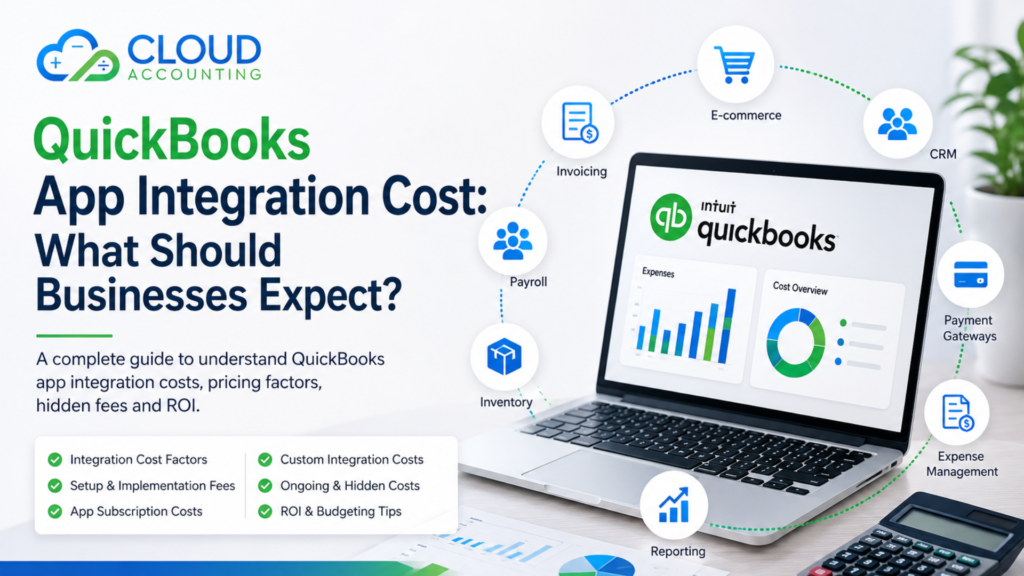
QuickBooks Online can handle many day-to-day accounting tasks, but most businesses eventually need it to work with other systems. You might want to connect QuickBooks with your CRM, ecommerce platform, payment processor, inventory software, payroll system, expense management tool, or reporting application.
That raises an important question: how much does QuickBooks app integration cost?
There is no single price that applies to every business. Some integrations can be connected in minutes with little more than an app subscription. Others require careful setup, data mapping, testing, workflow design, and ongoing support. More complex businesses may even need a custom integration.
This guide explains the main costs involved, what affects the final price, where unexpected costs can appear, and how to decide whether an integration is worth the investment.
What Is a QuickBooks App Integration?
A QuickBooks app integration connects QuickBooks Online with another business application so information can move between the two systems.
For example, an integration might allow:
- Ecommerce sales to flow into QuickBooks
- Customer information to sync from a CRM
- Payment transactions to be recorded automatically
- Employee expenses to enter the accounting system
- Inventory information to stay aligned across platforms
- Payroll figures to be posted into QuickBooks
- Management data to feed into reporting tools
The goal is usually simple: reduce manual work and create a more connected accounting process.
However, connecting two apps is only part of the job. The integration also needs to send the right information, to the right accounts, in the right way.
That is where the cost can vary significantly.
How Much Does QuickBooks App Integration Cost?
A basic QuickBooks integration may only require the monthly subscription cost of the connected application, particularly when the app offers a ready-made QuickBooks Online connection.
More involved projects may include additional charges for:
- Initial setup
- Configuration
- Accounting workflow design
- Data mapping
- Testing
- Historical data
- Troubleshooting
- Staff training
- Custom development
- Ongoing support
Therefore, when comparing QuickBooks app integration costs, businesses should look beyond the advertised monthly app fee.
The real cost is the total cost of getting the integration working properly and keeping it working.
What Determines QuickBooks App Integration Cost?
Several factors can influence the amount your business needs to spend.
1. The App You Want to Connect
Different applications use different pricing structures.
Some offer QuickBooks integration as part of their standard subscription. Others reserve accounting integrations for higher-priced plans or charge separately for additional functionality.
Before selecting an app, check whether QuickBooks integration is included in the package you are considering.
2. Complexity of the Integration
A straightforward one-way connection is usually easier to implement than a two-way integration involving multiple types of financial data.
For example, transferring daily sales totals into QuickBooks may be relatively simple.
An integration involving:
- Individual invoices
- Customers
- Products
- Inventory
- Payments
- Refunds
- Discounts
- Tax
- Multiple currencies
is considerably more complicated.
Generally, the more information that needs to move between systems, the greater the setup and testing requirement.
3. Number of Apps
Some businesses need one additional app. Others build an entire QuickBooks ecosystem.
A business could potentially connect QuickBooks with:
- CRM software
- Inventory management
- Ecommerce platforms
- Payment gateways
- Expense management
- Payroll
- Time tracking
- Project management
- Reporting tools
Every additional connection introduces another workflow that needs to be understood, configured, and monitored.
Adding apps without a clear plan can also create duplicate information and unnecessary subscription costs.
4. Data Mapping Requirements
Data mapping determines where information from one system should appear in QuickBooks.
For example:
| Source Data | Possible QuickBooks Destination |
| Online sales | Sales account |
| Merchant fees | Payment processing fees |
| Shipping income | Shipping income |
| Refunds | Sales/refund account |
| VAT or sales tax | Relevant tax treatment |
| Customer payments | Bank or clearing account |
Incorrect mapping can produce inaccurate financial reports even when the technical connection itself is working.
For this reason, businesses should treat accounting configuration as an important part of the integration—not an optional extra.
5. Historical Data Requirements
Does the integration only need to work from today onwards, or do you also need historical information?
Importing older data can increase the workload considerably.
Historical data may need to be:
- Extracted
- Cleaned
- Reformatted
- Imported
- Checked for duplicates
- Reconciled against existing QuickBooks records
If QuickBooks already contains transactions for the same period, extra care is needed to prevent information from being recorded twice.
6. Customisation
Standard integrations work well when your business processes match the workflow the application was designed to support.
But not every business operates in a standard way.
You may need custom rules for:
- Departments
- Locations
- Classes
- Products
- Projects
- Tax treatment
- Multi-currency transactions
- Revenue recognition
- Consolidated reporting
The more customisation required, the higher the likely implementation cost.
Standard Integration vs Custom QuickBooks Integration
One of the biggest cost differences comes from whether you can use an existing integration or need something custom.
Standard App Integration
A standard integration already exists between QuickBooks and the application.
This is usually the simplest and most affordable approach.
The work typically involves:
- Connecting accounts
- Choosing sync settings
- Mapping accounts
- Configuring tax rules
- Testing transactions
- Checking reports
For many small businesses, this is all that is required.
Connector or Middleware Integration
Sometimes two systems do not integrate directly, but a third-party automation or connector platform can transfer information between them.
This can provide more flexibility without requiring a completely custom solution.
However, you may have an additional subscription and more workflows to maintain.
Custom QuickBooks Integration
A custom integration may be necessary when standard apps or connectors cannot support the required workflow.
Custom projects can involve:
- API development
- Custom data mapping
- Automated workflows
- Error handling
- Security configuration
- Testing
- Documentation
- Maintenance
A custom integration is generally more expensive because you are paying for development as well as accounting and process expertise.
QuickBooks App Subscription Costs
Most connected applications operate on a monthly or annual subscription.
Pricing may depend on:
- Number of users
- Number of transactions
- Features
- Locations
- Sales volume
- Connected accounts
- Storage
- Automation limits
A low entry-level price can therefore be misleading.
For example, the package that supports your transaction volume or includes QuickBooks integration may cost considerably more than the advertised starting plan.
Always compare the package you will actually need, rather than simply looking at the lowest advertised price.
Professional Setup and Integration Fees
Even when an app provides a ready-made QuickBooks connection, professional setup can be valuable.
A QuickBooks app specialist can help determine:
- Which app fits your requirements
- How information should flow
- Which QuickBooks accounts should be used
- How tax should be handled
- Whether transactions should be summarised or entered individually
- How refunds and fees should be treated
- How the integration will affect reconciliation
The cost of professional help should be compared with the cost of fixing an incorrectly configured integration later.
A connection that automatically posts incorrect transactions is not really automation—it is simply creating errors faster.
Training Costs
Your staff may also need training after an integration is implemented.
Training might cover:
- How the new workflow operates
- Which system should be used for each task
- How transactions reach QuickBooks
- How to identify failed syncs
- How to correct errors
- How to perform reconciliations
- What should and should not be edited manually
Good training can reduce dependency on external support and prevent staff from accidentally disrupting the integration.
Ongoing QuickBooks Integration Costs
Integration costs do not always stop once setup is complete.
Businesses should budget for possible ongoing expenses such as:
- App subscriptions
- Connector subscriptions
- Support
- Maintenance
- Additional users
- Higher transaction limits
- Workflow changes
- Troubleshooting
- Custom development updates
Your requirements may also change as the business grows.
An integration that works for 500 monthly transactions may need a different plan or workflow when the business processes 20,000.
Hidden Costs Businesses Often Miss
When calculating QuickBooks app integration cost, several less obvious expenses should be considered.
Duplicate Data
Poor configuration can result in transactions entering QuickBooks more than once.
Cleaning up duplicates takes time and may affect reporting.
Incorrect Tax Treatment
Tax configuration should be checked carefully, particularly for businesses dealing with different products, locations, or jurisdictions.
Reconciliation Problems
An integration may appear to work while creating differences between QuickBooks, your bank, payment gateways, and other platforms.
These differences eventually need investigation.
Unnecessary Apps
Businesses sometimes subscribe to several applications that perform overlapping functions.
This increases costs without necessarily improving efficiency.
Staff Time
Manual checking, correcting errors, and maintaining complicated workflows all have a cost—even when they do not appear on an app invoice.
Cheap Integration vs Proper Integration
The cheapest setup is not necessarily the least expensive option in the long run.
Imagine choosing an integration because it saves £200 in initial setup costs.
If poor configuration then requires several hours every month to correct transactions, the business may quickly spend far more in staff or accountant time.
A better question is:
What will this integration cost us over the next 12–24 months, and how much work will it remove?
That gives you a more useful basis for comparing different solutions.
Is QuickBooks App Integration Worth the Cost?
A well-designed integration can provide significant benefits.
Less Manual Data Entry
Automation can reduce repetitive transaction entry and spreadsheet work.
Fewer Human Errors
Moving information automatically between systems can reduce mistakes caused by manual copying.
Faster Bookkeeping
Transactions can reach QuickBooks sooner, helping your accounts remain more current.
Better Visibility
Connected systems can make it easier to understand sales, expenses, cash flow, inventory, and profitability.
Easier Growth
A good system can process higher transaction volumes without requiring the same increase in manual administration.
However, automation only creates value when the workflow is designed correctly.
How to Budget for a QuickBooks Integration
Instead of asking only for the app price, build a simple total-cost estimate.
Consider:
- QuickBooks subscription
- Connected app subscription
- Connector or middleware subscription, if required
- Initial integration and configuration
- Historical data work
- Customisation or development
- Testing and reconciliation
- Staff training
- Ongoing support and maintenance
Then compare those costs against the expected savings.
For example, if an integration saves 15 hours of manual work every month, estimate what those 15 hours currently cost the business.
This makes it easier to judge the real return on investment.
How to Keep QuickBooks App Integration Costs Under Control
You do not necessarily need the most expensive software or the most complicated setup.
Start with the business problem.
Ask:
- What process are we trying to improve?
- What information needs to reach QuickBooks?
- How frequently should it sync?
- Do we need transaction-level detail?
- Which reports do we need?
- Are we paying for apps with overlapping features?
- Can a standard integration meet our requirements?
- Who will maintain the system after implementation?
Keeping the technology as simple as possible can reduce both implementation costs and future problems.
Ready to simplify your QuickBooks setup? Talk to Cloud Accounting for expert app integration advice that fits your business needs and budget.
Why App Selection Matters
QuickBooks Online has a large ecosystem of applications, but having more choices does not automatically make choosing easier.
Two apps that appear similar may handle accounting data very differently.
One might send individual sales transactions into QuickBooks, while another posts summarised daily entries. One may handle refunds and payment fees automatically, while another requires additional configuration.
The right choice depends on your business model, transaction volume, reporting requirements, and existing software.
That is why QuickBooks app advisory can be valuable before committing to subscriptions and implementation work.
Questions to Ask Before Approving an Integration
Before investing, ask the provider or consultant:
- Does the app integrate directly with QuickBooks Online?
- Which subscription level do we need?
- Are there transaction or user limits?
- What data will sync?
- Is the integration one-way or two-way?
- How are refunds and fees handled?
- How is tax handled?
- Will historical information be imported?
- How will duplicate transactions be prevented?
- Who tests the integration?
- Who checks the accounting results?
- Is training included?
- What ongoing support is available?
- Are there additional connector fees?
Clear answers to these questions can prevent unpleasant surprises later.
QuickBooks App Integration Cost: The Bottom Line
There is no universal QuickBooks app integration cost because every business has different systems, transaction volumes, workflows, and reporting requirements.
A simple ready-made integration may involve little more than an app subscription and some configuration. A business with multiple platforms, complex data flows, historical information, or specialist reporting requirements may need a much larger implementation.
The most important thing is not simply getting two systems connected.
It is making sure they work together accurately, efficiently, and in a way that supports your accounting process.
Need Help Choosing and Integrating QuickBooks Apps?
Choosing an app based only on features or subscription price can lead to unnecessary costs and complicated workflows.
At Cloud Accounting, we can help businesses assess their requirements, choose suitable QuickBooks apps, plan the integration, configure workflows, and make sure the accounting side of the setup works as expected.
Whether you need a straightforward QuickBooks Online app connection or advice on a more complex software setup, getting the structure right from the beginning can save considerable time later.
Speak to Cloud Accounting about QuickBooks Apps Advisory and find the right integration approach for your business.
Frequently Asked Questions
How much does QuickBooks app integration cost?
The cost depends on the application, subscription plan, complexity of the workflow, amount of data, configuration requirements, and whether professional or custom development work is needed.
Does QuickBooks charge extra for connecting apps?
Costs vary by application and integration. Some apps include QuickBooks connectivity within their subscription, while others may require a specific plan or additional service. Always check current pricing before purchasing.
Can I integrate QuickBooks apps myself?
Many standard integrations are designed for self-service setup. However, professional assistance can be useful when accounting mappings, tax, inventory, payment processors, multiple sales channels, or complex workflows are involved.
What is the difference between an app subscription and an integration fee?
The subscription pays for ongoing access to the application. An integration fee normally covers work required to connect, configure, map, test, and implement the app with QuickBooks.
Are custom QuickBooks integrations expensive?
They are generally more expensive than ready-made integrations because they may require development, testing, documentation, maintenance, and specialist configuration. The cost depends heavily on the scope.
How can I reduce QuickBooks integration costs?
Clearly define your requirements before choosing software, use standard integrations where suitable, avoid overlapping apps, test workflows before full implementation, and consider the total ongoing cost rather than the initial price alone.