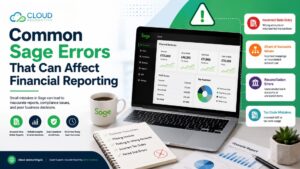
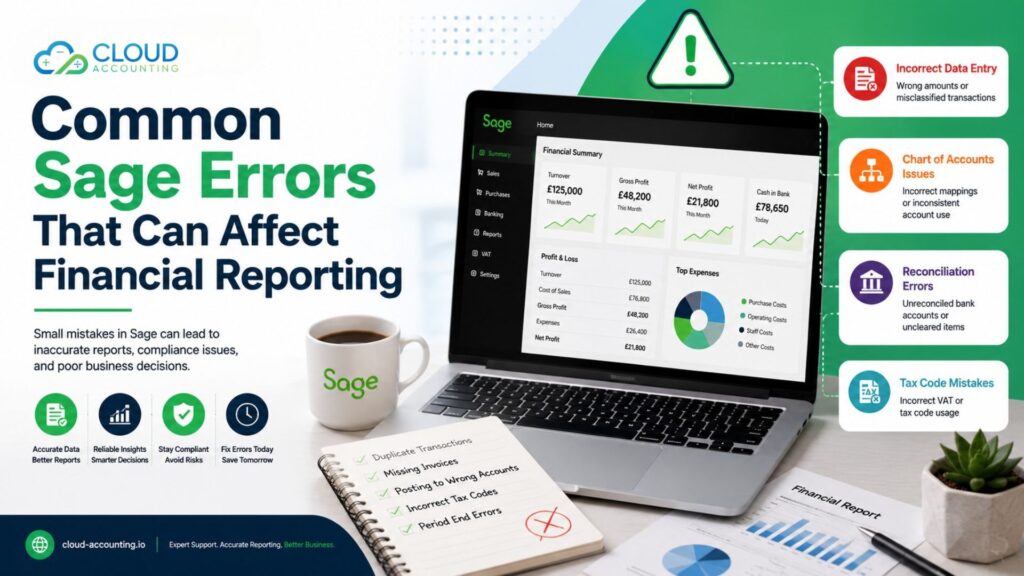
Financial reports are the foundation of every successful business. They help you understand profitability, monitor cash flow, prepare tax returns, manage budgets, and make informed decisions. However, these reports are only as reliable as the data entered into your accounting software. If mistakes are made in Sage, your financial reports may not accurately reflect the true position of your business.
Many companies believe that using accounting software automatically guarantees accurate financial records. While Sage provides powerful accounting tools, it still depends on users entering the correct information. Incorrect account codes, duplicate transactions, missing invoices, reconciliation problems, and VAT mistakes are just a few examples of Sage accounting errors that can affect financial reporting.
Even small bookkeeping mistakes can grow into larger problems if they are not identified and corrected early. Inaccurate reports may lead to poor business decisions, incorrect VAT submissions, cash flow issues, or compliance risks.
This guide explains the most common Sage accounting errors, how they impact financial reporting, and the practical steps businesses can take to prevent them.
Accurate financial reports start with accurate bookkeeping. Contact Cloud Accounting to review your Sage data and keep your business on the right track.
Why Accurate Financial Reporting Matters
Financial reporting is much more than producing a profit and loss report at the end of the month. Business owners, directors, investors, accountants, lenders, and tax authorities all rely on accurate financial information.
Reliable reports help businesses:
- Monitor profitability
- Track cash flow
- Prepare VAT returns
- Forecast future performance
- Control spending
- Make investment decisions
- Secure funding
- Meet legal and tax obligations
When financial reports contain errors, every decision based on those reports becomes less reliable.
For example, overstated profits may encourage unnecessary spending, while understated profits could prevent a business from investing in growth opportunities. Incorrect balance sheet figures may also affect funding applications or investor confidence.
Maintaining accurate records in Sage is therefore essential for both day-to-day operations and long-term planning.
How Sage Accounting Errors Affect Your Business
Errors in Sage do not simply remain inside your accounting software. They often affect multiple areas of your business.
Common consequences include:
- Incorrect management reports
- Inaccurate VAT returns
- Misleading cash flow forecasts
- Incorrect tax calculations
- Delayed month-end reporting
- Poor budgeting decisions
- Increased audit adjustments
- Time spent correcting historical data
The longer errors remain unnoticed, the more difficult and expensive they usually become to fix.
1. Posting Transactions to the Wrong Nominal Code
One of the most common Sage accounting errors is posting transactions to the wrong nominal ledger account.
For example:
- Computer equipment recorded as office expenses
- Vehicle repairs recorded as fuel costs
- Marketing expenses posted as administration costs
- Capital purchases treated as operating expenses
Although the transaction value remains the same, financial reports become inaccurate because expenses are classified incorrectly.
How It Affects Financial Reporting
Using incorrect nominal codes can:
- Distort departmental spending
- Misstate operating costs
- Affect profit analysis
- Reduce the accuracy of management reports
Managers may believe one department is overspending when the costs actually belong elsewhere.
How to Prevent It
- Maintain a clear chart of accounts.
- Train staff on correct account selection.
- Review unusual transactions monthly.
- Restrict access to account creation.
2. Duplicate Transactions
Duplicate entries are another frequent bookkeeping issue.
They often occur when:
- Bank transactions are imported twice
- Suppliers resend invoices
- Multiple users enter the same invoice
- Manual adjustments duplicate automated imports
Financial Reporting Impact
Duplicate transactions can cause:
- Overstated expenses
- Incorrect supplier balances
- Higher reported costs
- Reduced profits
- Confusing reconciliation results
Prevention Tips
- Use invoice number validation.
- Check supplier statements regularly.
- Review duplicate transaction reports.
- Reconcile accounts every month.
3. Missing Transactions
Missing transactions are just as damaging as duplicate entries.
Examples include:
- Purchase invoices never entered
- Customer receipts omitted
- Payroll journals not posted
- Bank charges forgotten
- Credit card transactions missing
Financial Reporting Impact
Missing transactions may result in:
- Understated expenses
- Incorrect cash balances
- Inaccurate profit figures
- Misleading management reports
A missing supplier invoice could make monthly profits appear higher than they actually are.
Best Practice
Carry out regular reconciliations between:
- Bank accounts
- Supplier statements
- Customer ledgers
- Payroll reports
- Credit card statements
4. Bank Reconciliation Errors
Bank reconciliation compares Sage records with your actual bank statement.
Many businesses postpone reconciliations until month-end or even year-end, allowing mistakes to build over time.
Common issues include:
- Missing transactions
- Incorrect payment allocations
- Duplicate receipts
- Unmatched deposits
- Incorrect reconciliation dates
Why It Matters
If bank accounts are not reconciled properly:
- Cash balances become unreliable.
- Financial reports lose accuracy.
- Errors remain hidden.
- Fraud becomes harder to detect.
Best Practice
Reconcile bank accounts every month—or more frequently if transaction volumes are high.
5. Incorrect VAT Codes
VAT coding mistakes are among the most expensive Sage accounting errors because they directly affect tax reporting.
Examples include:
- Standard-rated purchases coded as zero-rated
- Exempt sales entered incorrectly
- Reverse charge transactions processed incorrectly
- EU or overseas purchases using incorrect VAT treatment
Potential Consequences
Incorrect VAT codes may result in:
- Incorrect VAT returns
- HMRC enquiries
- Financial penalties
- Overpaid VAT
- Underpaid VAT
Prevention
- Review VAT codes regularly.
- Keep VAT settings updated.
- Train staff on VAT rules.
- Review VAT reports before submission.
6. Posting Transactions in the Wrong Accounting Period
Timing matters in accounting.
If transactions are entered into the wrong accounting period, monthly reports become misleading.
Examples include:
- December invoices posted in January
- Year-end journals entered into the new financial year
- Backdated adjustments
Financial Reporting Impact
Wrong-period postings can affect:
- Monthly profits
- Budget comparisons
- Year-end accounts
- Management reporting
How to Avoid It
Always check the accounting period before posting transactions and close completed periods where appropriate.
7. Customer Ledger Errors
Customer balances should accurately reflect outstanding invoices.
Problems often arise because:
- Payments are allocated incorrectly
- Credit notes remain unapplied
- Duplicate invoices exist
- Old balances are not cleared
Reporting Impact
Customer ledger errors affect:
- Aged debtor reports
- Cash flow forecasts
- Balance sheets
- Credit control decisions
Businesses may spend time chasing customers who have already paid.
8. Supplier Ledger Errors
Supplier accounts also require regular attention.
Common problems include:
- Duplicate supplier invoices
- Unallocated payments
- Missing credit notes
- Incorrect opening balances
Financial Reporting Impact
Supplier errors may lead to:
- Incorrect liabilities
- Duplicate supplier payments
- Poor cash flow planning
- Misleading balance sheets
Monthly supplier reconciliations help prevent these issues.
9. Manual Journal Mistakes
Manual journals are useful for adjustments, depreciation, and year-end accounting.
However, incorrect journals can affect every financial report.
Common mistakes include:
- Wrong debit and credit entries
- Incorrect dates
- Incorrect accounts
- Duplicate journals
Financial Reporting Impact
Journal errors affect:
- Trial balance
- Profit and loss reports
- Balance sheets
- Year-end financial statements
Best Practice
Limit journal access to experienced finance staff and review all manual journals before posting.
10. Poor Chart of Accounts Management
As businesses grow, their chart of accounts often becomes outdated.
Problems include:
- Too many unused accounts
- Duplicate expense categories
- Inconsistent naming
- Confusing account structures
Why It Matters
A poorly organised chart of accounts makes reporting more difficult.
Managers may struggle to compare expenses or analyse business performance.
Recommendation
Review and simplify the chart of accounts at least once each year.
11. Incorrect Opening Balances
Opening balances form the starting point for every accounting period.
Errors frequently occur after:
- Software migration
- New company setup
- Manual imports
- Year-end adjustments
Impact
Incorrect opening balances affect:
- Balance sheets
- Profit calculations
- VAT reports
- Financial comparisons
Even if every new transaction is correct, incorrect opening balances will continue affecting future reports.
12. Ignoring Sage Warnings and Exceptions
Sage provides warning messages and reports designed to highlight potential issues.
Many users ignore them.
Examples include:
- Suspense accounts
- Unmatched bank transactions
- Posting warnings
- Reconciliation differences
Ignoring these reports allows small errors to develop into significant accounting problems.
13. Incorrect Fixed Asset Accounting
Fixed assets require different accounting treatment from everyday expenses.
Common mistakes include:
- Expensing equipment immediately
- Missing depreciation
- Incorrect disposal entries
- Incorrect asset values
Reporting Impact
Incorrect fixed asset accounting affects:
- Balance sheets
- Profit calculations
- Asset registers
- Depreciation reports
Professional advice is often beneficial when managing fixed assets.
14. Failure to Review Financial Reports
Producing reports is only part of the accounting process.
They should also be reviewed for unusual trends.
Watch for:
- Large increases in expenses
- Negative account balances
- Missing sales
- Unexpected profit changes
- Large journal adjustments
Many accounting errors are discovered simply by reviewing monthly reports carefully.
15. Poor User Permissions
Many businesses allow multiple staff members unrestricted access to Sage.
Without proper user permissions:
- Transactions may be edited accidentally.
- Journal entries may be posted incorrectly.
- Reports may be changed.
- Historical records may be altered.
Restricting access helps reduce accidental errors.
16. Lack of Regular Bookkeeping Reviews
Some businesses only review their accounts at year-end.
By then, months of errors may have accumulated.
Regular bookkeeping reviews help identify:
- Duplicate transactions
- Missing invoices
- Incorrect VAT coding
- Bank reconciliation issues
- Ledger inconsistencies
Monthly reviews make corrections much easier than annual clean-ups.
Warning Signs Your Sage Data May Contain Errors
Certain warning signs often indicate problems within your accounting records.
Look out for:
- Bank balances that do not match bank statements
- VAT returns that seem unusually high or low
- Unexpected profit increases or decreases
- Negative customer balances
- Duplicate invoices
- Supplier statements that do not reconcile
- Unexplained suspense account balances
- Large manual journal adjustments
- Missing invoices
- Significant month-to-month reporting changes
If any of these issues appear, investigate them before relying on the reports.
Best Practices to Prevent Sage Accounting Errors
Preventing accounting errors is usually easier than correcting them later.
Here are several best practices every business should follow.
Reconcile Regularly
Complete bank, customer, and supplier reconciliations every month.
Review Financial Reports
Look for unusual balances or unexpected changes before finalising reports.
Train Staff
Ensure everyone entering transactions understands:
- Nominal codes
- VAT codes
- Posting procedures
- Data entry standards
Maintain User Permissions
Only authorised users should create journals, amend historical transactions, or modify system settings.
Back Up Data
Regular backups protect your accounting records if data becomes corrupted.
Review the Chart of Accounts
Keep account structures simple and relevant to your business.
Check VAT Reports Before Submission
Never submit VAT returns without reviewing supporting reports.
Perform Periodic Health Checks
A professional Sage review can identify hidden issues before they become major problems.
Should You Consider Moving from Sage?
Many growing businesses eventually decide to move from Sage to a cloud accounting solution such as Xero or QuickBooks Online.
Modern cloud accounting platforms offer benefits including:
- Automatic bank feeds
- Real-time collaboration
- Improved reporting
- Better integrations
- Automatic software updates
- Easier remote access
However, successful migration depends on having clean and accurate Sage data before the transfer.
Correcting Sage accounting errors before migration helps ensure a smooth transition and reliable financial information in your new system.
Conclusion
Sage remains a trusted accounting solution for many businesses, but like any accounting software, it relies on accurate data entry and good bookkeeping practices. Posting transactions to the wrong accounts, duplicate entries, VAT coding mistakes, reconciliation problems, and incorrect opening balances can all affect the quality of your financial reporting.
The good news is that most Sage accounting errors are preventable. Regular reconciliations, staff training, clear accounting procedures, and routine reviews can significantly reduce the risk of mistakes.
By keeping your Sage records accurate and reviewing your financial data regularly, you can produce reports you can trust, make better business decisions, and stay compliant with tax and reporting requirements.
Need Help Correcting Sage Accounting Errors?
At Cloud Accounting, we help businesses identify, correct, and prevent Sage accounting errors. Whether you need a bookkeeping review, reconciliation support, VAT corrections, financial reporting assistance, or you’re planning to migrate from Sage to Xero or QuickBooks Online, our experienced team is here to help.
We’ll review your records, resolve data issues, and ensure your financial reports provide an accurate picture of your business.
Contact Cloud Accounting today to speak with one of our Sage specialists and keep your accounts accurate, compliant, and ready for future growth.