Cloud accounting has become the preferred choice for businesses of all sizes. Whether you’re a sole trader, startup, limited company, or growing organisation, cloud-based accounting software provides flexibility, automation, and real-time financial visibility that traditional desktop software cannot match.
However, before investing in a cloud accounting solution, one question usually comes first:
How much does cloud accounting cost in 2026?
The answer isn’t always straightforward. The overall cloud accounting cost depends on much more than the monthly software subscription. Your business size, transaction volume, bookkeeping requirements, payroll, VAT obligations, software integrations, and migration needs all influence the final price.
Some businesses only need a basic subscription and occasional support, while others require a fully managed accounting service that includes bookkeeping, payroll, VAT, reporting, software support, and financial advice.
In this guide, we’ll explain everything that affects cloud accounting costs in 2026, typical pricing ranges, hidden expenses to consider, and practical tips to help you choose the right solution for your business.
What Is Cloud Accounting?
Cloud accounting is an online accounting system that stores your financial data securely in the cloud instead of on a local computer or office server.
Unlike traditional accounting software, cloud accounting allows authorised users to access financial information anytime using a computer, tablet, or smartphone with an internet connection.
Modern cloud accounting software typically includes:
- Sales invoicing
- Purchase management
- Expense tracking
- Bank feeds
- VAT calculations
- Financial reporting
- Payroll integration
- Inventory management
- Project tracking
- Multi-user access
Popular cloud accounting platforms include:
- Xero
- QuickBooks Online
- Zoho Books
- FreeAgent
- FreshBooks
- Sage Accounting
Each platform offers different plans and features, which is one of the main reasons cloud accounting costs vary.
Why Are More Businesses Choosing Cloud Accounting?
Businesses are increasingly replacing desktop accounting software because cloud platforms offer greater flexibility and efficiency.
Some of the main advantages include:
- Access accounts from anywhere
- Automatic software updates
- Secure cloud backups
- Real-time collaboration
- Faster financial reporting
- Reduced manual data entry
- Bank feed automation
- Better integration with business applications
- Easier scaling as businesses grow
These benefits often save valuable time, allowing business owners to focus more on running their company rather than managing paperwork.
What Determines Cloud Accounting Cost?
No two businesses pay exactly the same amount for cloud accounting.
Several factors influence pricing.
1. Software Subscription
The software subscription is the foundation of your cloud accounting costs.
Most providers offer multiple plans designed for different business sizes.
Higher plans generally include:
- More users
- Advanced reporting
- Inventory management
- Project tracking
- Multi-currency
- Purchase orders
- Expense claims
- Budget management
Businesses should choose a subscription that matches their current needs without paying for unnecessary features.
2. Number of Users
Many cloud accounting platforms charge differently depending on user access.
For example:
- Sole trader
- Small team
- Finance department
- Multi-company organisation
Businesses requiring multiple users, external accountants, managers, and administrators may require higher subscription plans.
3. Monthly Transaction Volume
Businesses processing hundreds or thousands of invoices each month often require more powerful accounting systems.
Higher transaction volumes generally involve:
- More bookkeeping
- More reconciliations
- More reporting
- Larger databases
- Increased support
Although software pricing may remain similar, professional accounting services typically increase as workloads grow.
4. Business Complexity
A simple service business has very different accounting requirements from an international retailer.
Complexity may include:
- Multiple companies
- Multiple currencies
- Inventory management
- Manufacturing
- Projects
- Departments
- Cost centres
- Fixed assets
- Consolidated reporting
More complex businesses often require additional setup and ongoing management.
5. Professional Bookkeeping Services
Many businesses combine software with outsourced bookkeeping.
Professional bookkeeping often includes:
- Recording transactions
- Reconciling bank accounts
- Managing supplier bills
- Customer invoicing
- Credit control
- Expense management
- Financial reporting
- Month-end reviews
The more bookkeeping support required, the higher the monthly service cost.
6. Payroll Services
Commonly provided as an additional service.
Payroll costs depend on:
- Number of employees
- Directors
- Pension schemes
- Weekly or monthly payroll
- Benefits
- Expenses
- HMRC submissions
Businesses with larger workforces naturally require more payroll processing.
7. VAT Compliance
VAT compliance remains one of the most important accounting responsibilities for UK businesses.
Professional VAT services may include:
- VAT registration
- VAT return preparation
- Making Tax Digital submissions
- VAT reconciliations
- Error corrections
- Compliance reviews
Some providers include VAT services within monthly packages, while others charge separately.
8. Software Migration
If you’re moving from another accounting platform, migration costs should also be considered.
Migration projects vary depending on:
- Current software
- Historical data
- Number of financial years
- Attachments
- Customer records
- Supplier records
- Opening balances
- Fixed assets
- Inventory
- Payroll history
- Multi-currency
- Projects
A professionally managed migration helps reduce errors and improves confidence in your new accounting system.
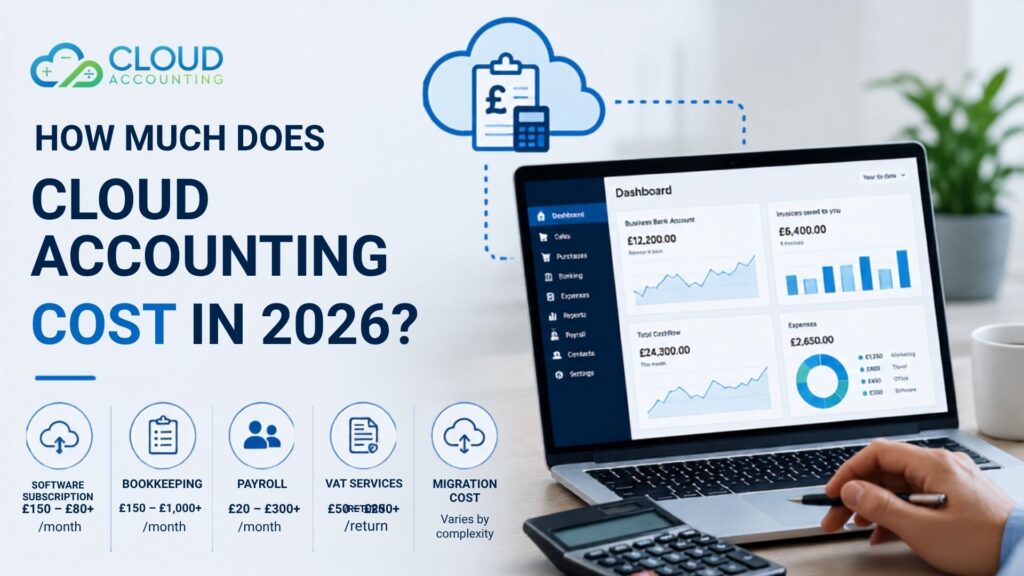
Average Cloud Accounting Costs in 2026
Although prices vary, the following estimates provide a useful overview.
| Service | Typical Cost |
| Software subscription | £15–£80+ per month |
| Bookkeeping | £150–£1,000+ per month |
| Payroll | £20–£300+ per month |
| VAT Returns | £50–£250+ per return |
| Software migration | Varies by project scope |
| Cloud accounting training | £200–£1,000+ |
| Ongoing support | Often included or charged monthly |
These figures are estimates only. Your actual costs depend on your business requirements.
Typical Cloud Accounting Costs by Business Size
Sole Traders
Many sole traders only require:
- Basic software
- Bank feeds
- Invoice management
- Expense tracking
Monthly costs are generally lower because accounting requirements are relatively simple.
Small Businesses
Growing businesses often require:
- Multiple users
- VAT management
- Regular bookkeeping
- Financial reporting
- Payroll
Monthly costs increase as accounting requirements become more advanced.
Medium-Sized Businesses
Larger organisations often require:
- Department reporting
- Inventory
- Projects
- Multi-currency
- Multiple entities
- Approval workflows
- Advanced reporting
Professional support becomes increasingly valuable as operations expand.
Cloud Accounting Software Comparison
Xero
Suitable for:
- Small businesses
- Growing companies
- Accountants
- Retailers
- Service businesses
Strengths include:
- Excellent reporting
- Large app marketplace
- Strong automation
- Bank feeds
QuickBooks Online
Ideal for:
- Consultants
- Service businesses
- Contractors
- SMEs
Popular features include:
- Invoicing
- Cash flow reporting
- Payroll integration
- Project profitability
Zoho Books
Best suited for businesses already using:
- Zoho CRM
- Zoho Inventory
- Zoho Projects
Offers excellent value for businesses using the wider Zoho ecosystem.
FreeAgent
Designed primarily for:
- Freelancers
- Contractors
- Small limited companies
Easy to use and well suited for smaller organisations.
FreshBooks
Popular among:
- Consultants
- Agencies
- Creative businesses
Strong invoicing and client management features.
Sage Accounting
Suitable for businesses already familiar with Sage products and those moving from older Sage desktop software.
Hidden Costs Businesses Should Consider
Many companies compare software subscriptions without considering additional costs.
Potential hidden expenses include:
Data Migration
Moving financial records from another system often requires specialist knowledge.
Staff Training
Your team may need training to use new software effectively.
Well-trained staff often reduce errors and improve productivity.
Third-Party Applications
Many businesses connect cloud accounting software with:
- CRM systems
- Inventory software
- POS systems
- Payment gateways
- Ecommerce platforms
- Expense management tools
Some integrations involve additional subscription fees.
Custom Reports
Businesses sometimes require customized reports that standard software doesn’t provide.
Professional report development may involve additional consultancy.
Ongoing Support
Even experienced users occasionally need help with:
- Software updates
- Errors
- VAT questions
- Reporting
- Troubleshooting
Choosing a provider that offers responsive support can save valuable time.
Is Cloud Accounting Worth the Cost?
For most businesses, cloud accounting is an investment rather than simply another monthly expense.
It can deliver significant long-term value by improving efficiency and reducing manual work.
Benefits include:
- Faster bookkeeping
- Better reporting
- Improved cash flow visibility
- Automatic bank reconciliation
- Secure cloud backups
- Better collaboration with accountants
- Reduced paperwork
- More accurate financial information
- Easier compliance
- Greater business visibility
Many businesses find that the time saved through automation more than offsets the monthly subscription cost.
How to Reduce Cloud Accounting Costs
Choose the Right Software
Avoid selecting software purely because it’s the cheapest.
Instead, choose a solution that fits your business today while supporting future growth.
Avoid Paying for Features You Don’t Need
Many businesses subscribe to higher plans without using advanced functionality.
Review your software regularly to ensure you’re receiving value.
Keep Financial Records Organised
Organised bookkeeping reduces accountant time and helps avoid unnecessary charges.
Automate Routine Tasks
Automation can reduce manual work by:
- Importing bank transactions
- Matching payments
- Sending invoices
- Managing recurring bills
Work with Experienced Cloud Accounting Specialists
Experienced professionals can:
- Recommend the right software
- Configure your system correctly
- Prevent costly setup mistakes
- Improve reporting
- Provide ongoing support
Choosing the Right Cloud Accounting Provider
Price matters, but it shouldn’t be your only consideration.
A reliable provider should offer:
- Certified software expertise
- Migration experience
- Bookkeeping services
- Payroll support
- VAT knowledge
- Training
- Ongoing technical support
- Data security
- Responsive customer service
- Scalable solutions
Choosing the right partner can improve the return on your investment and help you get the most from your accounting software.
Why Choose Cloud Accounting?
At Cloud Accounting, we help businesses simplify their financial management through modern cloud accounting solutions.
Our services include:
- Cloud accounting software implementation
- Accounting software migration
- Bookkeeping services
- Payroll support
- VAT returns
- Software training
- Business reporting
- Ongoing accounting support
- Cloud accounting consultancy
Whether you’re moving to Xero, QuickBooks Online, Zoho Books, FreeAgent, or another cloud platform, our experienced team can help you choose the right solution and ensure a smooth transition.
Our goal is to help businesses work more efficiently while maintaining accurate and reliable financial records.
Frequently Asked Questions
How much does cloud accounting cost each month?
Cloud accounting costs vary depending on the software you choose and the services you require. Businesses typically pay a monthly software subscription, with optional costs for bookkeeping, payroll, VAT support, and professional advice.
Is cloud accounting cheaper than desktop accounting software?
While subscription costs are ongoing, cloud accounting can reduce expenses related to software maintenance, server infrastructure, manual data entry, and system upgrades. Many businesses also benefit from time savings through automation.
What is included in cloud accounting services?
Cloud accounting services can include software setup, bookkeeping, payroll, VAT returns, financial reporting, migration, training, and ongoing support. The exact services depend on your provider and package.
Can I migrate from desktop accounting software?
Yes. Many businesses move from desktop systems such as Sage, QuickBooks Desktop, or other legacy software to cloud accounting platforms. A professional migration helps preserve important financial data and reduces the risk of errors.
Which cloud accounting software is best?
The best software depends on your business size, industry, reporting requirements, integrations, and budget. Platforms such as Xero, QuickBooks Online, Zoho Books, FreeAgent, and Sage Accounting each offer different strengths.
Does cloud accounting support business growth?
Yes. Cloud accounting software is designed to scale with your business, making it easier to manage increasing transaction volumes, additional users, and more advanced reporting as your organisation grows.
Final Thoughts
Understanding cloud accounting cost involves more than comparing monthly software prices. The total investment depends on your business requirements, the level of support you need, and the features that will help your organisation operate more efficiently.
By choosing the right software and partnering with an experienced cloud accounting provider, you can improve financial visibility, automate routine tasks, maintain compliance, and build a scalable finance system that supports long-term growth.
If you’re planning to adopt cloud accounting in 2026, taking the time to evaluate your options today can help you make a well-informed decision that delivers lasting value for your business.