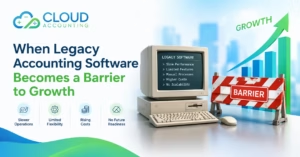

Pegasus Opera 3 has supported many UK businesses for years. It offers detailed tools for accounting, payroll, stock control, order processing, reporting and other business tasks.
However, the way businesses manage finance is changing. More teams now work from different locations. Business owners want quicker access to reports. Accountants need secure access without connecting to an office server. Companies also want accounting software that can connect with their other business applications.
These changes may lead you to search for a suitable Pegasus Opera 3 alternative.
QuickBooks Online is one possible option. It offers cloud accounting, bank connections, invoicing, expense tracking, VAT tools and financial reporting. However, moving from Opera 3 to QuickBooks Online is not a simple software update. The two systems are built for different types of accounting operations.
This guide explains the key differences, possible benefits, limitations and migration points you should consider before making a decision.
Why Are Businesses Moving Away from Pegasus Opera 3?
Pegasus Opera 3 remains a capable accounting and business management system. Its official product information includes financial ledgers, payroll, costing, stock control, sales order processing, purchase order processing and manufacturing functions.
The question is not whether Opera 3 works. The real question is whether it still fits the way your business wants to operate.
Here are some common reasons companies consider changing systems.
Greater demand for remote access
Traditional Opera 3 installations may depend on office computers, a local network or a hosted server environment. This can make remote working more complicated.
A cloud accounting system allows approved users to access financial information through an internet connection. This can make it easier for business owners, finance staff and external accountants to work together.
Server and IT responsibilities
A locally managed accounting system may require server maintenance, software updates, backups and technical support.
The exact level of work depends on how Opera 3 is hosted and managed. However, some businesses want to reduce their reliance on internal servers and local installations.
Need for simpler daily accounting
Opera 3 can support detailed and complex processes. That depth is valuable for some businesses, but smaller organisations may not need every part of the system.
If your finance team mainly handles invoices, bills, expenses, banking, VAT and standard reports, a simpler cloud platform may be more suitable.
Better access for accountants and advisers
Sharing data with an external accountant can be more difficult when the records sit inside an office based system.
QuickBooks Online allows authorised users to access the same company file online. This may reduce the need to send backups or arrange remote access to a particular computer.
Demand for connected applications
Modern businesses often use separate platforms for payments, ecommerce, expenses, customer management and reporting.
QuickBooks Online can connect with a range of third party applications. However, every required integration should be checked before migration. An application listed in a marketplace may not support every workflow your business needs.
What Is QuickBooks Online?
QuickBooks Online is a cloud accounting platform from Intuit. It is designed mainly for small and medium sized businesses.
Depending on the selected plan and available features, it can support tasks such as:
- Creating and sending sales invoices
- Recording supplier bills
- Connecting bank accounts
- Matching and reconciling transactions
- Tracking income and expenses
- Managing VAT records
- Submitting supported VAT returns
- Producing financial reports
- Giving access to employees and accountants
- Tracking projects or business activity
- Connecting with other business applications
QuickBooks Online can be accessed through a web browser. Mobile access is also available, although not every browser feature is available through the mobile application.
QuickBooks provides Making Tax Digital tools for supported UK VAT schemes. Businesses should confirm that their VAT method, reporting needs and company setup are compatible before subscribing. QuickBooks UK
Is QuickBooks Online a Good Pegasus Opera 3 Alternative?
QuickBooks Online can be a good Pegasus Opera 3 alternative if your company wants simpler accounting, online access and less dependence on local servers.
However, it is not a direct replacement for every Opera 3 module.
Opera 3 can manage detailed stock operations, order processing, costing, payroll, personnel records and manufacturing workflows. QuickBooks Online focuses more heavily on core cloud accounting.
The right choice therefore depends on which Opera 3 features your business currently uses.
| Business requirement | Pegasus Opera 3 | QuickBooks Online |
| Core bookkeeping | Supported | Supported |
| Sales and purchase ledgers | Detailed ledger functions | Customer and supplier transaction management |
| Remote access | Depends on hosting and setup | Online access is standard |
| Bank reconciliation | Supported through Cashbook | Connected banking and reconciliation tools |
| VAT management | Supported | Supported for eligible UK VAT setups |
| Payroll | Dedicated Opera 3 payroll module | Available through eligible QuickBooks payroll products |
| Stock management | Detailed stock and warehouse controls | More suitable for standard inventory needs |
| Manufacturing | Bill of materials and works order features available | Not a full manufacturing system |
| Sales order processing | Detailed order processing features | More limited without connected applications |
| Purchase order processing | Detailed purchasing controls | Available features depend on plan and workflow |
| Job costing | Detailed costing functions | Project and profitability tools on eligible plans |
| Reporting | Detailed reports and Excel based reporting options | Online reports and dashboards |
| Server management | May require local or hosted infrastructure | Managed cloud platform |
This comparison shows why businesses should assess their processes before moving. QuickBooks may offer a simpler experience, but it may not reproduce every Opera 3 function.
Benefits of Moving from Pegasus Opera 3 to QuickBooks Online
Access your accounts online
QuickBooks Online allows permitted users to view accounting records through a supported browser and internet connection.
This can be useful when directors, bookkeepers and accountants work from different locations. It also reduces dependence on one office computer.
Reduce local software management
QuickBooks manages its cloud platform and releases product updates online. Your business does not need to install the main accounting program separately on every user’s computer.
You will still need good security controls, suitable user permissions and dependable internet access.
Connect your bank accounts
You can connect eligible bank accounts to QuickBooks and import bank transactions for review and reconciliation.
Bank connections do not remove the need for bookkeeping checks. They simply reduce some manual entry. Someone still needs to confirm that transactions are complete and correctly recorded.
Improve collaboration
Multiple authorised users can work with the company records. Access levels depend on the subscription and permissions provided.
Your accountant can review transactions and reports without waiting for a backup file. This can support faster communication and earlier identification of accounting errors.
Manage invoices and expenses
QuickBooks Online includes tools for creating invoices, recording bills and tracking business expenses.
You can configure templates, payment terms and customer details for regular invoicing. Before migrating, check whether the new system can recreate any specialised Opera 3 invoice layouts or approval processes.
Access financial reports
QuickBooks includes standard reports such as:
- Profit and loss
- Balance sheet
- Trial balance
- Accounts receivable ageing
- Accounts payable ageing
- Cash flow reports
- Customer and supplier reports
Report availability and customisation can vary by plan. Businesses that use detailed Pegasus XRL reports should compare their existing reporting structure with QuickBooks before committing to the change.
Connect other business tools
QuickBooks can connect with applications for payments, expenses, ecommerce, time tracking and other tasks.
The connection itself is only part of the decision. You also need to understand how information moves between the systems, how duplicates are prevented and who will review exceptions.
Where QuickBooks Online May Not Replace Opera 3
QuickBooks Online is not the right choice for every company. This matters most when Opera 3 supports more than basic accounting.
Complex stock requirements
Opera 3 can support multiple warehouses, different stock costing methods, landed costs, stock traceability and other detailed controls.
QuickBooks Online may not provide the same depth. If your company manages complicated stock movements, serial numbers, batches, quarantine locations or landed costs, you may need a connected inventory platform or a more advanced business system.
Manufacturing operations
Opera 3 offers bill of materials and works order functions for manufacturing businesses.
QuickBooks Online is not designed as a full manufacturing platform. A manufacturer may need specialist software connected to QuickBooks, or it may need to consider a different system entirely.
Detailed sales order processing
Opera 3 can manage pricing rules, customer credit limits, document progression and links between sales and purchase orders.
If these features are important to daily operations, test the proposed QuickBooks setup carefully. Standard invoicing tools may not be enough.
Advanced purchase controls
Businesses may use Opera 3 for invoice registration, purchase order matching, authorisation and supplier payment processes.
QuickBooks can manage bills and purchasing tasks, but the exact workflow may differ. Approval tools or connected applications may be required.
Detailed costing
Opera 3 can track labour, contractors, direct expenses, stock and other costs against jobs.
QuickBooks project tools may suit businesses with simpler project reporting. They may not replace a detailed Opera costing structure without changes to the company’s processes.
Bespoke reports and customisations
Some companies have used Opera 3 for many years and built custom reports around it. Others rely on unique account structures, department codes or exported spreadsheets.
These reports will not automatically appear in QuickBooks. They must be reviewed and either rebuilt, replaced or handled through another reporting tool.
What Data Can Be Moved from Opera 3 to QuickBooks Online?
The available data depends on the quality of your Opera 3 records, the migration method and the agreed scope.
A typical migration may include:
- Chart of accounts
- Customer details
- Supplier details
- Opening balances
- Sales invoices
- Sales credit notes
- Purchase bills
- Purchase credit notes
- Customer payments
- Supplier payments
- Bank transactions
- Nominal ledger transactions
- Outstanding customer balances
- Outstanding supplier balances
- Selected historical transactions
Some information may require a separate process or may not transfer in its original form. Examples include:
- Custom reports
- Detailed audit history
- Payroll records
- Product and stock history
- Sales orders
- Purchase orders
- Attachments
- Manufacturing records
- Bespoke fields
- Department and cost centre structures
- Recurring transaction instructions
Do not assume that every screen, field and report in Opera 3 can be copied directly into QuickBooks. A good migration focuses on retaining accurate financial information and building a practical setup for future work.
How to Plan an Opera 3 to QuickBooks Migration
1. Review how Opera 3 is currently used
List the modules your company uses and the people who use them.
Do not limit the review to the finance team. Sales, purchasing, payroll, stock and operations staff may depend on Opera 3 without appearing in the accounting workflow.
2. Document essential processes
Record the tasks that must continue after migration. These may include:
- Raising customer invoices
- Approving supplier bills
- Creating purchase orders
- Managing stock
- Processing payroll
- Preparing VAT returns
- Tracking departments
- Reporting on jobs
- Managing foreign currencies
- Producing monthly management reports
This process helps reveal whether QuickBooks can meet your needs alone or requires additional applications.
3. Choose the right QuickBooks plan
QuickBooks Online plans do not all include the same functions, limits or user access.
Select a plan based on your actual requirements rather than the lowest advertised price. Prices and product features can change, so review the current plan details before subscribing. QuickBooks pricing
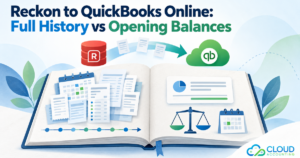
4. Decide how much history to move
You may choose to migrate:
- Opening balances only
- The current financial year
- The current and previous financial year
- Several years of detailed transactions
- All practical historical records
Moving more history can improve reporting and access to old transactions. It can also increase the time, cost and complexity of the migration.
Older data should not be transferred simply because it exists. Move the records that provide a clear accounting, legal or operational benefit.
5. Choose a conversion date
A month end or financial year end can provide a clean point for changing systems. However, the best date depends on your reporting calendar and workload.
Avoid choosing a date during your busiest trading period, payroll deadline or VAT submission window if possible.
6. Clean the existing records
Review Opera 3 before extracting the data. Look for:
- Duplicate customer and supplier records
- Old nominal codes
- Unallocated payments
- Unreconciled bank transactions
- Incorrect VAT entries
- Dormant stock items
- Old outstanding invoices
- Incomplete contact details
Migrating untidy data only creates a newer looking version of the same problem.
7. Map the data
Opera nominal codes must be mapped to the QuickBooks chart of accounts.
Departments, cost centres, tax codes, customer records and supplier records may also require mapping. This stage determines where information will appear after conversion.
8. Test the converted records
Never rely only on a successful import message. The converted accounts should be checked against Opera 3.
Important checks include:
- Trial balance
- Profit and loss
- Balance sheet
- Bank balances
- Customer balances
- Supplier balances
- VAT figures
- Retained earnings
- Transaction counts
- Stock values where relevant
Any difference should be investigated before QuickBooks becomes the live accounting system.
9. Train the users
QuickBooks and Opera 3 use different screens, terms and workflows. Even experienced accounts staff need time to learn the new system.
Training should cover daily tasks, user permissions, bank reconciliation, VAT, reports and the correction of common errors.
10. Keep an archive
Maintain a secure copy of the original Opera 3 data and relevant reports.
You may need the archive for tax enquiries, audits, historical analysis or records that were outside the migration scope.
Common Migration Mistakes to Avoid
Assuming both systems work in the same way
QuickBooks is not Opera 3 in a browser. Processes may need to change.
Selecting software before reviewing requirements
A product demonstration can look impressive while missing one function that your business uses every day.
Ignoring connected departments
Finance may be ready to move, but warehouse or purchasing staff may still depend on Opera 3 functions.
Migrating poor quality data
Duplicates and accounting errors should be reviewed before conversion wherever possible.
Moving everything without a reason
A very large historical migration may add cost without improving future accounting. Define what users actually need.
Skipping reconciliation
Imported data must be compared with the original records. If balances do not agree, the migration is not complete.
Cancelling Opera access too early
Keep access to the old records until the new system has been tested and accepted.
Who Is QuickBooks Online Best Suited To?
QuickBooks Online may be a suitable Pegasus Opera 3 alternative for businesses that:
- Need core bookkeeping and financial reporting
- Want online access for remote teams
- Use standard invoicing and expense processes
- Want connected bank transactions
- Need supported UK VAT tools
- Have relatively simple inventory requirements
- Want easier access for their accountant
- Do not depend heavily on Opera manufacturing functions
- Are prepared to update some internal processes
When Should You Consider Another Option?
You may need a different platform if your business depends on:
- Advanced warehouse management
- Complex stock traceability
- Bill of materials
- Manufacturing works orders
- Detailed supply chain controls
- Complex job costing
- Extensive custom reports
- Large transaction volumes
- Complicated group reporting
- Highly customised order processing
QuickBooks may still form part of the solution, but it could require several connected applications. Too many connections can create extra cost and more points of failure. In some cases, a broader finance or business management system will be the better choice.
Frequently Asked Questions
Is QuickBooks Online better than Pegasus Opera 3?
Neither platform is automatically better. QuickBooks Online may be better for cloud access, everyday bookkeeping and collaboration. Opera 3 may be stronger for detailed stock, order processing, costing and manufacturing requirements.
Can all Opera 3 data be transferred to QuickBooks?
Not necessarily. Core accounting data can often be moved, but specialised records may need to be rebuilt, archived or managed separately. The source data and required migration scope must be assessed first.
Can historical transactions be moved?
Yes, selected historical transactions may be transferred. The amount of history should be decided based on reporting, compliance and operational needs.
Can QuickBooks Online manage UK VAT?
QuickBooks offers Making Tax Digital tools for supported VAT schemes and eligible subscriptions. Confirm that your VAT setup and reporting requirements are supported before moving.
Will invoice attachments transfer?
Attachments may require a separate migration process and may not be included in a standard conversion. Confirm this before approving the project.
Can payroll records be migrated?
Payroll migration is different from general accounting migration. Employee details, year to date figures, pensions and prior submissions require careful review. It may be better to start the new payroll system at the beginning of a tax year or another suitable payroll period.
How long does an Opera 3 migration take?
The timescale depends on data volume, data quality, required history, company complexity and the number of Opera modules involved. A simple accounting conversion may be completed faster than a project involving stock, payroll and custom reports.
Should we stop using Opera 3 during the migration?
Your migration provider should agree on a cut off process. Transactions entered into Opera after the final extraction may need to be entered again or transferred separately.
Final Thoughts
QuickBooks Online can be a strong Pegasus Opera 3 alternative for businesses that want cloud access, simpler daily accounting and better collaboration with their finance team.
However, it is not a direct replacement for every Opera 3 function. Businesses using advanced stock, manufacturing, order processing or costing features must examine those requirements carefully.
Start with a detailed system review. Identify the functions you use, the data you need and the reports your team depends on. Then compare those requirements with the correct QuickBooks plan and any additional applications.
A successful move is not just about transferring transactions. It is about giving your business an accounting system that remains accurate, practical and suitable for future growth.
Ready to move away from Pegasus Opera 3? Contact our migration experts today to plan a secure and accurate move to QuickBooks Online.